

Words cut off in captions, and style gets "stuck" on sequence
Hello! I'm using the new captions feature for the first time, and I'm running across two problems.
1) Auto-generated captions cut off the text by forcing text onto multiple lines that aren't visible. So, for example, even though I select 2 lines and use the default subtitle, it will create captions with either too much text, forcing words onto a third or fourth line, or it will even put just one or two words on a line and force the rest onto multiple lines. This also happens if I try to use a custom style that I created.
Here you can see the text in the captions window, and then the caption it's created - clearly missing the last part of the sentence, which have been pushed onto lines below what's visible.

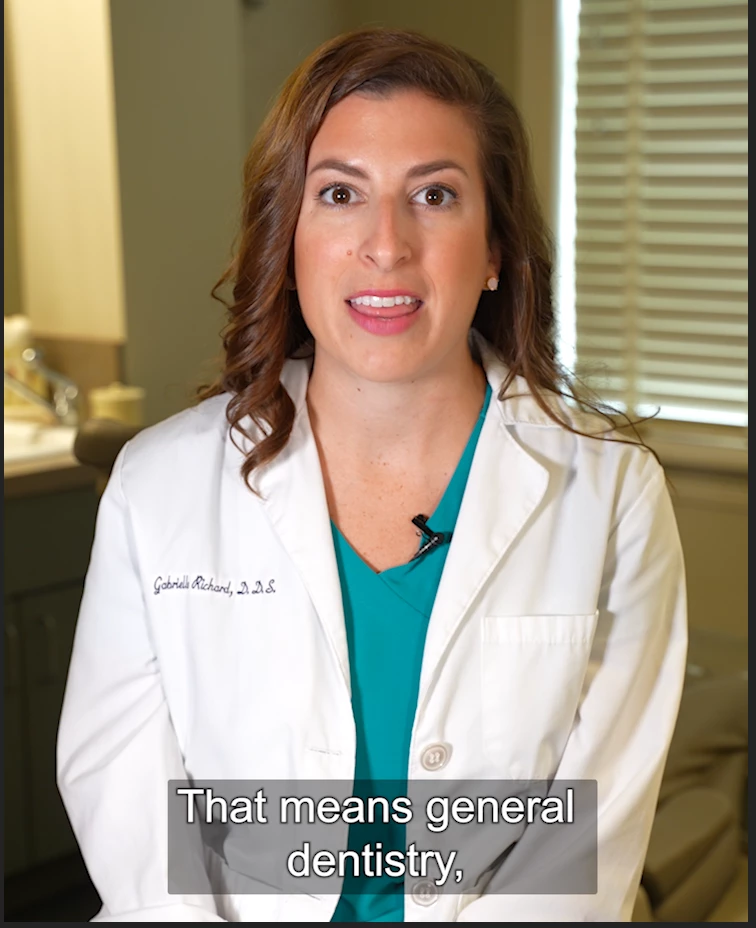
I've adjusted the bounding box in the Essential Graphics panel but all it does is hide or reveal the two lines of text that are below what you see there. It seems the only way to fix this is to go to every single caption, manually move more words per line and split the caption. Please tell me that's not the case.
2. Sequence will get stuck creating custom style captions even if I select default. I created a custom style for captions. I used it on a sequence, realized I wanted to do something else, so I deleted the subtitles track and clicked "create captions" again, selecting the default options. It still created the custom style. Even when I restarted Premiere and cleared the media cache, that was the only captions style that sequence would generate.
details:
Mac running Catalina 10.15.7
Premiere Pre v. 15.4.1
 AdChoices