Participant
January 11, 2018
Answered

Working with long video clips in Premiere Pro?

  • January 11, 2018
  • 1 reply
  • 7304 views

I was handed a bunch of long MTS camera recordings (3+ hours each) and Premiere Pro isn't happy with me importing them.  Media Browser recognizes the filesfine but when it imports the long clips into the project and then into the timeline the audio is out of sync by quite a bit, even when using proxies.  I did a test export and the sync issue carries over the the exported file.

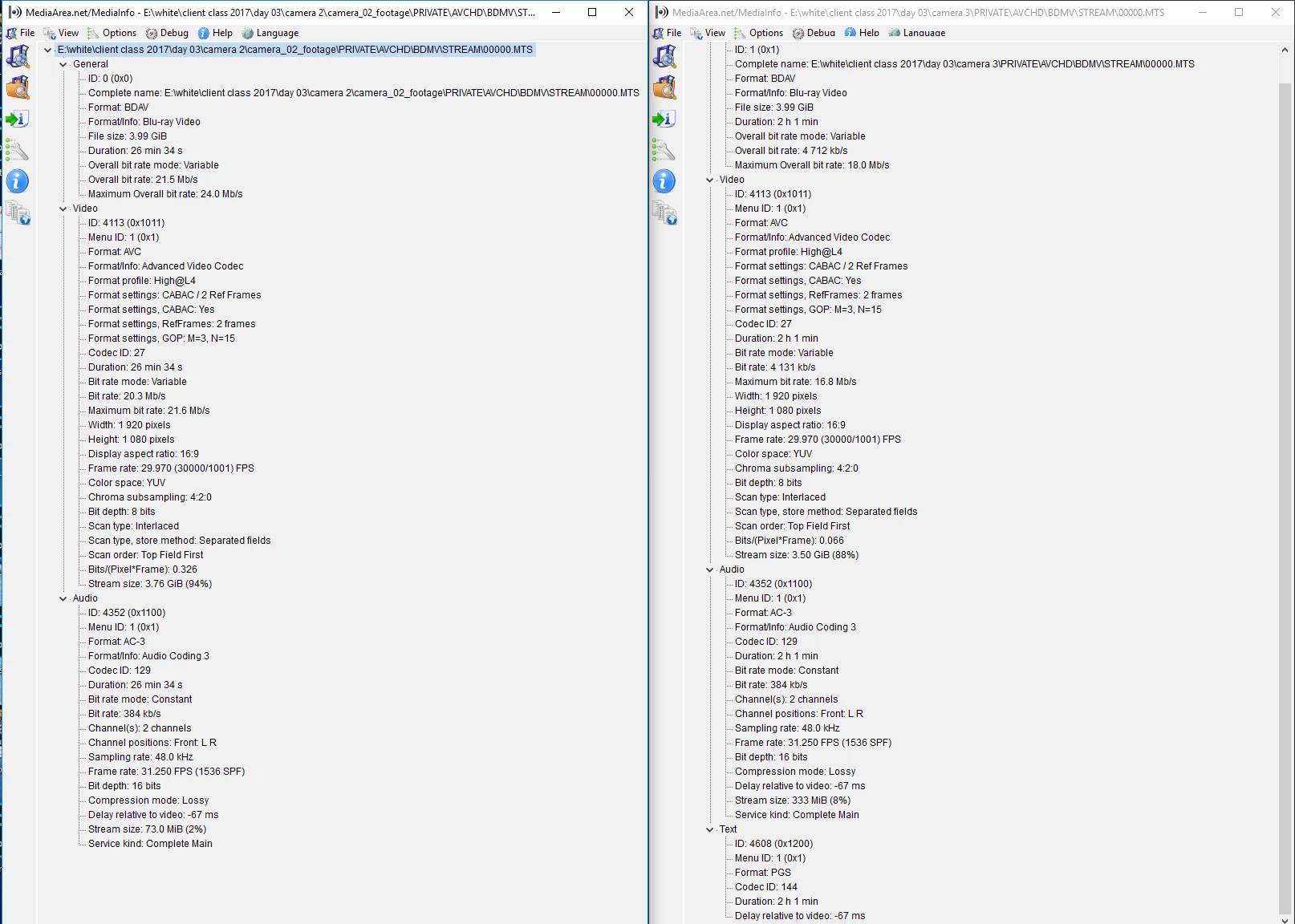
My machine isn't the newest kid on the block but it's got 26 gb of useful RAM but I'm guessing it might not be enough to tackle these(?).  I've included a MediaInfo screencap of two of the MTS files in question.  Thanks for any suggestions in advance. 

    This topic has been closed for replies.
    Correct answer excited_Genie16B8

    Try this.

    With Premiere Pro closed, rename the top level folder holding the media.  Start a new project, import one clip only.  Let it finish conforming, save the project, close Premiere Pro, then reopen that project and import the next clip.  Repeat until all media imported.

    1 reply

    Legend
    January 11, 2018

    Windows 10?

    zeesilaAuthor
    Participant
    January 11, 2018

    Yes, Windows 10 64 bit.

    excited_Genie16B8Correct answer
    Legend
    January 11, 2018

    Try this.

    With Premiere Pro closed, rename the top level folder holding the media.  Start a new project, import one clip only.  Let it finish conforming, save the project, close Premiere Pro, then reopen that project and import the next clip.  Repeat until all media imported.