Inspiring
February 3, 2023
Answered

workspace preferences

  • February 3, 2023
  • 3 replies
  • 494 views

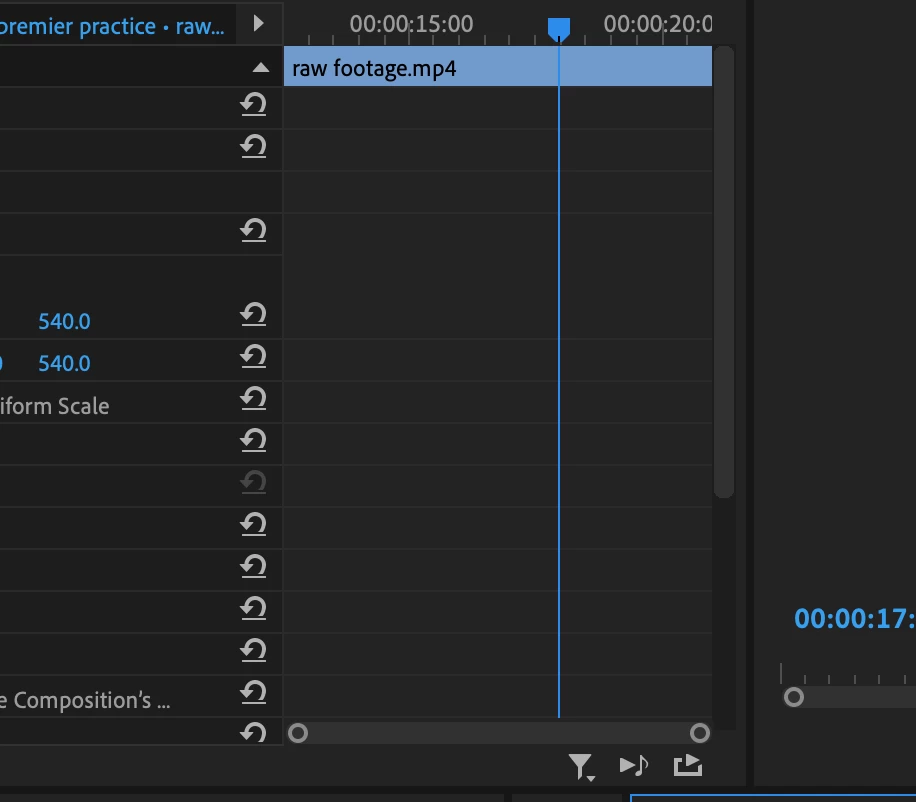
How do i remove this additional timeline from the effect control panel?
 

This topic has been closed for replies.
Correct answer R Neil Haugen

That's the keyframing panel.


See the little triangle up above all those circle-arrow "reset" icons?


Click on that, it will "twirl down", and 'close' the view of the keyframe panel.


Neil

3 replies

R Neil Haugen
R Neil HaugenCorrect answer
Legend
February 3, 2023

That's the keyframing panel.


See the little triangle up above all those circle-arrow "reset" icons?


Click on that, it will "twirl down", and 'close' the view of the keyframe panel.


Neil

Everyone's mileage always varies ...
Ann Bens
Community Expert
Community Expert
February 3, 2023

You can make te workspace bigger by unchecking Pin to Clip in the panel menu.

Averdahl
Community Expert
Community Expert
February 3, 2023
quote

How do i remove this additional timeline from the effect control panel? 


By @house embers 2


This is always present in the Effect Controls tab and cannot be removed other than closing the Effect Controls tab or hide it behind any other panel or de-select the clip on the timeline that is selected. It´s not an additional timeline.

Inspiring
February 4, 2023

I got it, I was able to hide it by clicking this arrow that says 'show/hide timeline view'