Answered

If you're running the Apple Silicon version Premiere Pro on an M1 or M2 based Mac, Wraptor DCP isn't available.
https://helpx.adobe.com/premiere-pro/kb/premiere-pro-for-apple-silicon.html
With Premiere Pro closed, Get Info on the application in the Finder and enable "Open using Rosetta" to use the Intel version. While using Rosetta, "Wraptor DCP" will show in the Format pop-up menu as expected.
You'll want to do the same thing for Media Encoder.
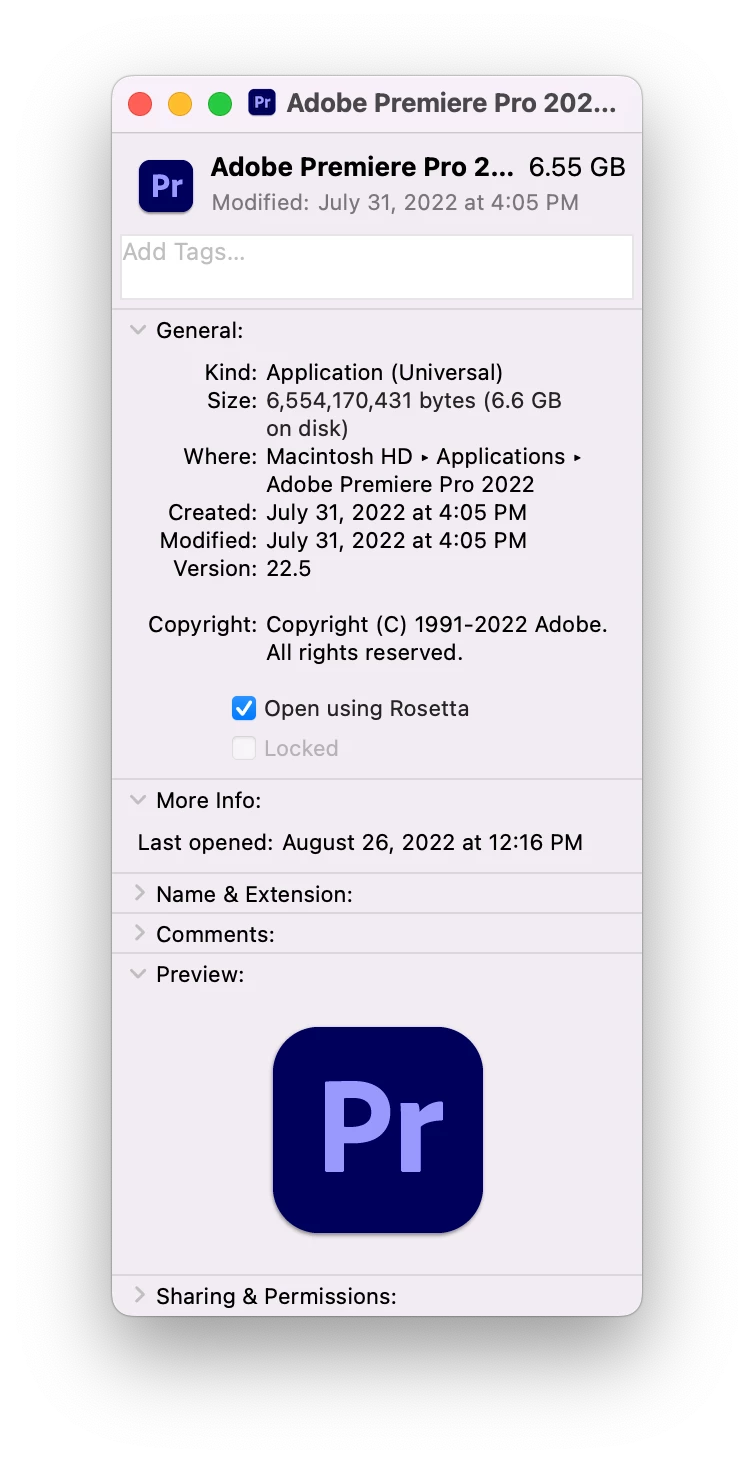
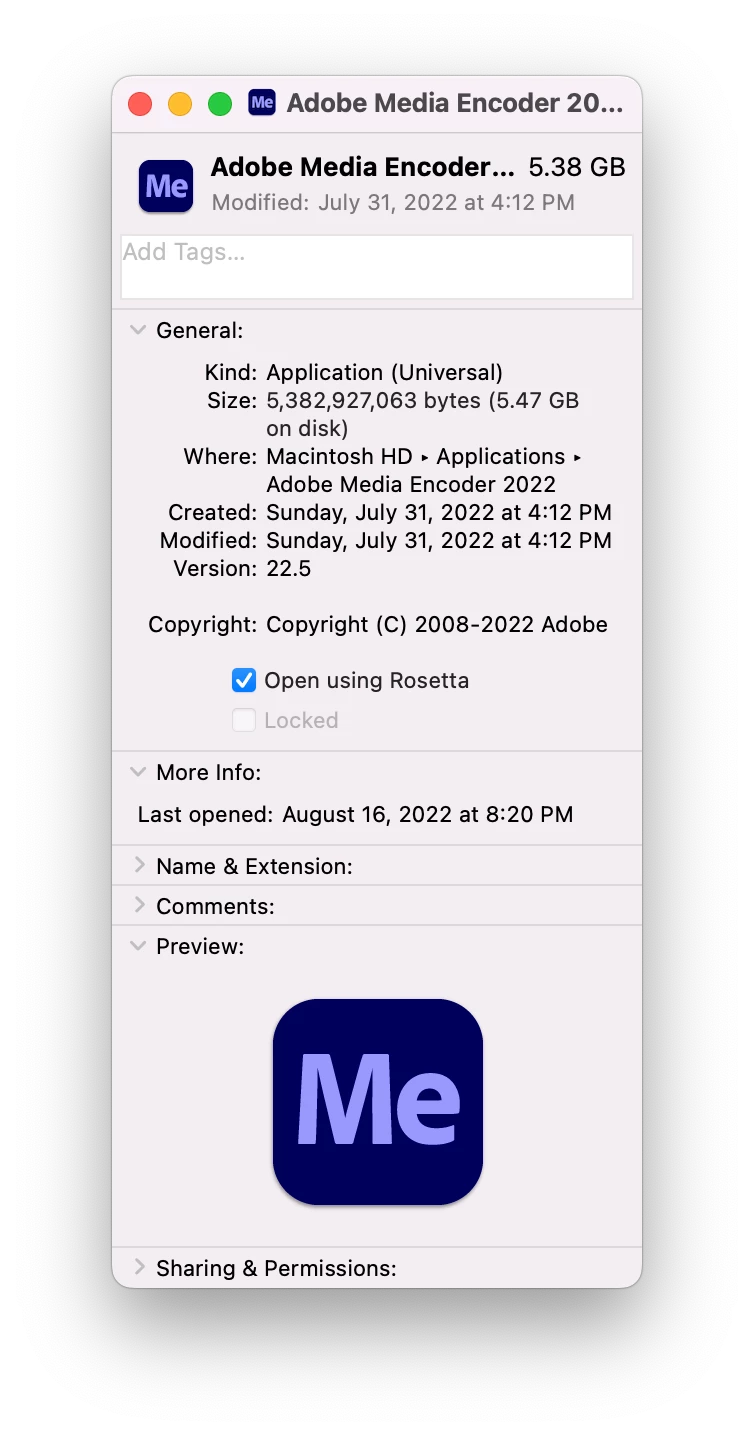
You can do your editing without using Rosetta and then enable it when you're ready to create the DCP.
Hopefully, we'll see Wraptor DCP in the Apple Silicon native version sometime soon.


Sign up
Already have an account? Login
To post, reply, or follow discussions, please sign in with your Adobe ID.
Sign inSign in to Adobe Community
To post, reply, or follow discussions, please sign in with your Adobe ID.
Sign inEnter your E-mail address. We'll send you an e-mail with instructions to reset your password.
 AdChoices