
Participant
January 22, 2024
Answered

XDCAM HD422 1080i60 CBR

  • January 22, 2024
  • 1 reply
  • 2725 views

Hi, all! I am switching over our computer system in which we are going from Final Cut 7 to Adobe Premiere. With that being said, i need help finding the export settings. The settings in Final Cut for an .mxf file are XDCAM HD422 1080i60 CBR. Does anyone have any insight?


One thing to note is that the file im exporting is roughly 28GB and the typical .mxf file is around 9GB.
Correct answer Kevin-Monahan

Hi @John23614487g8m2,

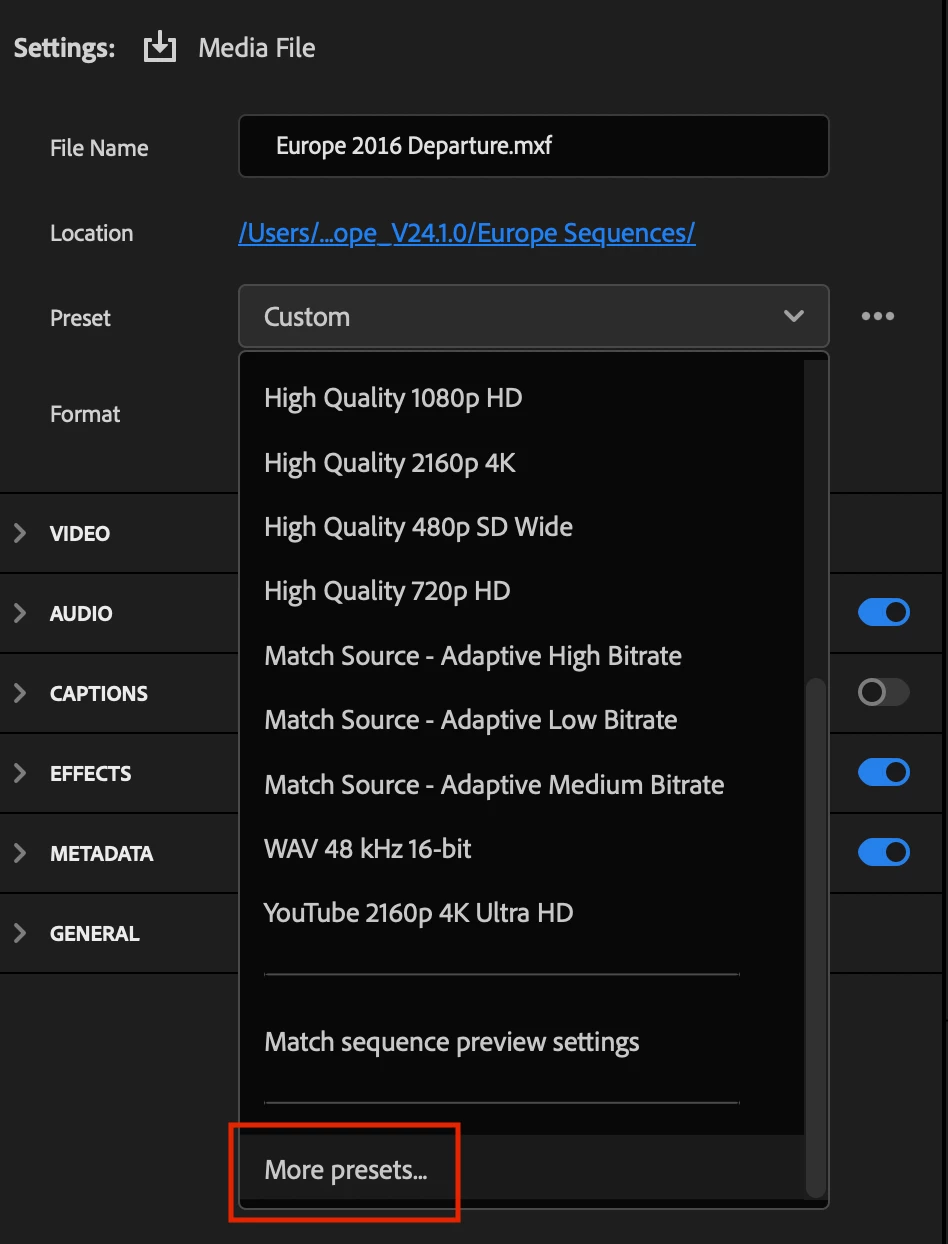
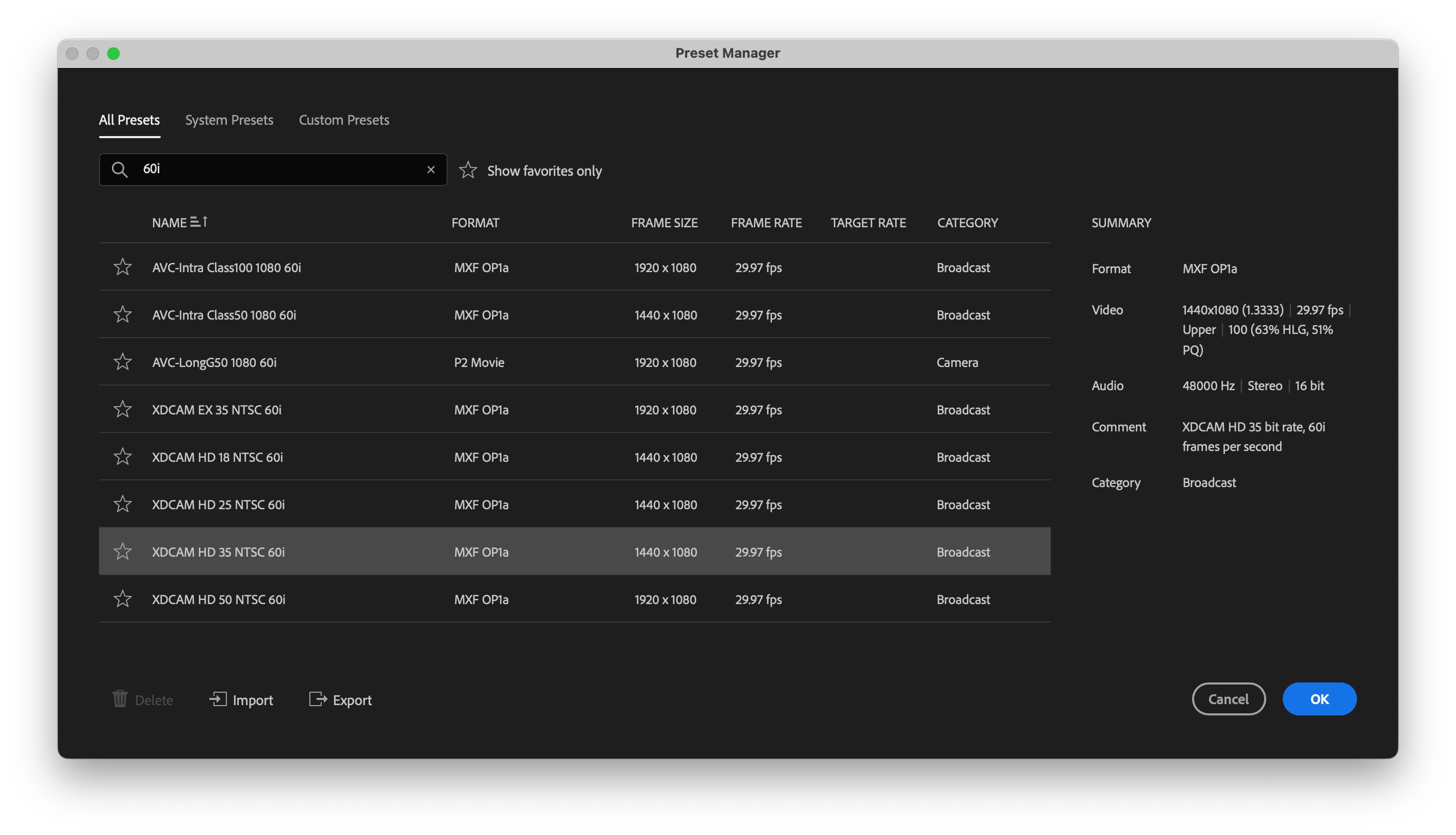
Thanks for writing in. Welcome to Premiere Pro from an ol' FCP guy. There are presets available for you for your format. For the preset, click on the arrow in the presets and choose > More Presets. Type in 60i in the search field and you'll find the right one. If you can't find it, let me know, OK?


I hope the info helps.


Thanks,
Kevin

1 reply

Kevin-Monahan
Community Manager
Kevin-MonahanCommunity ManagerCorrect answer
Community Manager
January 23, 2024

Hi @John23614487g8m2,

Thanks for writing in. Welcome to Premiere Pro from an ol' FCP guy. There are presets available for you for your format. For the preset, click on the arrow in the presets and choose > More Presets. Type in 60i in the search field and you'll find the right one. If you can't find it, let me know, OK?


I hope the info helps.


Thanks,
Kevin

Kevin Monahan - Sr. Community and Engagement Strategist – Adobe Pro Video and Audio
Participant
January 25, 2024

Kevin, thanks for the help! I have one other question for you: 


This is the export setting in FCP7: XDCAM EX 1080i 60(35 MB/S VBR)

This is what the file comes out to be: Quicktime Movie, 1920x1080, MPEG-2 Video, Linear PCM, HD(1-1-1)


I need that export setting in Premiere Pro but can's seem to get XDCAM setting to export .mov, it always reverts back to .mxf. Any insight? 

Participant
January 25, 2024

This is what i keep getting. The file size is not big enough, should be around 7.2GB and the codec is wrong. It also keeps saving it as an .mp4 and it needs to be .mov.