
Participating Frequently
May 9, 2016
Answered

Yellow bar in timeline won't render

  • May 9, 2016
  • 5 replies
  • 57560 views

It looks like others have had this problem and it was not answered,

Premiere Pro CC 2015.2 release.

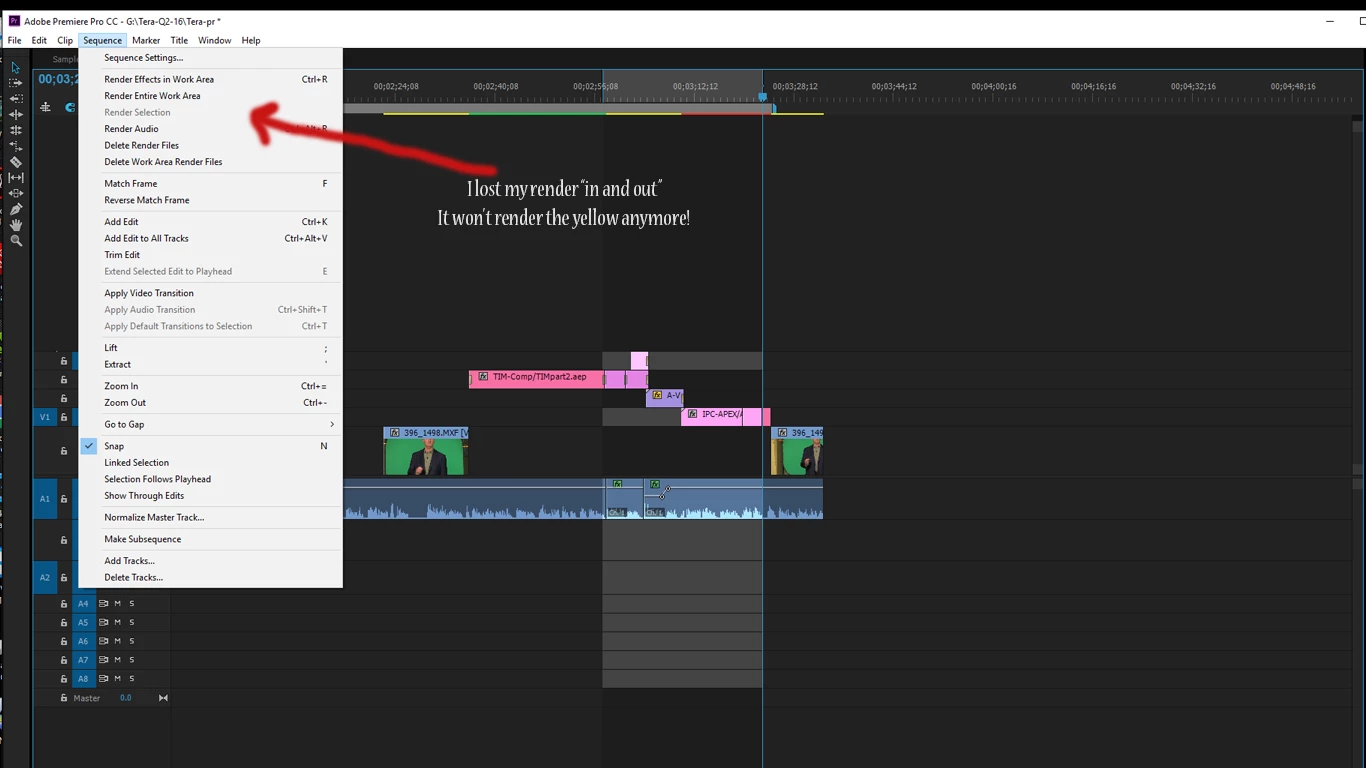
I have tried render" entire work area," I tried to place an in and out point but lost my "render to in and outs".

How do I render the yellow bars, it is not working anymore.

Attached file
This topic has been closed for replies.
Correct answer Ann Bens

Render in to out is only available when having the Work Area Bar turned off.

Set the in and out point and Render in to out will appear.

5 replies

R Neil Haugen
Legend
February 22, 2020

This is inaccurate and does not work.


In a thread with a number of posts, such a cryptic comment doesn't give any help for suggesting something. So ... a bit of information and explanation would help.


Neil


Everyone's mileage always varies ...
Participant
May 22, 2020

My comment was removed because I gave a link to a resource which is so valuable to people.


Use a converter, like handbrake, to convert the file from its variable frame rate, to a constant frame rate. The yellow bar means your file will be desync'd at some point, therefore you need to make it so it plays nice with premiere.

Participating Frequently
February 22, 2020

This is inaccurate and does not work.


So for whatever reason the form won't allow me to reply to Neil. 

I had replied to Ann Bens supposed correct answer and the fourm put my comment where it did, yet another issue. Ann's instructions do not work, the fix is inaccurate and does not work. 

chillyche
Inspiring
September 13, 2019

I have the same problem.  Premiere seems to think it doesn't need to render yellow stuff (and won't render the yellow stuff), but it frequently stutters or drops frame during playback when it runs into a couple of yellow effects at once.  

I like the idea of "not needing to render" but only if I can force render it, since Premiere and I have different standards for what is considered "real time."

macdavid777
Participating Frequently
December 20, 2019

Yeah... I used the In to Out render option and it rendered, but why in the world won't "render Selection" not work if I highlight the HurkyJerky files in question. 


I regret leaving FCP more and more. Sigh...

Participant
May 22, 2020

You need to change from variable framerate to constant frame rate

Ann Bens
Community Expert
Ann BensCommunity ExpertCorrect answer
Community Expert
May 9, 2016

Render in to out is only available when having the Work Area Bar turned off.

Set the in and out point and Render in to out will appear.

Participating Frequently
May 9, 2016
uptondmAuthor
Participating Frequently
May 9, 2016

Some times the playback chokes when it gets to a yellow clip. If it is all green it plays back in real-time fine. Is there a way to force the yellow to render a preview?

Ann Bens
Community Expert
Community Expert
July 11, 2016

See post 2.