


Known Participant
June 12, 2024
Open for Voting

How to Set a Shortcut to Insert Footage at Next or Last Clip in Premiere Pro?

  • June 12, 2024
  • 3 replies
  • 670 views

Hey everyone,

I'm looking for a way to set a shortcut in Premiere Pro to insert footage at the next or last clip in my timeline, regardless of where my CTI (Current Time Indicator) is located.

As shown in the image below, I can only achieve this by dragging the footage into the program monitor until it shows the overlay options. This process can be cumbersome, and I’m trying to streamline my workflow.
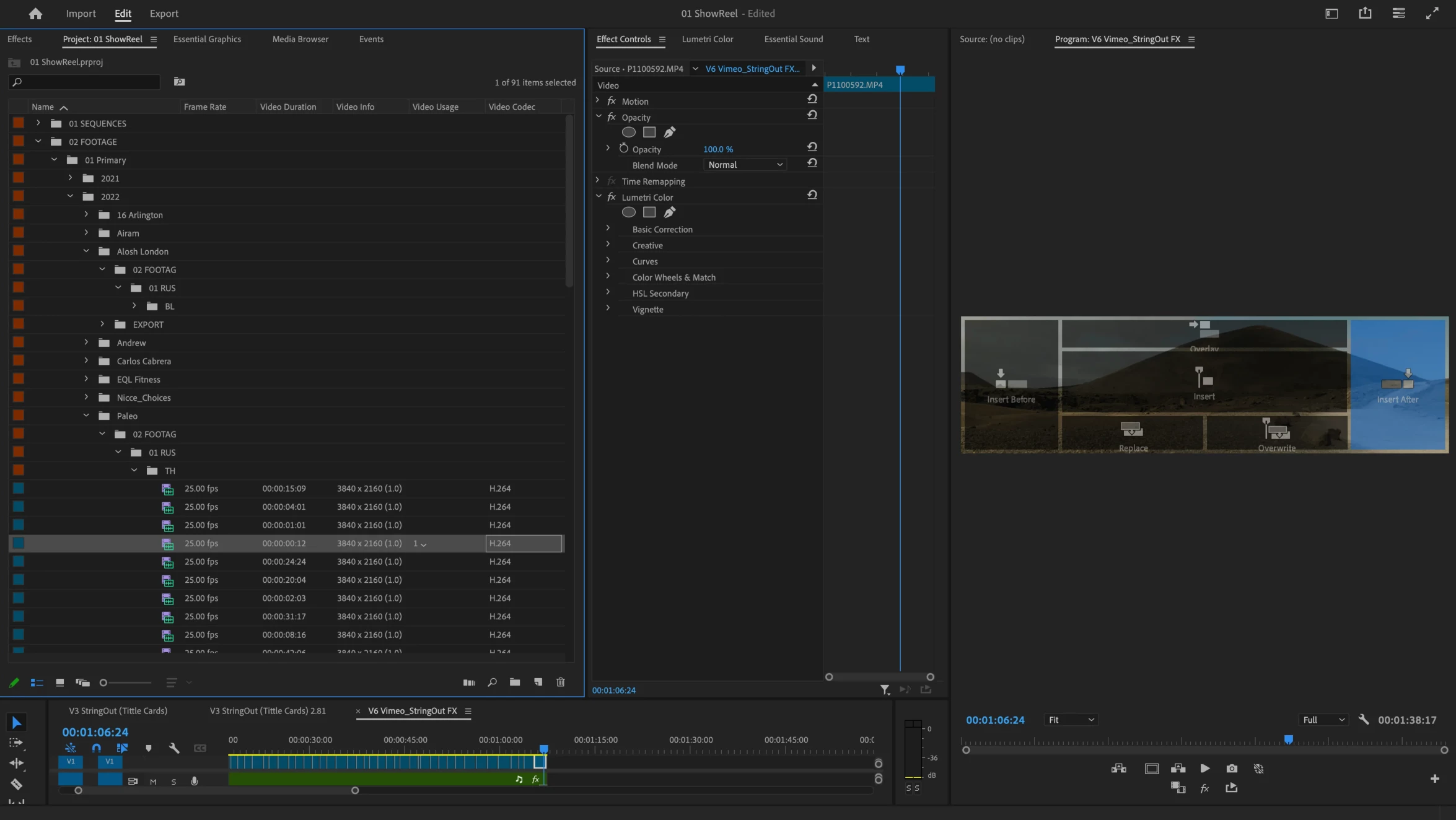
 

In DaVinci Resolve, there's a feature that allows users to insert clips at the next or previous edit point directly "Append at end", which I have mapped to my keyboard for efficiency. Is there a similar function or workaround in Premiere Pro to insert clips at the nearest edit point, without manually dragging them?

Any pointers or help would be much appreciated!

Thanks!

3 replies

Nacho SAuthor
Known Participant
June 20, 2024

Hello everyone,


Following up on my previous post from June 12, 2024, I'm still looking for a way to set a shortcut in Premiere Pro to insert footage at the next or last clip in my timeline, regardless of where my CTI (Current Time Indicator) is located.


As I mentioned before, in DaVinci Resolve, there's a feature that allows users to insert clips at the next or previous edit point directly, which can be mapped to a keyboard shortcut for efficiency. This functionality is incredibly useful for streamlining the editing process and avoiding the need to manually drag footage into the program monitor to show the overlay options.


Given the positive impact this feature has on workflow efficiency, I would like to kindly request that the Adobe Premiere engineers consider introducing a similar function in future updates. Having the ability to insert clips at the nearest edit point or at the end of my tiemline with a simple keyboard shortcut would be a tremendous enhancement for many users.


Thank you for considering this request!

R Neil Haugen
Legend
June 12, 2024

Premiere Pro in general has a ton more useful editing keyboard shorts than Resolve has as of R19. It's been noted by numerous major editors. BM does keep adding them but as of this time, Premiere's got the better available set.


THIS ... is one shortcut available in Resolve, that's useful in normal editing, that Premiere doesn't have.


So thanks for suggesting it! Happy to upvote.

Everyone's mileage always varies ...
Ann Bens
Community Expert
Community Expert
June 12, 2024

Moved to Idea board.