

Alex Schenke
Participant
January 18, 2023
Open for Voting

Optical Kerning in Premiere Pro

  • January 18, 2023
  • 3 replies
  • 4030 views

I work for a large telecommunication corporation where our font specifically needs to be set to Optical Kerning to match our brand standards.


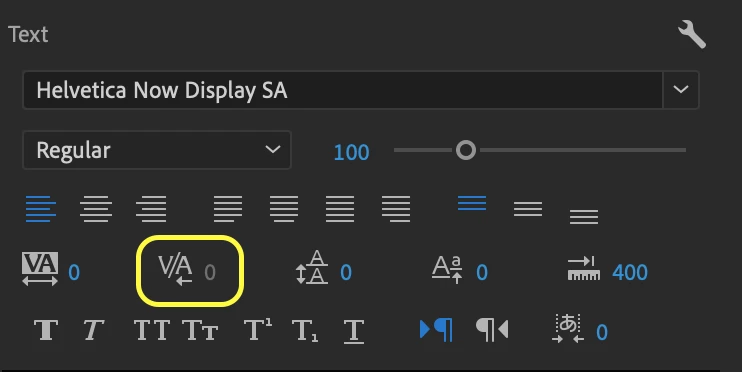
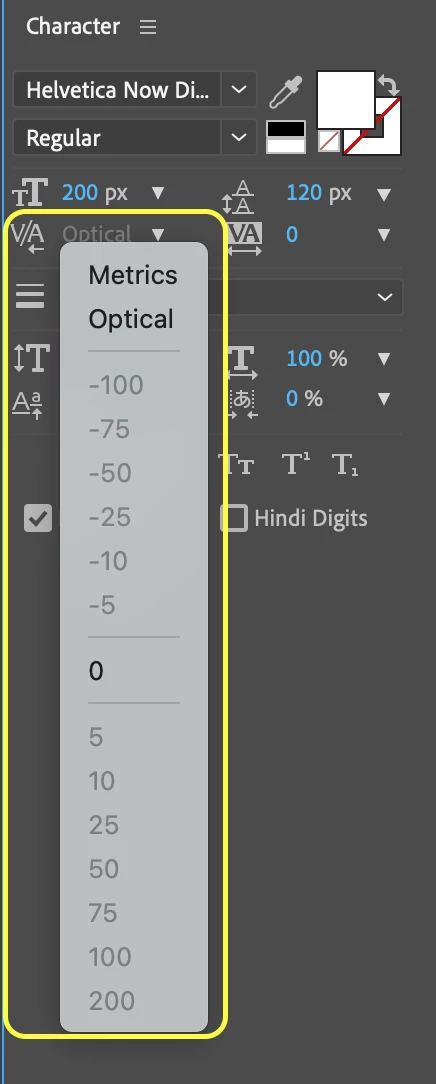
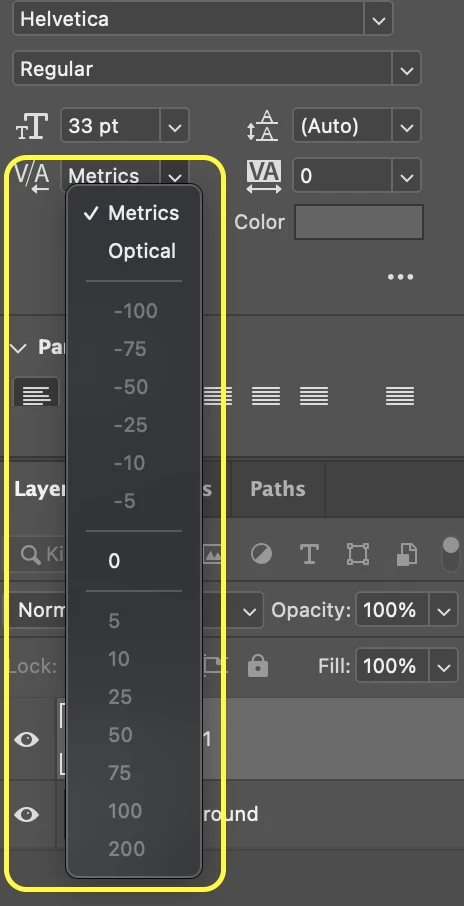
Currently in Premiere Pro there is no option to adjust the kerning from Metrics to Optical like seen in After Effects or Photoshop. You can select one text at a time and adjust the kerning manually per letter but not as a whole block of text. Although this change seems insignificant it is important to our brand recognition.


My current method of creating the proper kerning in either After Effects or Photoshop works but is more time consuming than if it were already set up within Premiere from the get go.


See screenshots below of the differences betweeen the kerning option between each piece of Adobe software.


Premiere:
After Effects: 
 

Photoshop: 
3 replies

Known Participant
January 21, 2023

The important thing here is to AVOID doing this simple task in After Effects and staying in Premiere.

Known Participant
January 21, 2023

Please allow animated text kerning (or tracking) in Premiere without having to jump to After Effects.

Not sure why the developers left this important and time saving feature out for so long.

This effect slowly increases the space betweek letters and is used frequently by creators. Less After Effects the better for most users.

Alex Schenke
Participant
January 19, 2023

Hey Kevin,


I have made .mogrt templates in the past to resolve this issue but it becomes inconvenient when we need to bold or change the font size of specific words in a sentence. Having the ability to not rely on .mogrts or sending each text file to AE would greatly improve my creative process as I could mock up everything as close to perfect in my edit faster without requiring a finalizing stage.

Kevin-Monahan
Community Manager
Community Manager
January 19, 2023

Alex,

Have you considered creating .mogrts in AE for your needs? Once created, you can work inside Premiere Pro with the kerning intact. Would that work while you wait for the feature to be implemented?


Thanks,
Kevin

Kevin Monahan - Sr. Community and Engagement Strategist – Adobe Pro Video and Audio