
Please allow copying Lumetri Color effect directly from the Lumetri Color window!
It would be nice to be able to copy Lumetri Color settings directly from within the Lumetri Color window with a simple Ctrl/Cmd-C, rather than needing to navigate to the Effect Controls window which may not always be visible on a user's screen, or Lumetri Color might by pushed out of view by other effects.
The clickable area for copying a Lumetri effect from anywhere in the Lumetri Color window is 100x+ larger vs the Lumetri Color tab in the Effect Controls window (see illustration)
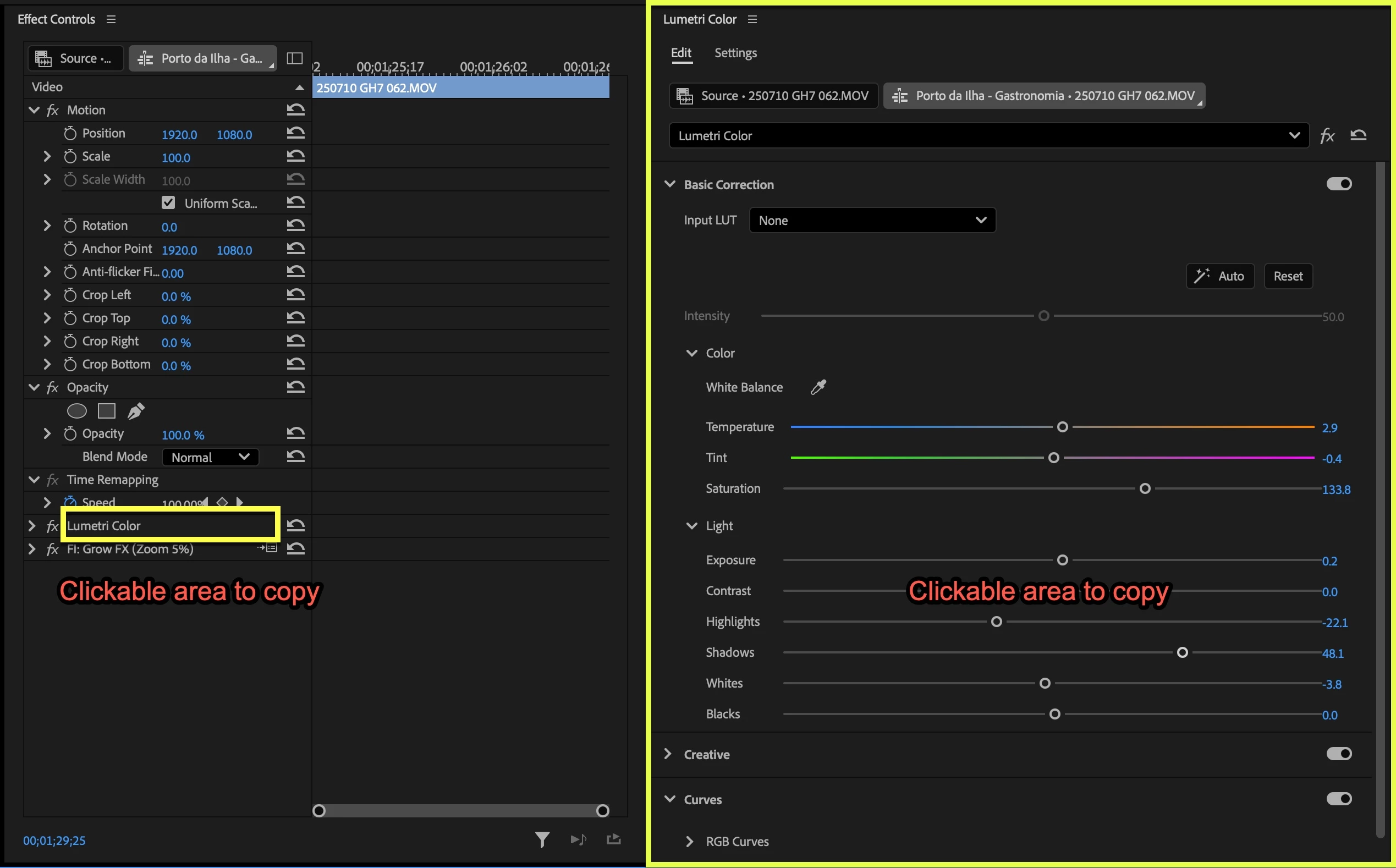
When a user is editing their Lumetri Color settings, being able to simply hit Ctrl/Cmd-C to immediately copy the effect would be significantly faster than having to mouse over to the effect in the Effect Controls window!
There's really no good reason users shouldn't be able to copy directly from the Lumetri Color window!
While you're at it, please implement the other idea I suggested ages ago of adding a special shortcut to paste-replace an effect, so that if the same effect is already present on a clip, pasting it replaces the current instance rather than stacking the effect (https://community.adobe.com/t5/premiere-pro-ideas/quot-paste-amp-replace-quot-shortcut-to-replace-effects-in-effect-controls-window/idc-p/15187483#M19617). This would be incredibly useful for the Lumetri Color effect, since users often want to replace it with new settings rather than end up with 2 versions of the same effect applied to their clip!


 AdChoices