
Slip Tool Improvement
TL;DR, in the trim preview, show what is under the CTI when performing a slip / slide edit.
When using the slip tool (Y) and your CTI is parked somewhere in the middle of the clip, performing a slide edit only shows the four following edit points:
1. Last frame previous clip
2. first frame current clip
3. last frame current clip
4. first frame next clip.
It would be extremely helpful to have a fifth preview of what is actually being slid under the CTI. I feel like this is a no-brainer.
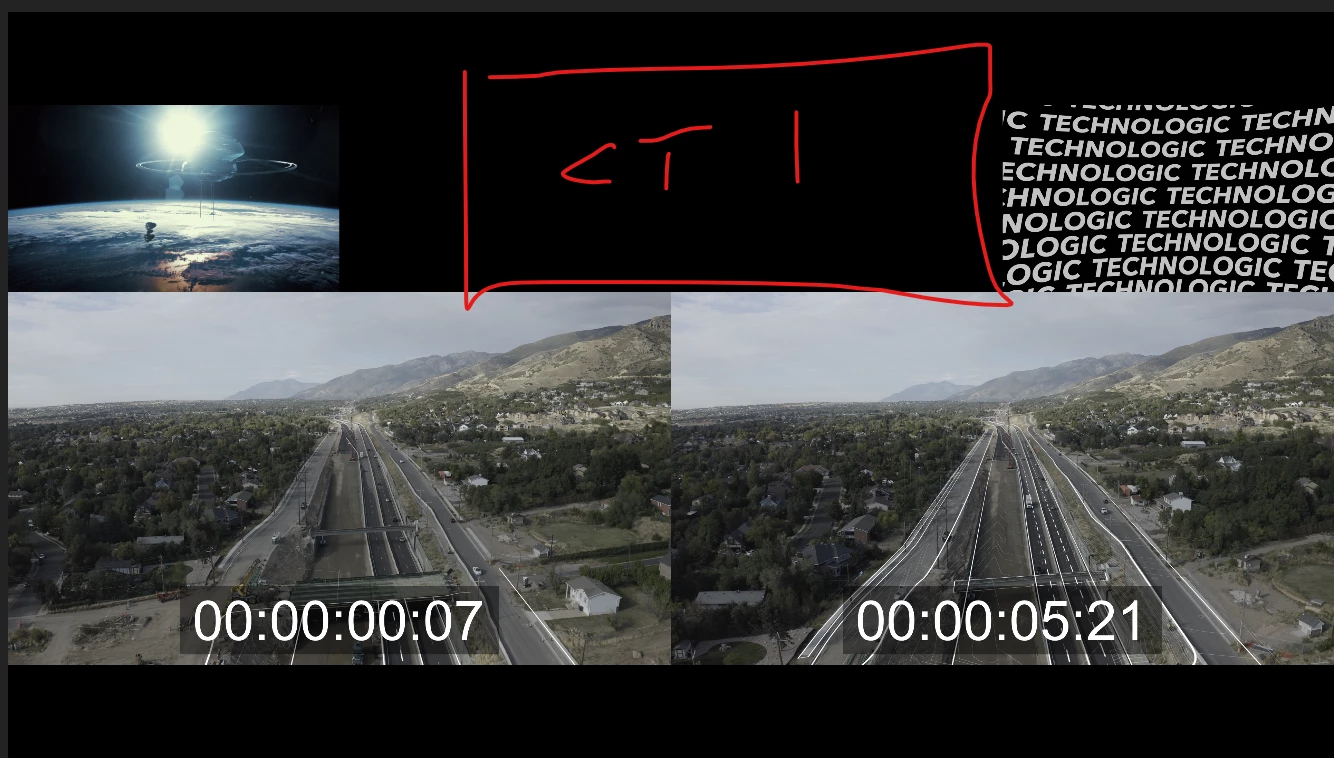
Currently my workarounds are either:
Workaround A
1. split clip at CTI, delete left of playhead.
2. Do a slide edit with new in point that is at the CTI/Sync point I am trying to achieve.
3. extend in point back to original point.
Workaround B
1. Put CTI where I want hold Ctrl+Alt Left/Right and manually nudge the clip back and forth until it lands where I want.
 AdChoices