
Participant
December 29, 2017
Answered

Adjustment Layer doesn't show when not rendered

  • December 29, 2017
  • 2 replies
  • 3870 views

I used an adjustment layer over my clips and applied a crop effect to them in order to get those black bars on the top and bottom. However, those black bars do not show unless I render the effects. This is quite annoying because whenever I make a single change to the adjustment layer, it all disappears and I have to render everything again. This also happens whenever I put a new clips under the adjustment layer. Is there any way to get around this problem so I can edit faster without having to keep on rendering?

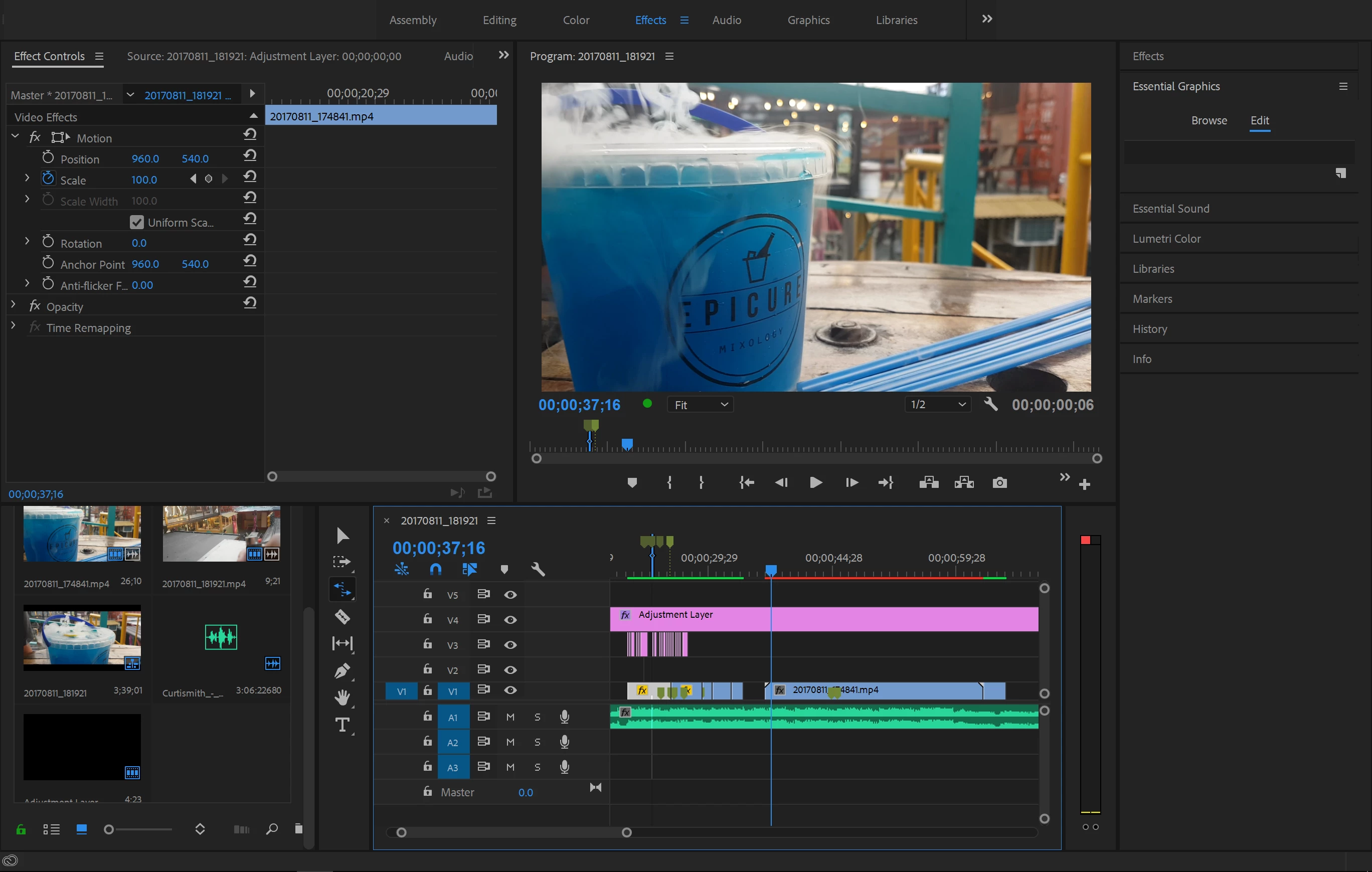
Here is the screenshot of the part of the clip that hasn't been rendered. Notice the red rendering bar, and that the black bars aren't present.
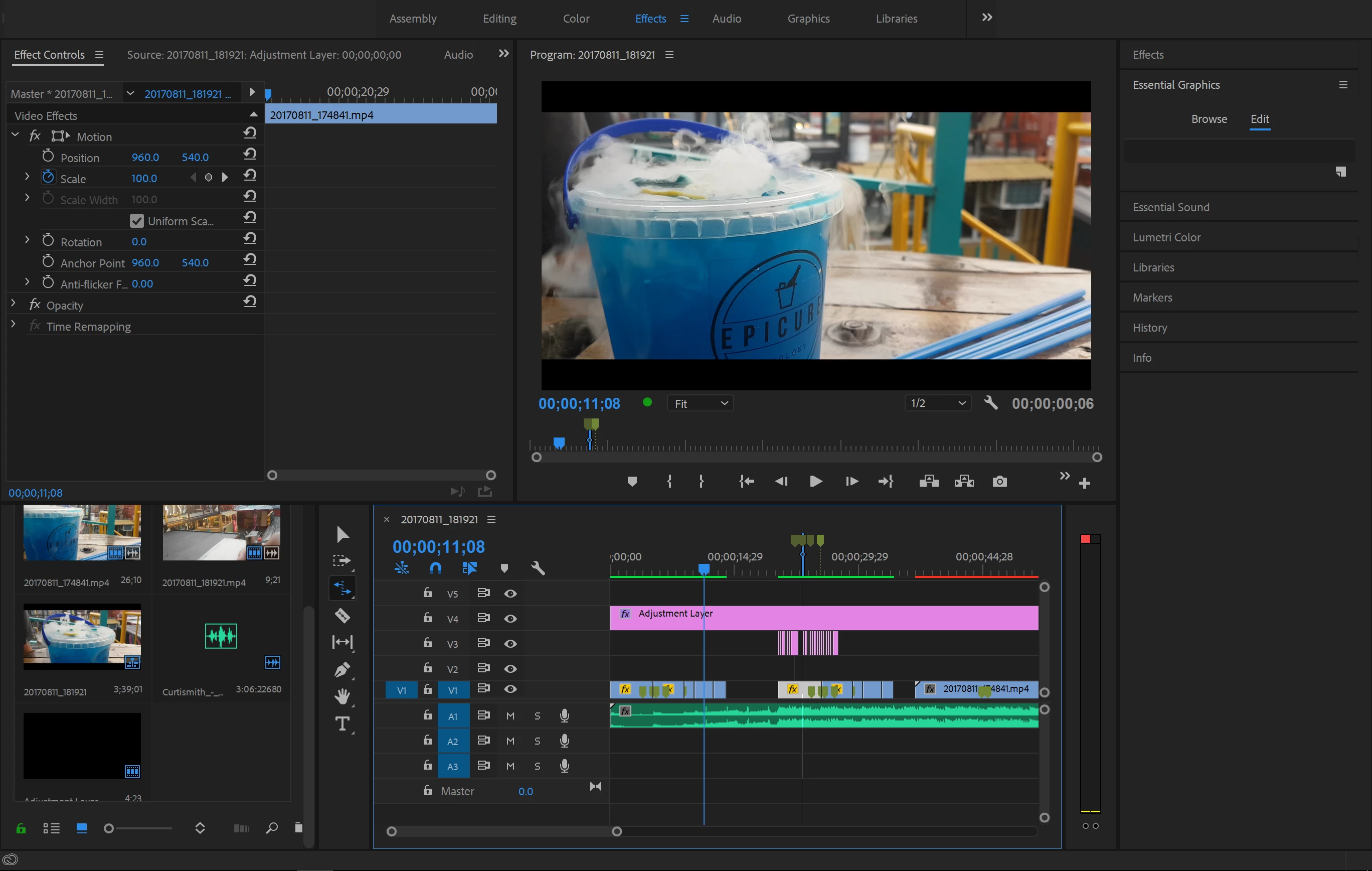
And here is the screenshot of the rendered part. The black bars are present, and the clip is under the green rendering bar.
This topic has been closed for replies.
Correct answer Ann Bens

Try trashing preferences.

Please show a screenshot of the AL selected in the Effect controls.

2 replies

Legend
December 29, 2017

I recommend a different tack.  Change the sequence settings to match the desired aspect.

Participant
December 29, 2017

Using a different track doesn't work. And how do I change sequence settings?

Legend
December 30, 2017

Not track, tack.  A different method.  With the sequence panel selected, go to Sequence Settings under the Sequence menu and change the sequence resolution so that the black bars simply aren't needed.

Ann Bens
Community Expert
Ann BensCommunity ExpertCorrect answer
Community Expert
December 29, 2017

Try trashing preferences.

Please show a screenshot of the AL selected in the Effect controls.

Participant
December 29, 2017

Here's the screenshots. You can see I put 10% on the top and bottom crop effect.

And what did you mean by trashing preferences?

Peru Bob
Community Expert
Community Expert
December 29, 2017

vincentp47893004  wrote

And what did you mean by trashing preferences?

See here:

FAQ: How to reset preferences in Premiere Pro?