Copy link to clipboard
Copied
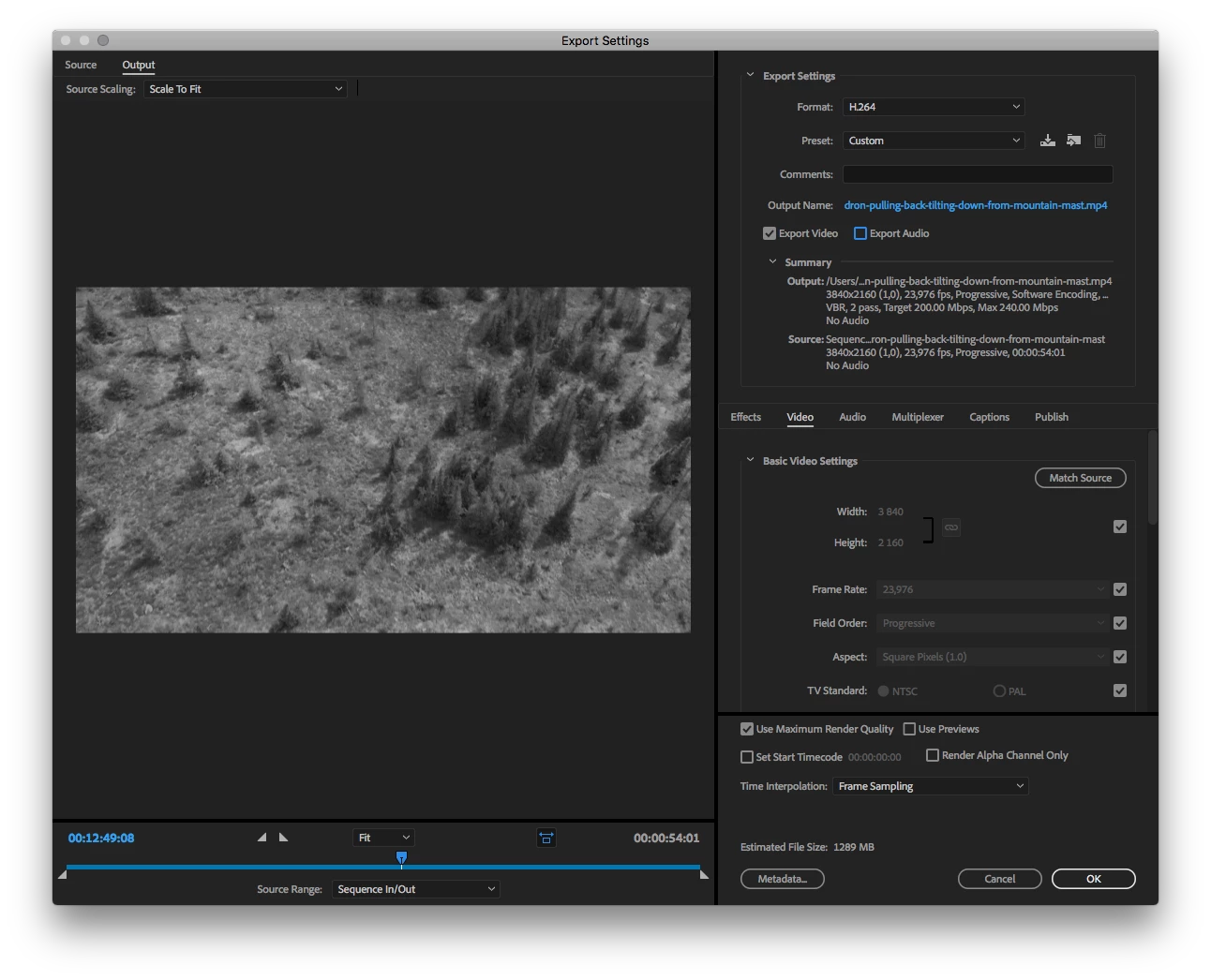
I upgraded to the latest Premiere and Media Encoder just yesterday and since then all my renders come out black & white. When I render from Premiere Pro its all wonderful colors, but when I try to render the same project/sequence in Media Encoder it turns black & white! I have tried searching for settings, if I accidentally chose black & white somewhere, but I have not found anything. It worked beautifully before I upgraded. Even if I try to edit the render settings in Media Encoder, its still black & white. Anybody seen this before? Have I done something I dont know of? ![]()
Export settings from Media Encoder.

So yea... uhm... this answered my question: Re: Media Encoder CC 2015 Not rendering Lumetri effects
Basically I used a new LUT that was not standard in Media Encoder. Which is really weird that they dont share a LUT library.
But hey, I learned something new today ![]()
Copy link to clipboard
Copied
Moving this to Premiere Pro as you've posted in the Lounge. The lounge is for general discussions.
Copy link to clipboard
Copied
Yes! Sorry I thought I was in the Media Encoder forum, thank you! ![]()
Copy link to clipboard
Copied
So yea... uhm... this answered my question: Re: Media Encoder CC 2015 Not rendering Lumetri effects
Basically I used a new LUT that was not standard in Media Encoder. Which is really weird that they dont share a LUT library.
But hey, I learned something new today ![]()
Get ready! An upgraded Adobe Community experience is coming in January.
Learn more