
Arabic Open Captions in Premiere
Adobe Premiere Pro CC - version 12.0.0 build 224
Hi - i am trying to create a burned in (open) captions video for a video in Arabic. I have got most of the work sorted out but i can't get Premiere to remember that the captions should be right to left.
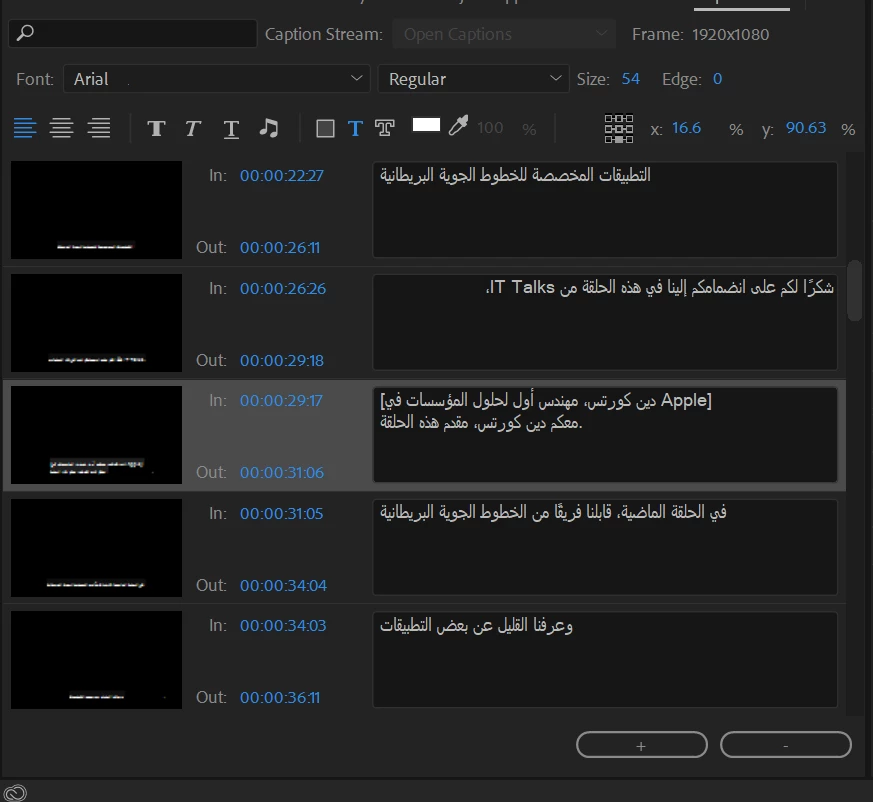
I have uploaded an srt file which is correct and i have correctly sized and positioned it but i dont seem to be able to mark it as being a Right to Left language.
Editing the captions the screen looks like this (looking at the caption that has an in time of 00:00:26:26) which apart from the leading period i believe looks correct.
However the monitor panel looks like this
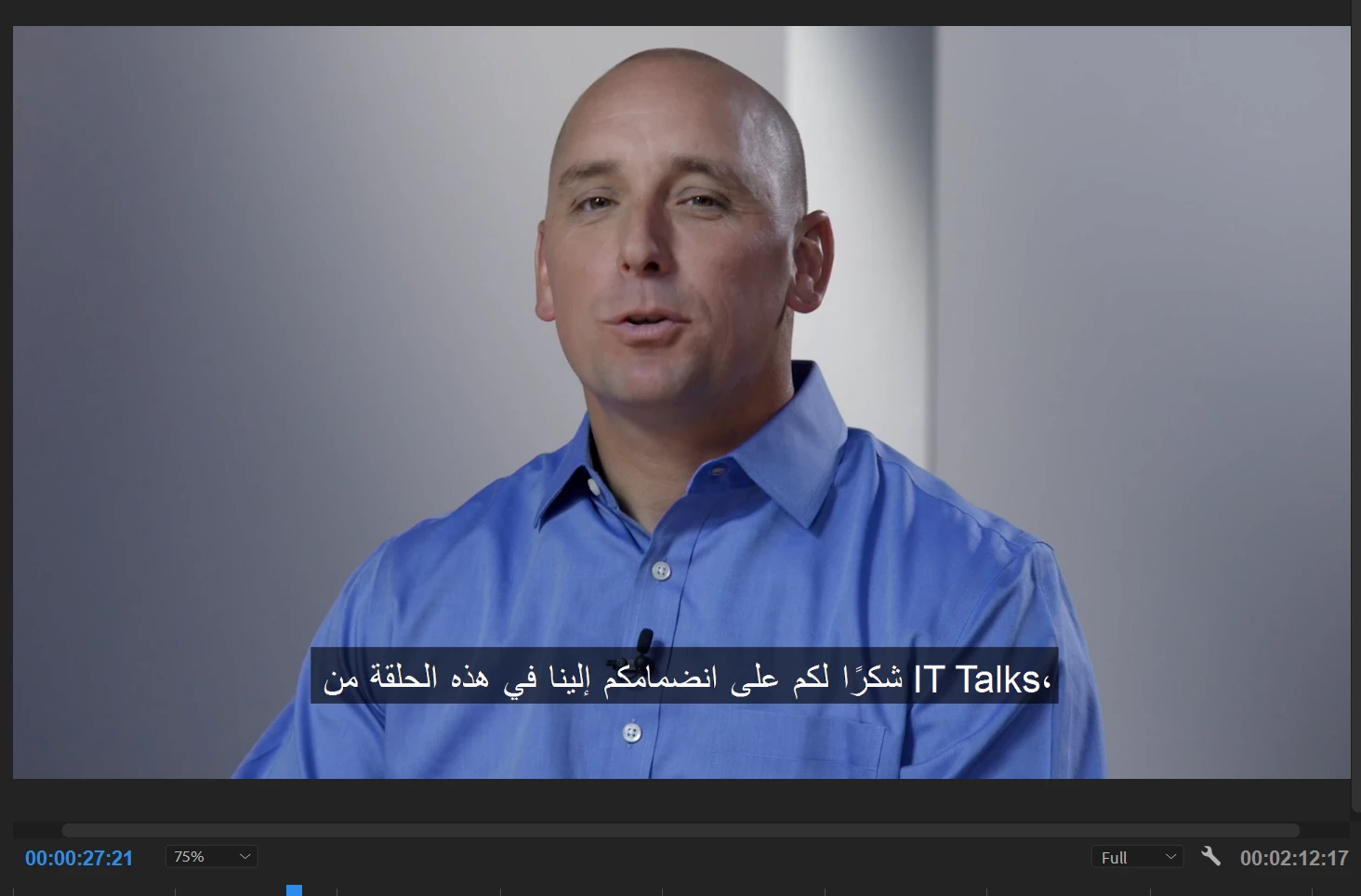
Also i mark the individual captions as "Right to Left reading order" but (a) i cannot export the media and (b) when i do anything like scroll to the top the right to left designation is forgotten.
Any ideas?
 AdChoices