
Participant
May 29, 2019
Pergunta

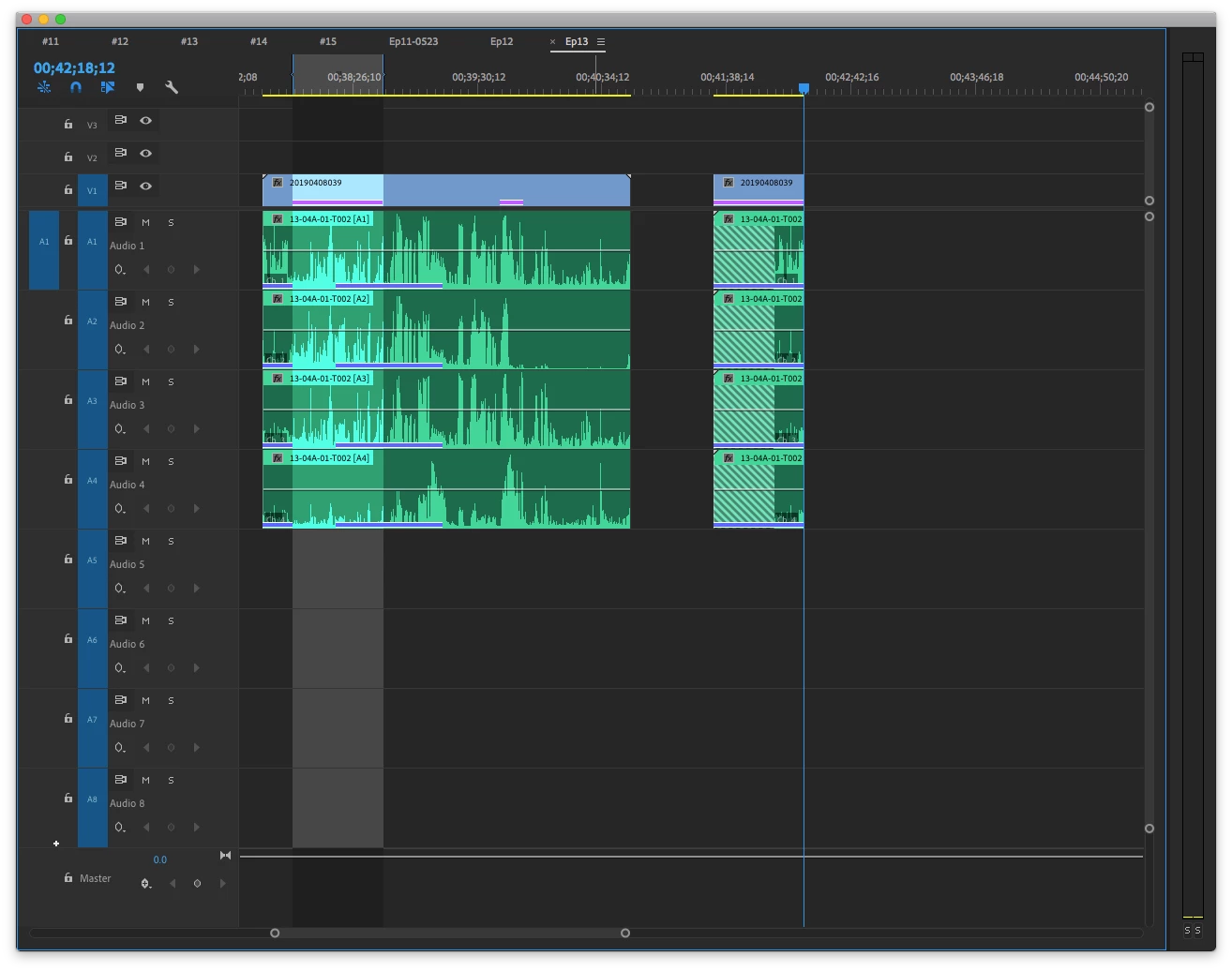
Audio clips on timeline are displacement
  • May 29, 2019
  • 2 respostas
  • 221 Visualizações


Sorry i'm bad in english, i'll try my best to describe the question i met.

This is my timeline. purple line and blue line are duplicate frame marker. Right side clip was cutting from left side.
Normally when i open sequence, both side audio clip waveform shoud look like left side(in-out range), but now it's not.

I‘ve tride cutting again and covering right side and save, but it doesn't work.
Every time I open project, clips will show up like this.
Another weird thing is if i double click right side audio clip, try to chang in-out range, i coundn't change out point.

Out point seems be locked so i cant change out point.
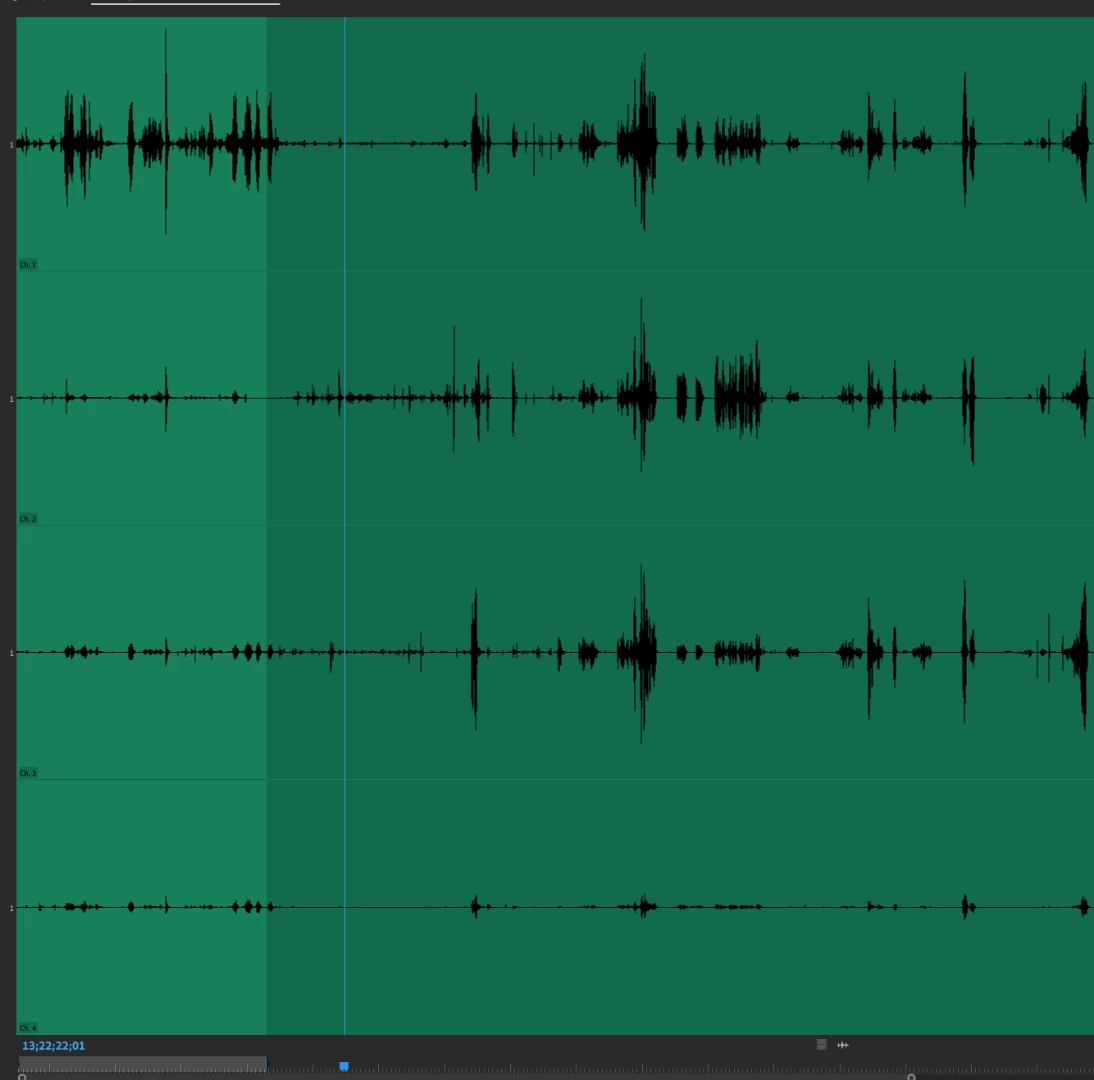
Anybody knows how to solve this question?

    Este tópico foi fechado para respostas.

    2 Respostas

    Participant
    May 30, 2019

    Something weird just be found.
    This 4 channel audio clip『13-4A-01-T002』was linked by two SAME clips in DIFFERENT file
    Channel 1 was linked to 『13-4A-01-T002 under 408 file』

    channel 2&3&4 was linked to『13-4A-01-T002 under Recovered Clips file』

    How could this happen? I didnt change any linkingway, could this wrong linkingway makes bug happen?

    Ann Bens
    Community Expert
    Community Expert
    May 29, 2019

    Unlink clips.

    Trash media cache.

    Relink.

    See how that goes.

    Participant
    May 30, 2019

    I've tried your way, but audio clips still slip away.
    Infact, i cleaned media cache file just two weeks ago.

    I can use slip tool and drag those clips to right place, but there are thousands of clips on my timeline.
    Maybe i shoud shoot my screen that you can easily observed how this bug was happened.

    Anyway, thank you Ann Bens for your answer!!