



EvanLNorthCoast
Inspiring
August 5, 2019
Answered

Tips needed for color correcting badly-faded 16mm film footage in Premiere

  • August 5, 2019
  • 1 reply
  • 3685 views

Hi everyone,

I'm looking for the best color correction tips for correcting badly-faded 16mm footage. It all has that orange/red cast. (Example below)
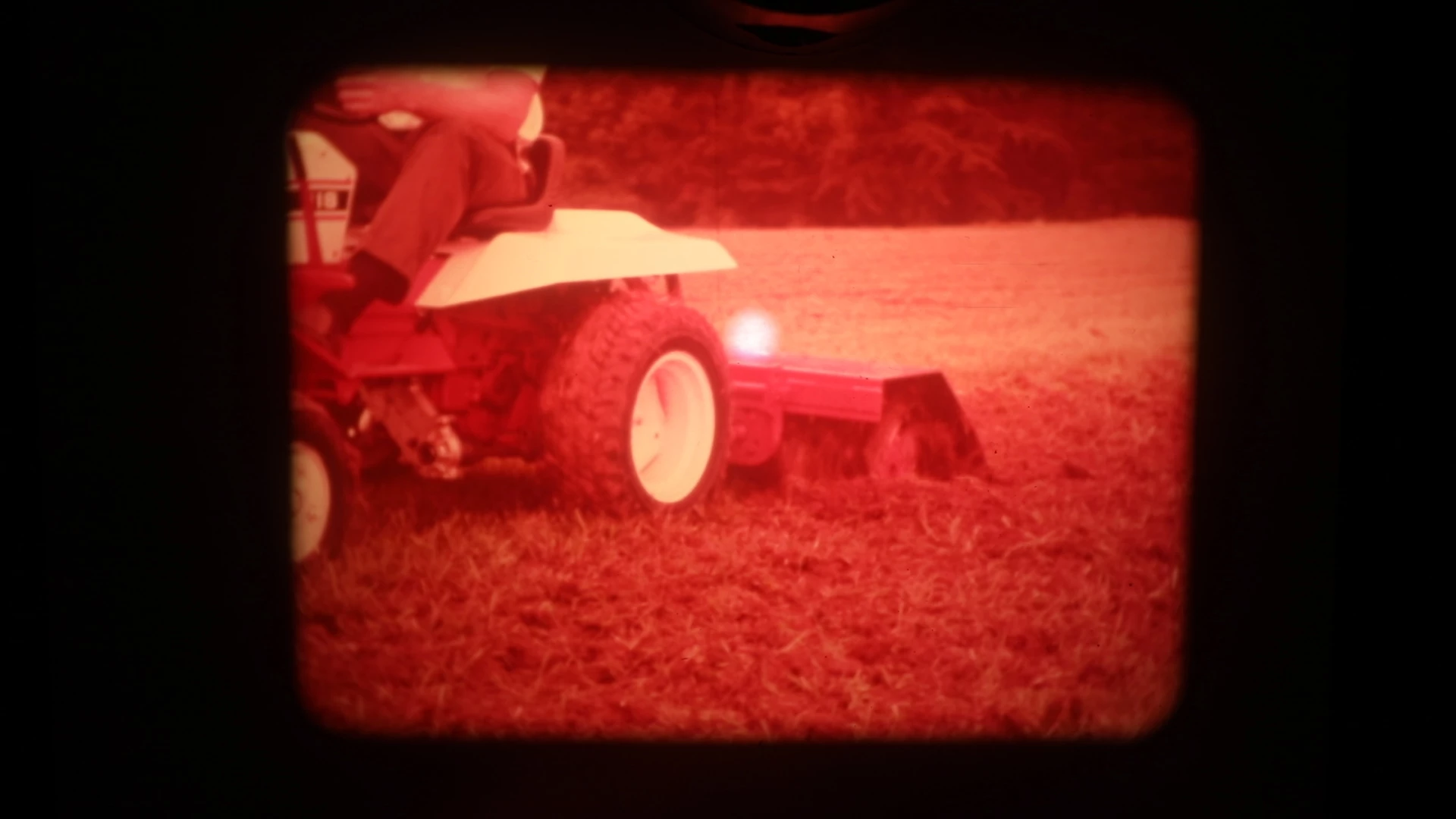
It's all digitized already and I have it in Premiere. There's a ton of great stuff in here for a project I'm working on. I just want to remove the red cast. I've seen YouTube videos of the correction applied, but none that walk through the settings used to get there.

To someone with a little more color knowledge, I'm all ears!

Thank you!
This topic has been closed for replies.
Correct answer Meg The Dog

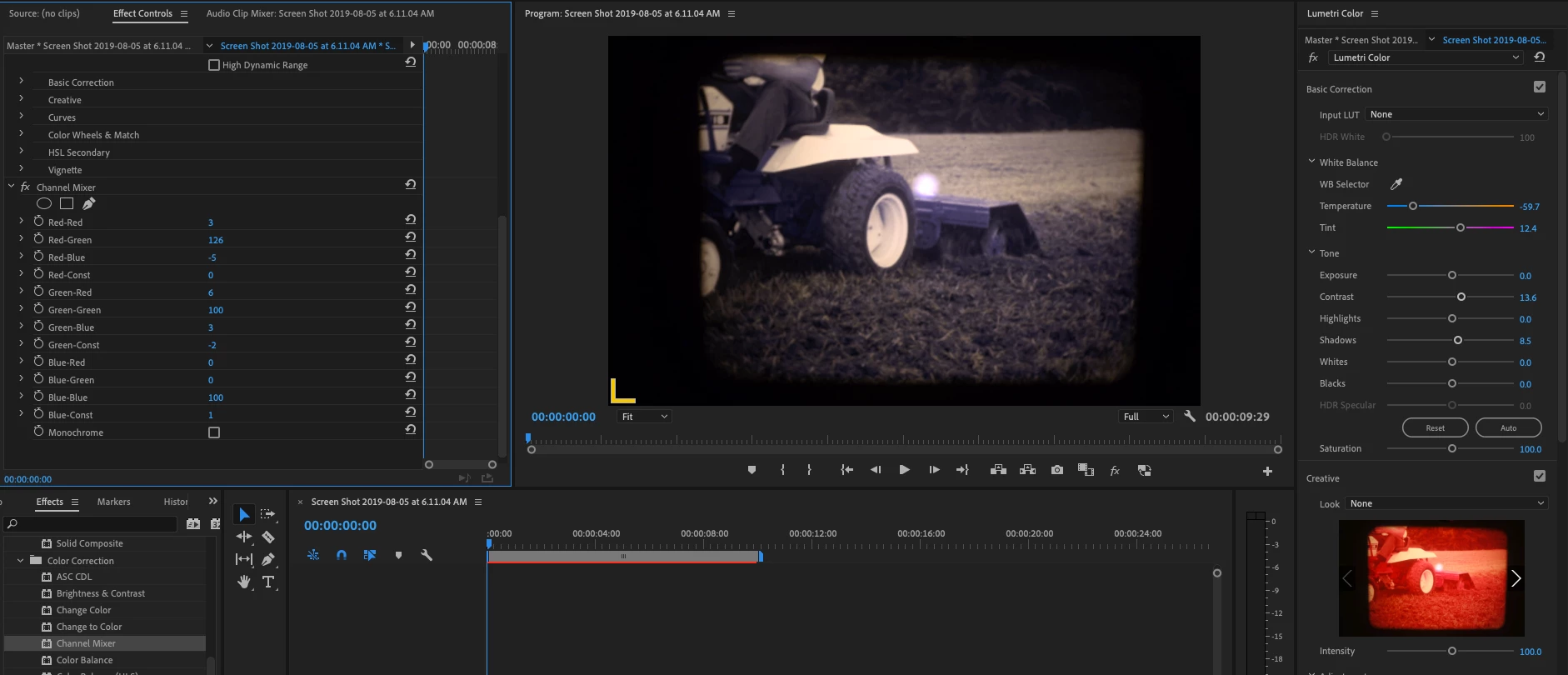
There really is no "right way" to correct this as only you can decide what level of correction is OK for you.

You can adjust the Channel Mixer effect:

Removing that much Red will make it hard to get reasonable flesh tones (if that is important to you). If it is, you might have to adjust for flesh tones and rest of scene separately and then rotoscope the two layers together.

MtD

1 reply

Legend
August 5, 2019

Have you tried the White Balance picker on the wheel well?

EvanLNorthCoast
Inspiring
August 5, 2019

I'm sure that would work just fine. I can certainly try it a handful of ways. I'm just more or less curious as to what is the "right" way to do it.

EvanLNorthCoast
Inspiring
August 5, 2019

I have to ask, was the camcorder used for the transfer manually white balanced to the projector bulb? If not, that may have made the issue that much worse, perhaps using wrong WB preset or AUTO WB

Thanks

Jeff


I don't know how it was recorded or digitized, actually. Our production company was just given this old footage in a digital format.