
kevinholik
Participating Frequently
August 7, 2019
Question

Big Color issues and Compression after export - Premiere Pro CC 2019

  • August 7, 2019
  • 2 replies
  • 4000 views

When exporting my Premiere Pro timeline, the colors and compression are wildly different than I've ever seen in rendering.

I am using Lumetri Color as well as Red Giant Looks. I've never encountered it this badly before.

I'm exporting in 4k, bit rate is 80 VBR 2. What am I doing wrong?

Here's another example, it looks like garbage!
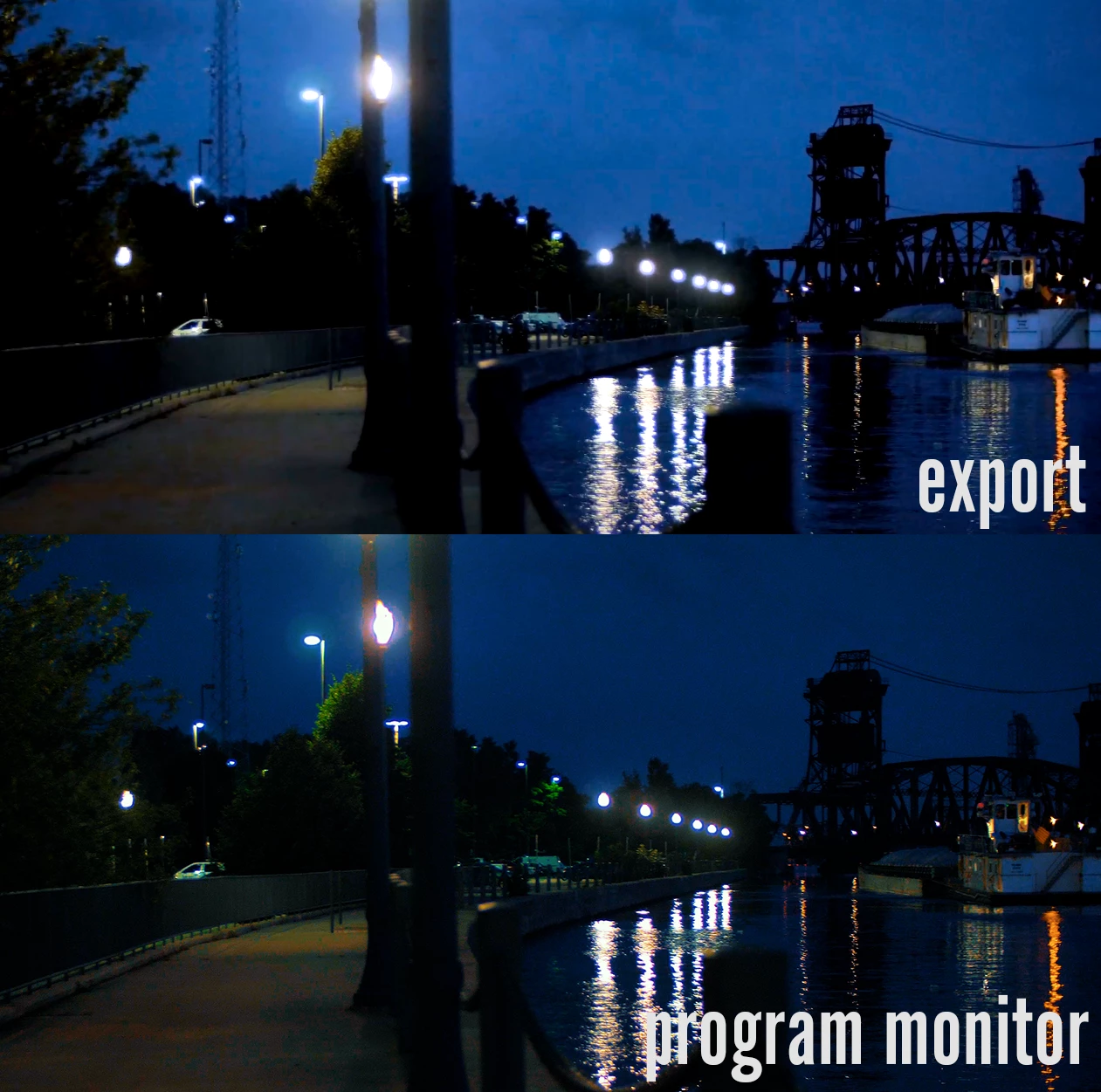
Message was edited by: Kevin Holik

This topic has been closed for replies.

2 replies

Legend
August 7, 2019
What am I doing wrong?

Viewing on a computer monitor through software.  You can't do that for proper color work.

"Variants of this question have been covered to death on this and every other color grading forum. The answer is always the same.  The only way to get a [proper] image you can trust is to run SDI [or HDMI] out to an accurately calibrated reference monitor.  Grading by viewing the image in the GUI just doesn't work."  - Jamie LeJeune

DeckLink | Blackmagic Design

AJA Desktop I/O Tools: Work with the Products You Use Everyday

kevinholik
Participating Frequently
August 7, 2019

Yes, I understand I may not be using the best monitor for color or a perfectly calibrated one. But regardless of how 'accurate" it is, how come I can see such a vast difference between export and program window videos on the same monitor? If I were viewing on 2 different devices, I would understand the inconsistency, but I can spot these differences on the same monitor.

August 7, 2019

The color differences between a directly attached monitor, and a Mercury Playback device are extremely negligible for most users. I suspect the "Maximum Render Quality" will be your issue.

Legend
August 7, 2019

Please post a screenshot of your export settings dialog. Also, how long is your clip?

kevinholik
Participating Frequently
August 7, 2019

The entire project is 9 minutes.

Legend
August 7, 2019

So, this is rather counter-intuitive, but you should turn off Use Maximum Render Quality. This is a confusingly-named setting, and honestly should be renamed by Adobe.

From the docs:

Maximum Render Quality often makes highly compressed image formats, or those containing compression artifacts, look worse because of sharpening.

Create and change sequences in Premiere Pro