
Inspiring
October 14, 2017
Answered

Black Bar(s) popup on preview screen

  • October 14, 2017
  • 3 replies
  • 1833 views

While rescaling a shot or readjusting the workspace, I keep getting these black bars popping up which block me from editing a shot.
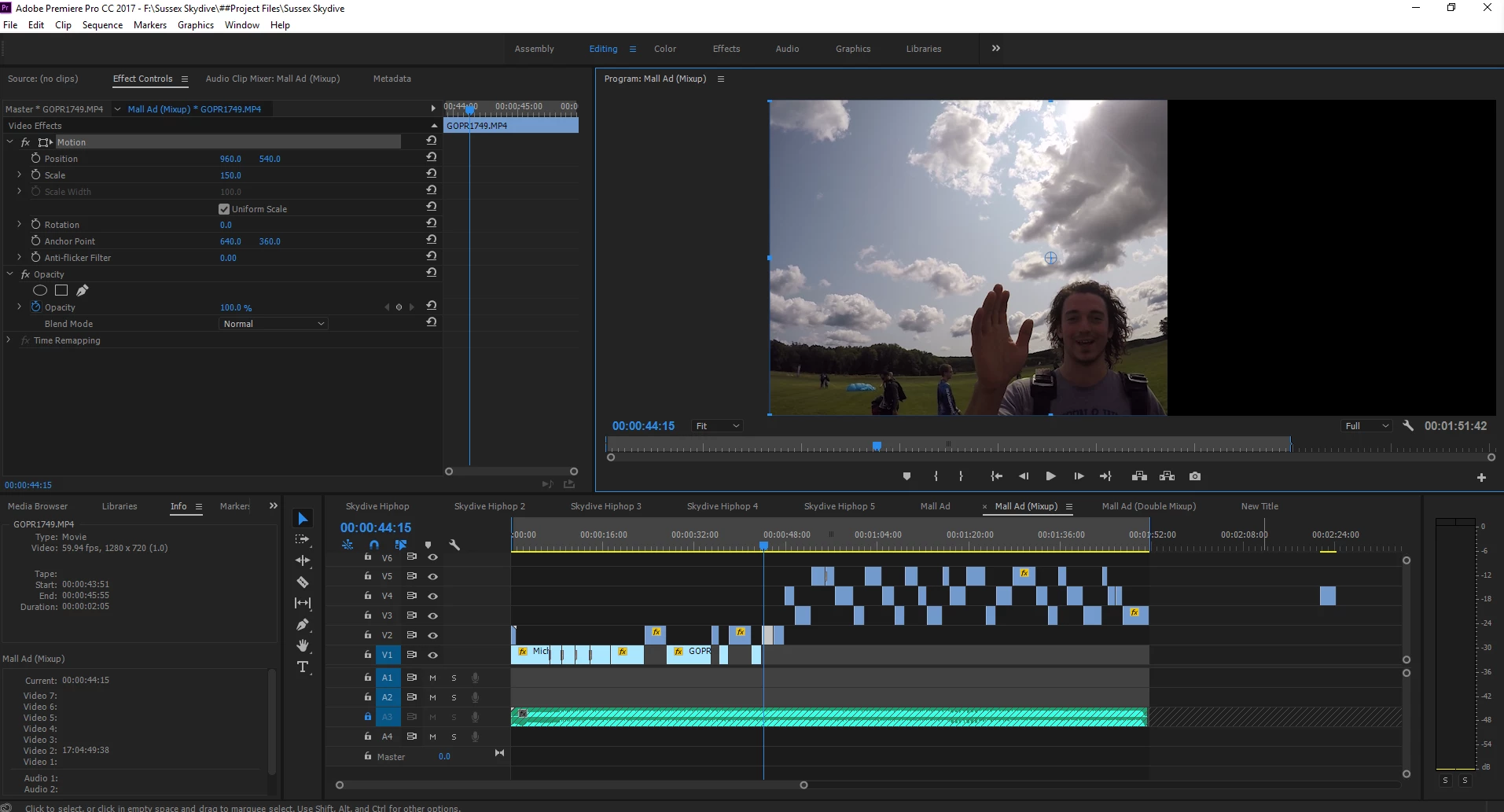
I've never had this problem prior to wiping my pc nor do I have this problem on my other desktop.

I'm using the latest version of Windows 10 and these are the specs of my PC.

This topic has been closed for replies.
Correct answer Responsible Adults

It looks like I finally fixed it! However, I had to preform a clean wipe on my system in order to do so. I can at least confirm to those who share the same hardware as me that it isn't the hardware.

3 replies

Responsible AdultsAuthorCorrect answer
Inspiring
November 21, 2017

It looks like I finally fixed it! However, I had to preform a clean wipe on my system in order to do so. I can at least confirm to those who share the same hardware as me that it isn't the hardware.

Legend
October 15, 2017

What are your sequence settings?  What are the media specs?

Inspiring
November 20, 2017

It can't be the sequence settings, it does it on every project no matter what.

I got a video of the bug in action. It happens every time.

Adobe Premiere Preview Display Bug - YouTube

I've had this software on this hardware working fine but ever since 11.0, I've had this bug on this PC.

Inspiring
November 20, 2017

I forgot to include my motherboard specs.

Inspiring
October 14, 2017

I also forgot to note that I'm using the latest version of Adobe Premiere CC