
Participant
October 14, 2019
Question

Brightness & Contrast effect not working

  • October 14, 2019
  • 5 replies
  • 4003 views

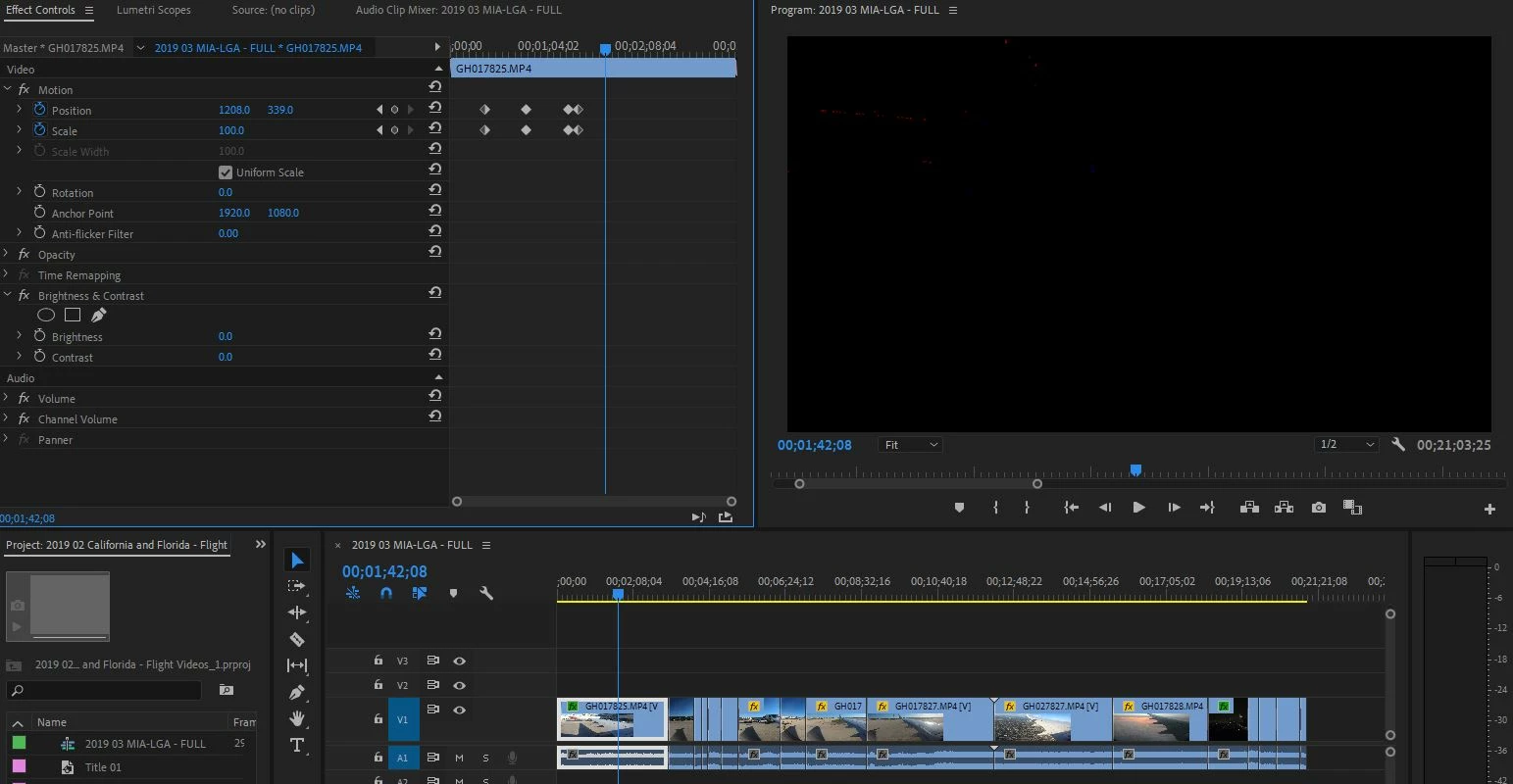
Other effects work when applied to video clips, but Brightness and Contrast does not.  Once I apply the effect, the screen goes dark, and adjustinng the sliders only shows various shades of black, white and gray.  

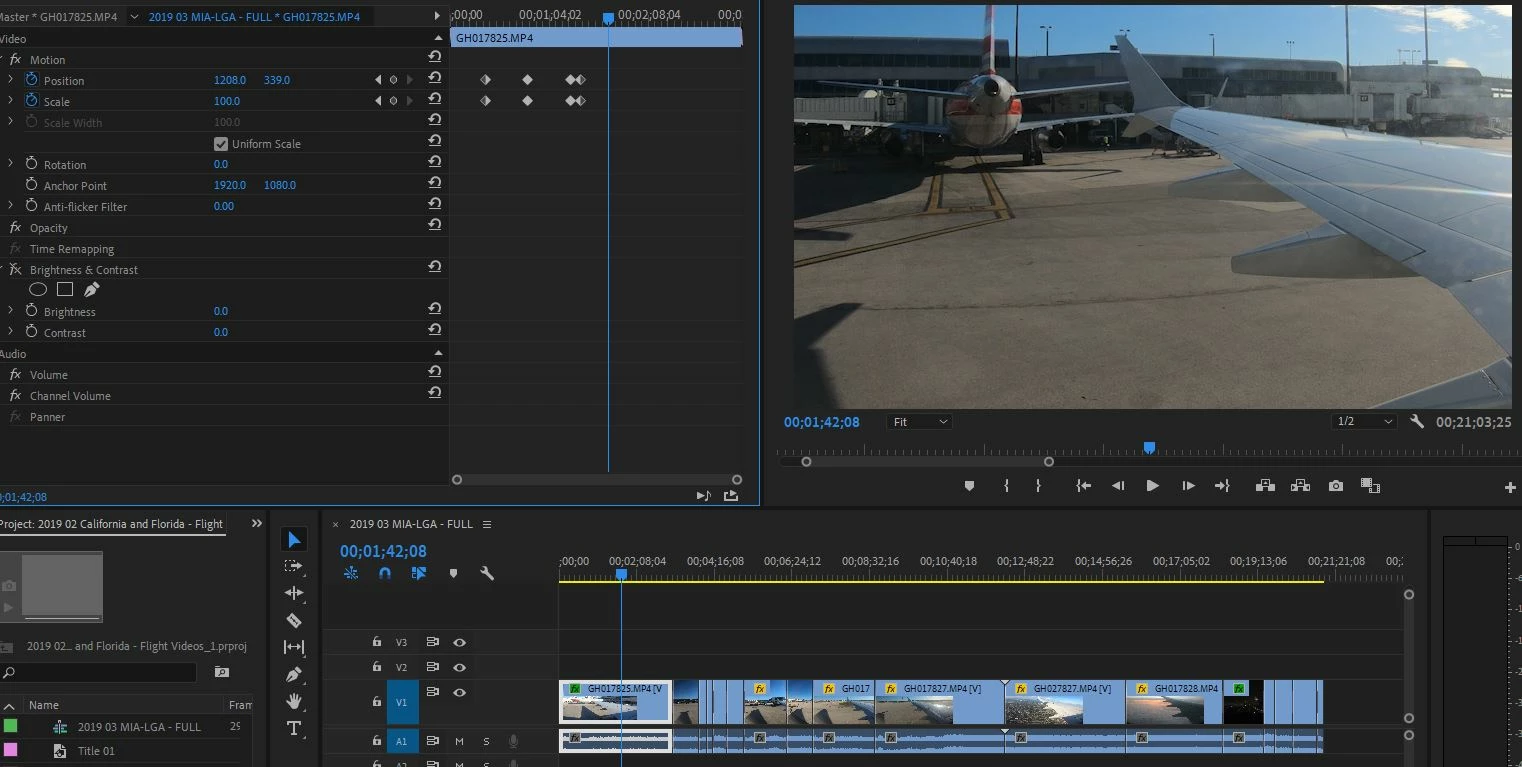
Posted below are screenshots without the effect applied, and with the effect applied - with zero adjustments.  Video files are from GoPro Hero6 in 4k Mode, however an old NTSC SD MPG clip produced the same result.
 

    This topic has been closed for replies.

    5 replies

    Ann Bens
    Community Expert
    Community Expert
    October 14, 2019

    8 bit or not I cannot reproduce issue. So effect should work as advertised.


    R Neil Haugen
    Legend
    October 14, 2019

    Ann,


    Technically, B&C is not an obsolete effect, and it is GPU accelerated. However, it's also 8 bit. Which means that no matter the bit depth of the media, using that on a clip causes Premiere to drop out of 32-bit float and into 8-bit processing.


    It's one of the effects that the color engineers I've worked with specifically listed as one to avoid. And if you MUST use it, ONLY use it after everthing else is processed on a clip that was 8 bit to begin with.


    Neil

    Everyone's mileage always varies ...
    Ann Bens
    Community Expert
    Community Expert
    October 14, 2019

    Brightness and Contrast is not a obselete effect and its an accelerated effect.


    I cannot reproduce your issue. Might want to reinstall graphics driver.


    R Neil Haugen
    Legend
    October 14, 2019

    First, a bit of forum advice. Reply using the blue reply button of the top post on a page ... when using the one at the bottom of each post this forum "nests" the replies, and makes it hard to track through a thread. Hopefully that will go buh-bye soon, but for now ... sigh.


    A LOT has changed since CS6 ... for color correction, use the Color workspace, which brings up the full Lumetri panel. That is all 32-bit float, GPU accelerated ... and vastly better than most any of the individual old style effects.


    You could look through several of the Help tutorials on Lumetri/color-correction. Also, my blog has some things on it explaining say precisely how certain of the controls on the various tabs of the Lumetri panel work, with demonstrations using a ramp and chart.


    http://rneilphotog.com/2017/06/lumetri-basic-tab-what-do-the-tonal-controls-really-do/


    In the Lumetri panel, you have the Basic tab with sliders for various tonal controls ... though the Black slider is nearly useless. Then Creative tab with a few slightly to very different options including applications of LUTs or Looks; Curves, with both the RGB curve tool and a great series of Hue/Sat curves, Hue v. Sat, Hue v. Hue, Hue v. Luma, Luma v. Sat,  and Sat v. Sat.


    Then there's the Color Wheels and Match tab, with both Comparison view monitor options and a Match auto-match button added in, the HSL Secondaries tab, and a Vignette tab.


    Neil

    Everyone's mileage always varies ...
    R Neil Haugen
    Legend
    October 14, 2019

    Why are you using that old 8 bit effect, out of curiosity? I would never recommend using it ...


    Neil

    Everyone's mileage always varies ...
    dzanelloAuthor
    Participant
    October 14, 2019
    I was trying to use the conventional "Brightness & Contrast" effect, listed under "Color Correction" in the effects panel. Is there something else I should be using? Update: Changing the Renderer to "Mercury Playback Engine Software Only" from "Mercury Playback Engine GPU Acceleration (OpenCL)" resolved the issue. If there is a newer/better way to make Brightness/Contrast adjustments, I'd be interested to know. Recently upgraded from CS6 to CC 2019.
    Inspiring
    October 14, 2019
    I found that using levels first ( not auto level but the manual one in effects panel ) and THEN using brightness contrast gives better results. The order matters. Level first..