
Can't change Color Space Override, disabled / grayed out
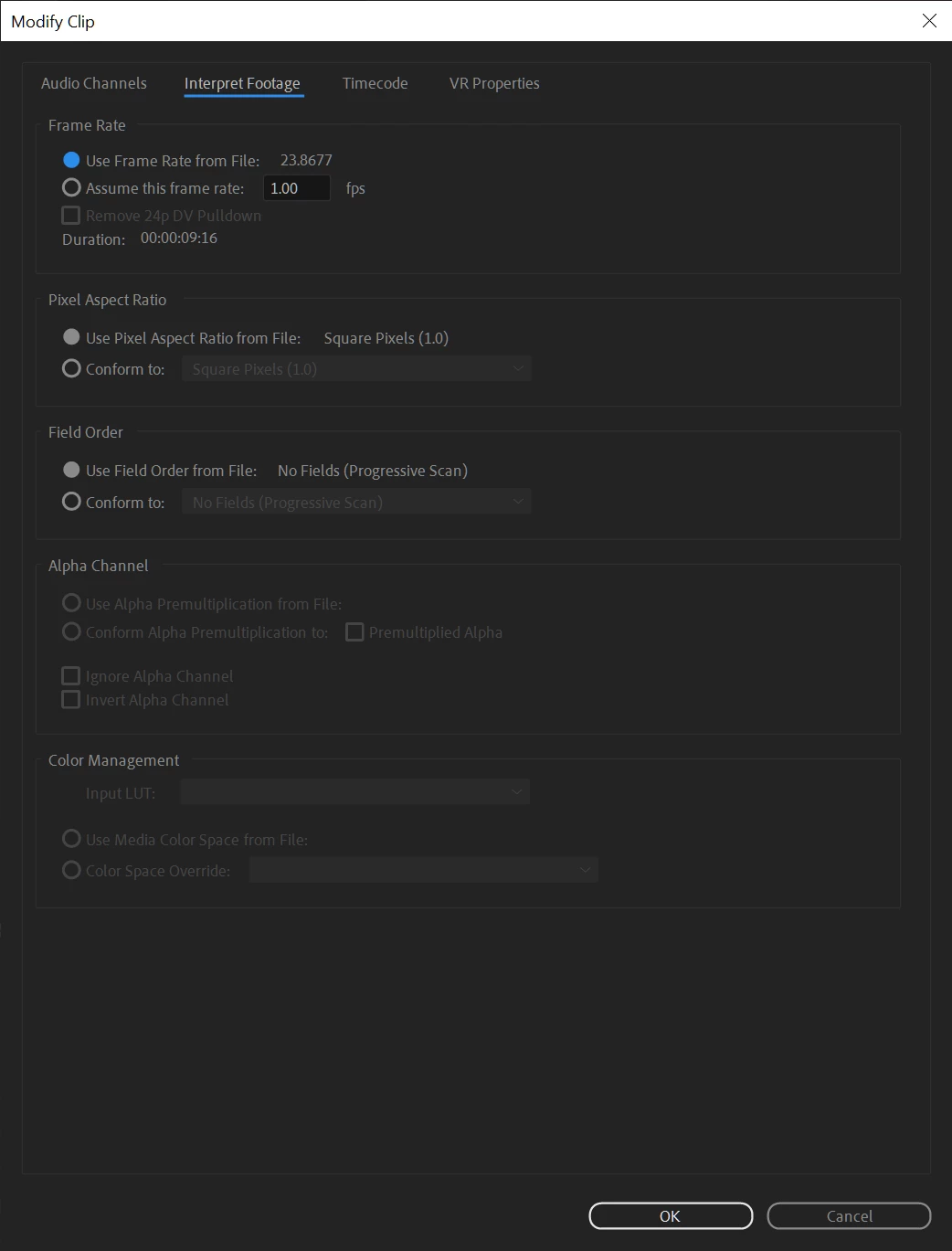
I'm trying to follow the adobe-posted HDR workflow with HLG footage, setting the timeline to Rec 2100 HLG. Unfortunately, none of the HLG footage I import is being recognized as HLG, and when I try to fix that by doing Modify -> Interpret Footage -> Color Management -> Color Space Override, the option is not available (it's grayed out). Example:
The footage is definitely HLG footage, as mediainfo reports that both my clips (Panasonic GH5s 400mbit/s all-I, xperia 1 II) have the following properties:
Color primaries : BT.2020
Transfer characteristics : HLG
Matrix coefficients : BT.2020 non-constant
Furthermore, when I play the GH5s-produced HLG file out to my OLED directly from the camera over HDMI, the TV switches into HDR HLG mode, so I'm confident at least the GH5s footage really is HLG.
When I import the adobe-provided prores HQ HLG "corner store candy" file, I do get the ability to change the color space, but since it's already recognized as HLG there's no point. I tried converting my HLG footage into Prores HQ Rec 2100 HLG with both Media Encoder and FFMPEG, and neither produced a resultant file that was recognized as HLG or enabled the Color Space Override option.
Is this a bug in Premiere? I've provided my video example files at https://1drv.ms/u/s!AgH_P1tOg-WGnXGwRwb6VPJddK0z?e=E71GhF if anyone would like to try to duplicate my results. I can understand that the xperia file might be balked at, but the GH5s is a professional camera...
 AdChoices