
ml46074010
Participant
April 7, 2016
Answered

CAN'T MAKE TITLES!!

  • April 7, 2016
  • 5 replies
  • 14383 views

I'm using Premiere Pro CC on a new computer and I cannot create new titles.  I left click under my bins and select New Item- Title, and I name the title,  just like I've always done, but then when I double click on the title nothing happens. I can drag the title into the sequence but I can't right click on it.  If I left click on it this is what is greyed out:
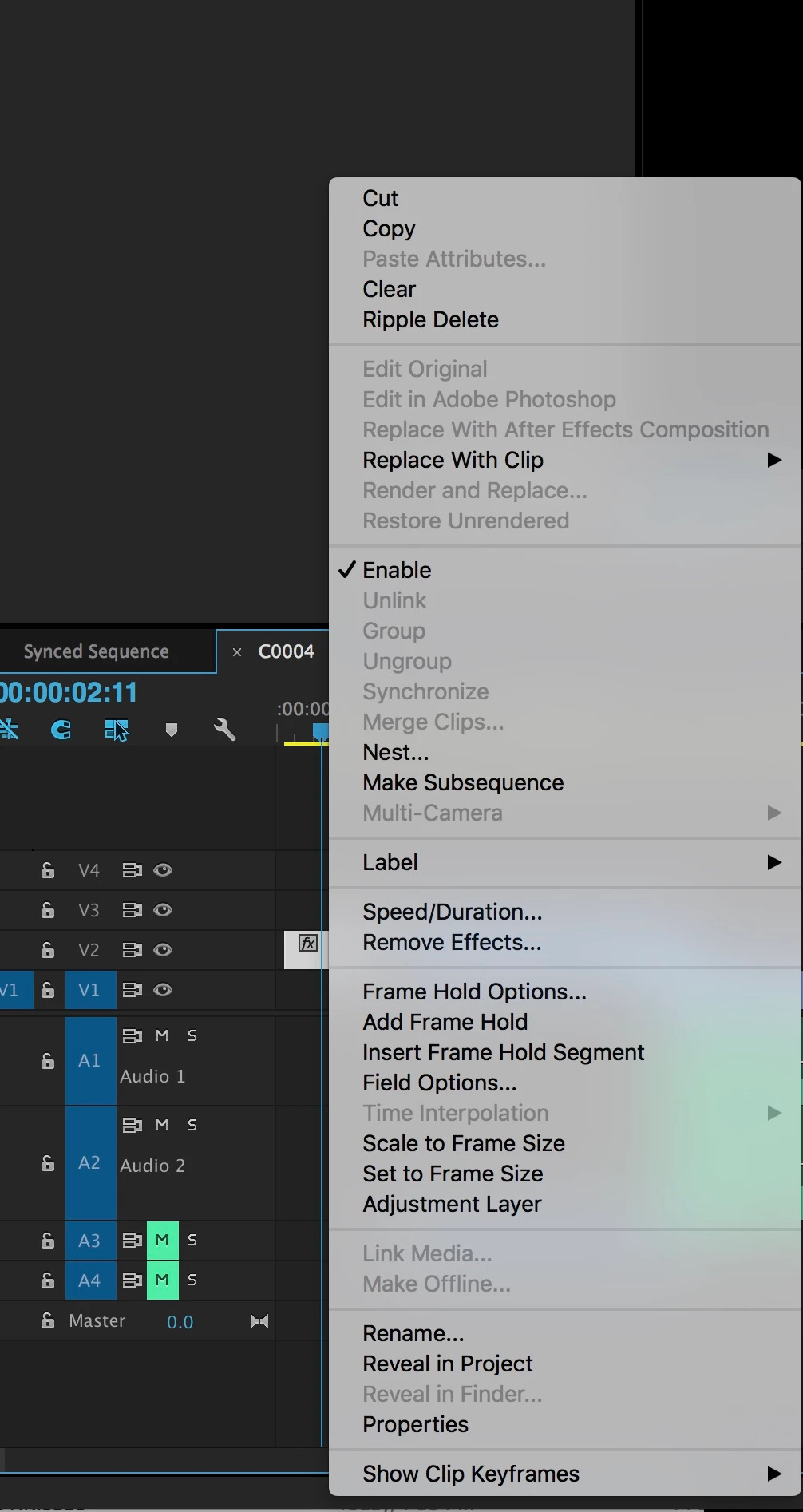
Is this a bug or am I overlooking something heinously simple? Please please help.

This topic has been closed for replies.
Correct answer Ann Bens

The old titler is still there.

Go to File / New / Legacy Title.

5 replies

Participating Frequently
January 17, 2018

I go through periods where I can't modify or create a new title in the legacy tool, no matter what I try. I can open the tool and use the controls, but as soon as I close the tool none of my work is saved.

Premiere is bizarre

Participant
April 23, 2017

So I still can't make a title.  I've tried reinstalling, I have Premiere Pro 2017, running Windows 10.  I have a current Creative Cloud subscription and it tells me everything is up to date.

I do not have an Essential Graphics panel, I still have an inoperative Titles selection on my menu and am growing increasingly frustrated.  I have a project due tomorrow and can't do something as simple as create a title. 

Legacy Title allows me to create the title but I can't move or resize.

Don't know if it's related, but now Audition won't process noise reduction, it errors out and kills the program every time.

There is no tech support on Sunday.

Roei Tzoref
Legend
April 23, 2017
I have Premiere Pro 2017, running Windows 10.

make sure it's the latest version which is 11.1.0

Participant
April 23, 2017

Watched the Jason video.  "Must have After Effects installed to make this work".  Thanks Adobe.  Change a feature so it's inoperable unless you install a different Adobe product.

Also tried the old titler, you can open it but you can't move the text around once you create it. 

Ann Bens
Community Expert
Community Expert
April 23, 2017

AE is only necessary if you want to make Motion graphics.

Other then that you dont need AE to use the new titler.

Participant
April 23, 2017

I have the same problem. I'm overdue on a project and I can't make titles. Adobe needs to get it right soon. Thanks

Ann Bens
Community Expert
Ann BensCommunity ExpertCorrect answer
Community Expert
April 23, 2017

The old titler is still there.

Go to File / New / Legacy Title.

Roei Tzoref
Legend
April 23, 2017

in addition to what Ann is suggestion, here's the lowdown about the new type tool: Create title graphics |

April 23, 2017

I'm having a similar issue except I'm not able to even create a title. I click "title" in the top bar, but nothing happens. No drop down menu like the other items. Also, even when I try to create a title in the project panel... it's not an option. HELP PLEASE

Jogen
Inspiring
April 23, 2017