
Participant
November 29, 2018
Answered

Colors change (become less vibrant) when exporting

  • November 29, 2018
  • 2 replies
  • 569 views

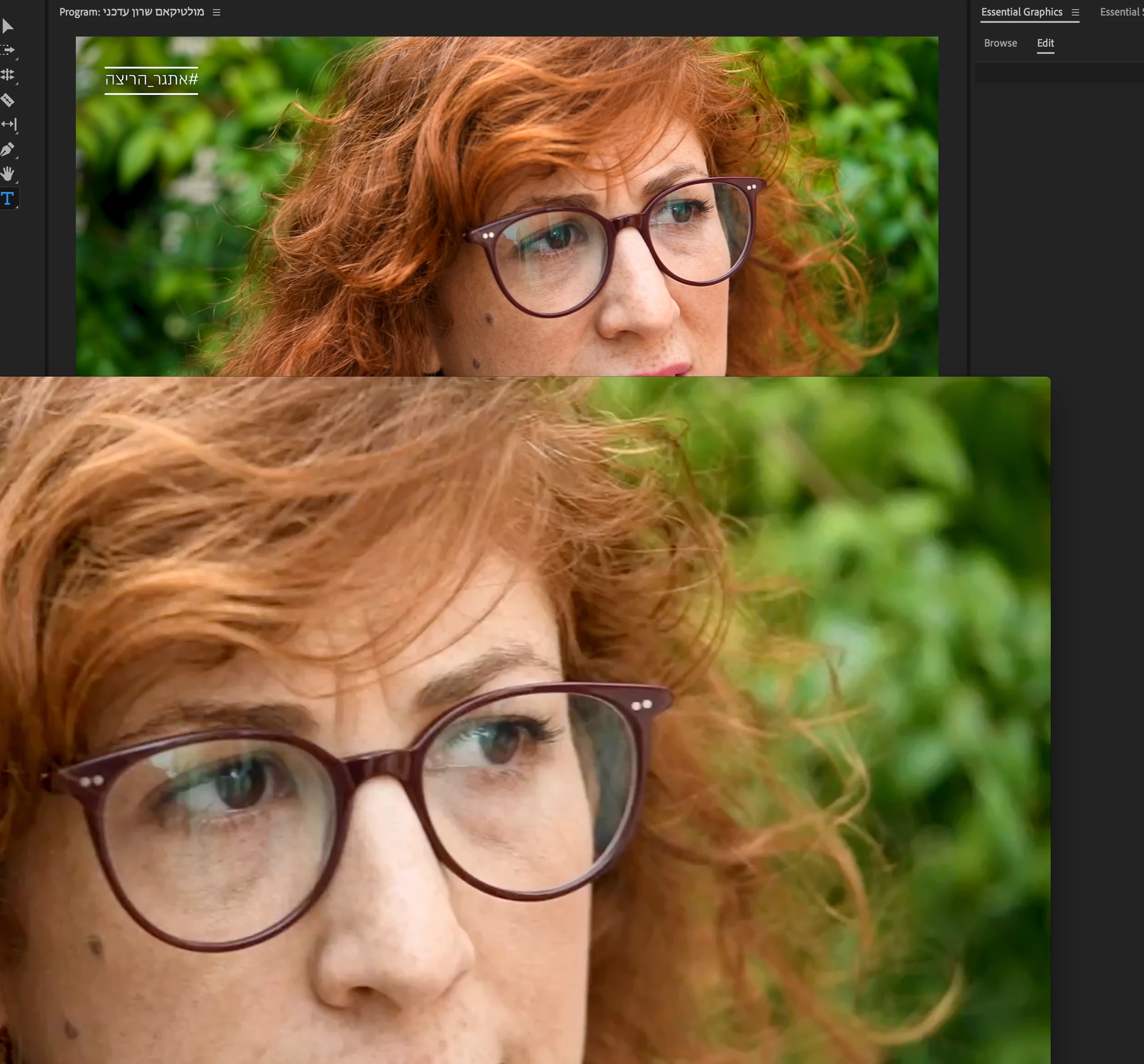
I have noticed that during the past few days whenever I export a clip, no matter to what quality, I lose vibrance. I export by matching source and everything but this still occurs. top image is in Premiere, bottom is after exporting. What might be the reason for it?
This topic has been closed for replies.
Correct answer excited_Genie16B8

"Variants of this question have been covered to death on this and every other color grading forum. The answer is always the same.  The only way to get a [proper] image you can trust is to run SDI [or HDMI] out to an accurately calibrated reference monitor.  Grading by viewing the image in the GUI just doesn't work."  - Jamie LeJeune

B&H Photo Video

2 replies

R Neil Haugen
Legend
November 30, 2018

What's your hardware ... and ... are you running a monitor set to video sRGB and calibrated with a puck/software system for Rec.709?

How are you determining you're losing quality? If you check the re-import into project box when exporting, does it show the same as the original?

Neil

Everyone's mileage always varies ...
excited_Genie16B8Correct answer
Legend
November 29, 2018

"Variants of this question have been covered to death on this and every other color grading forum. The answer is always the same.  The only way to get a [proper] image you can trust is to run SDI [or HDMI] out to an accurately calibrated reference monitor.  Grading by viewing the image in the GUI just doesn't work."  - Jamie LeJeune

B&H Photo Video