
Participant
December 20, 2024
Answered

2 images with quality issues rejection

  • December 20, 2024
  • 5 replies
  • 376 views

Would you please help me understand why my images got rejected?

This topic has been closed for replies.
Correct answer Abambo

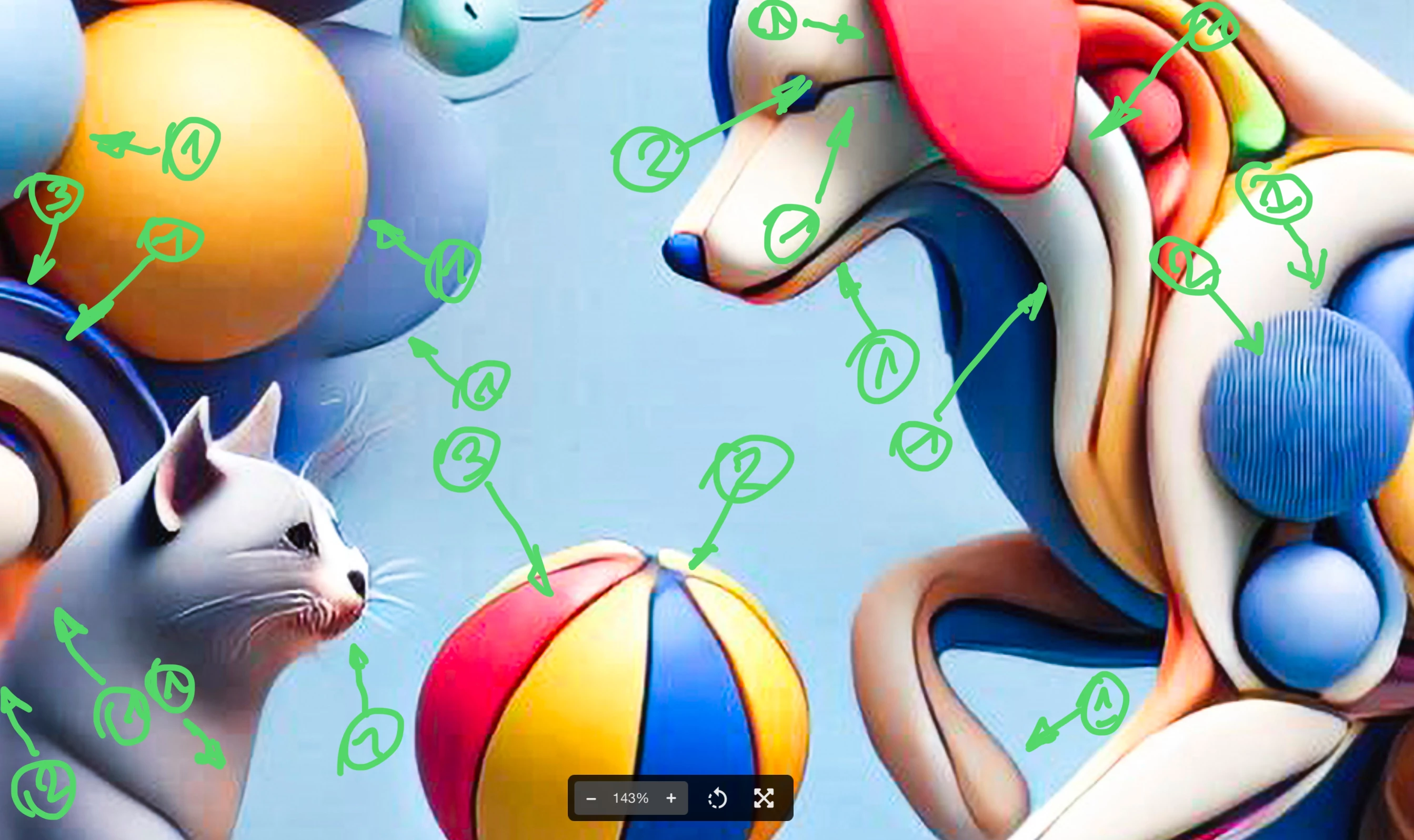
Simple answer: because they are full of errors and artefacts. And the errors are easy to spot:
The nearly photorealistic foreground and the more abstract background looks like a nice idea, but neither has an error-free rendering. 

1) compression artefacts

2) blur

3) geometry issues

In addition: the whiskers show aliasing, the eyes are poorly rendered etc.

5 replies

Abambo
Community Expert
AbamboCommunity ExpertCorrect answer
Community Expert
December 23, 2024

Simple answer: because they are full of errors and artefacts. And the errors are easy to spot:
The nearly photorealistic foreground and the more abstract background looks like a nice idea, but neither has an error-free rendering. 
1) compression artefacts

2) blur

3) geometry issues

In addition: the whiskers show aliasing, the eyes are poorly rendered etc.

ABAMBO | Hard- and Software Engineer | Photographer
jacquelingphoto2017
Community Expert
Community Expert
December 21, 2024

Hi @yaelbicho ,

To add to what is said, both files are with chromatic noise.

Best wishes

Jacquelin

Nancy OShea
Community Expert
Community Expert
December 20, 2024

Too synthetic.  As a customer, I would not buy these images for commercial use.


Nancy O'Shea— Product User & Community Expert
daniellei4510
Community Expert
Community Expert
December 20, 2024

AI can often have problems drawing perfect circles, curves straight lines, etc,

Adobe Community Expert | If you can't fix it, hide it; if you can't hide it, delete it.
Jill_C
Community Expert
Community Expert
December 20, 2024

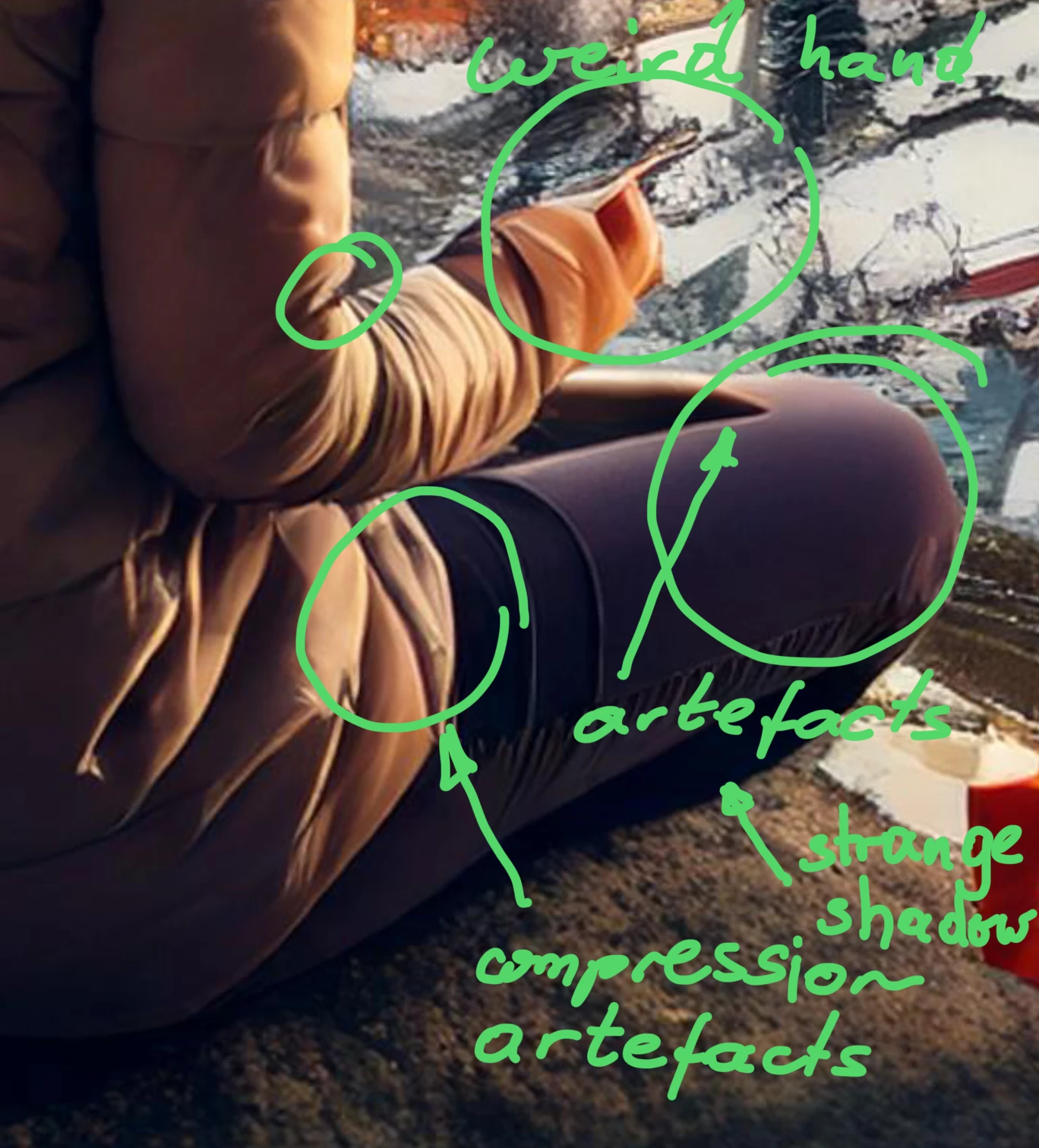
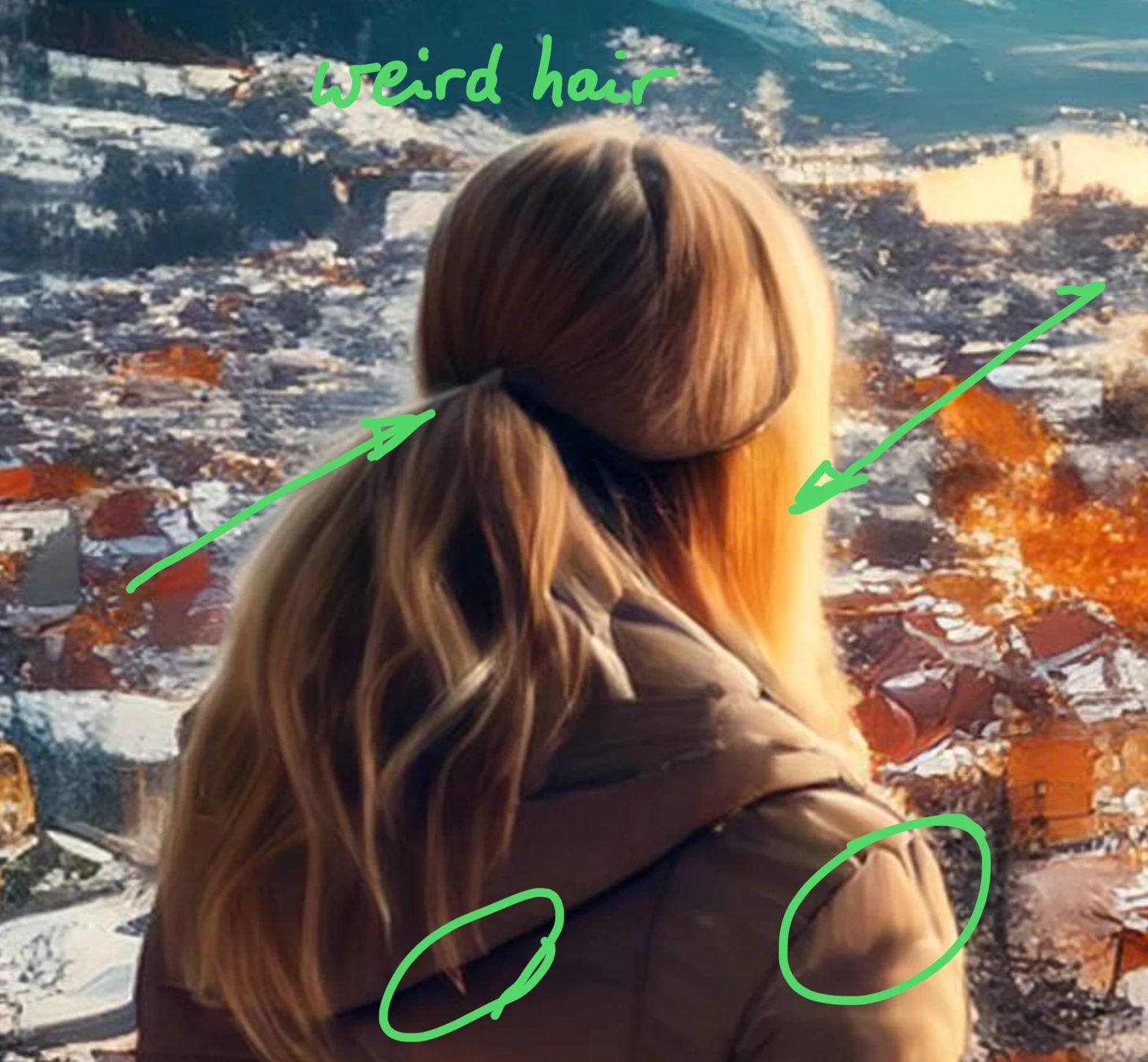
Some poorly drawn areas in each image:

Jill C., Forum Volunteer