Inspiring
March 28, 2019
Answered

Driver issues with 6GB NVIDIA GeForce GTX 1060

  • March 28, 2019
  • 4 replies
  • 17226 views

Apologies if this has been answered elsewhere. I did have a look, but couldn't see...

I've recently changed over to PP CC2019, but have found everything to be really sluggish and laggy. I updated drivers on the 1060, but then read that there was a specific driver for Premiere. I downloaded this from the link on Adobe's System Requirements page, but it just comes up saying 'Can't find appropriate hardware' (or words to that effect.)

Is there an updated driver for the above GPU specific for Premiere, or is anybody else having similar issues with the GTX 1060? (I know that card isn't included in Adobe's list, but technical support have told me before that it is supported)

Cheers

Fionn
    This topic has been closed for replies.
    Correct answer Ann Bens

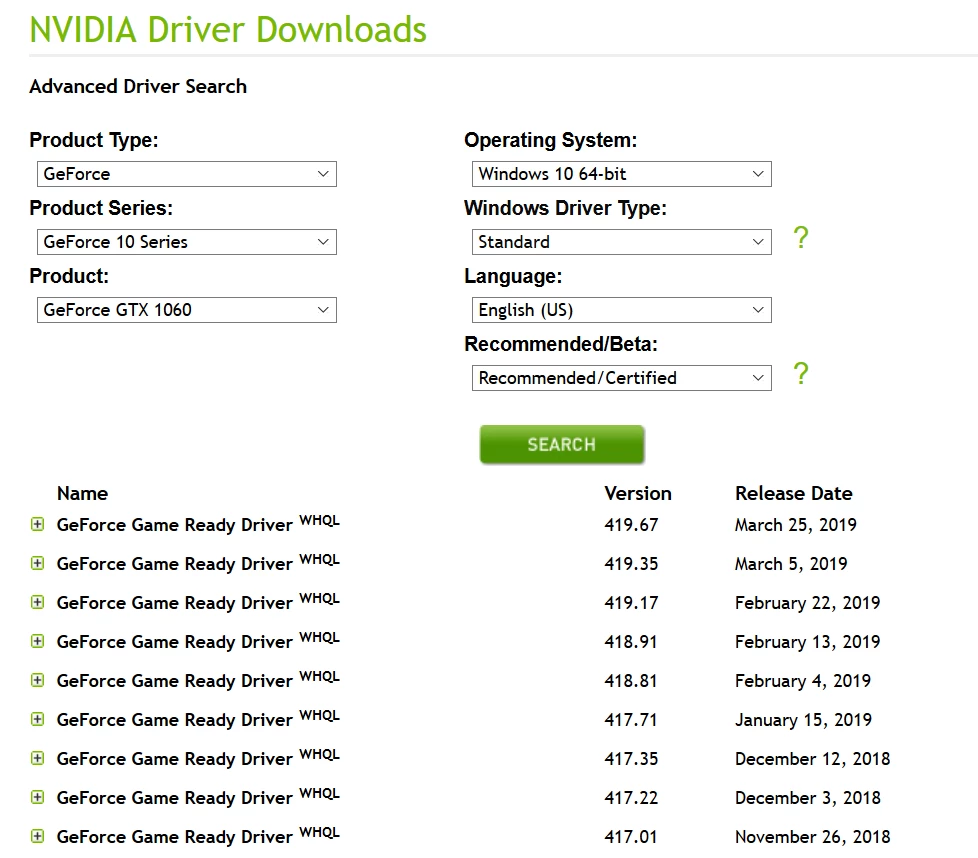
    Advanced Driver Search | NVIDIA

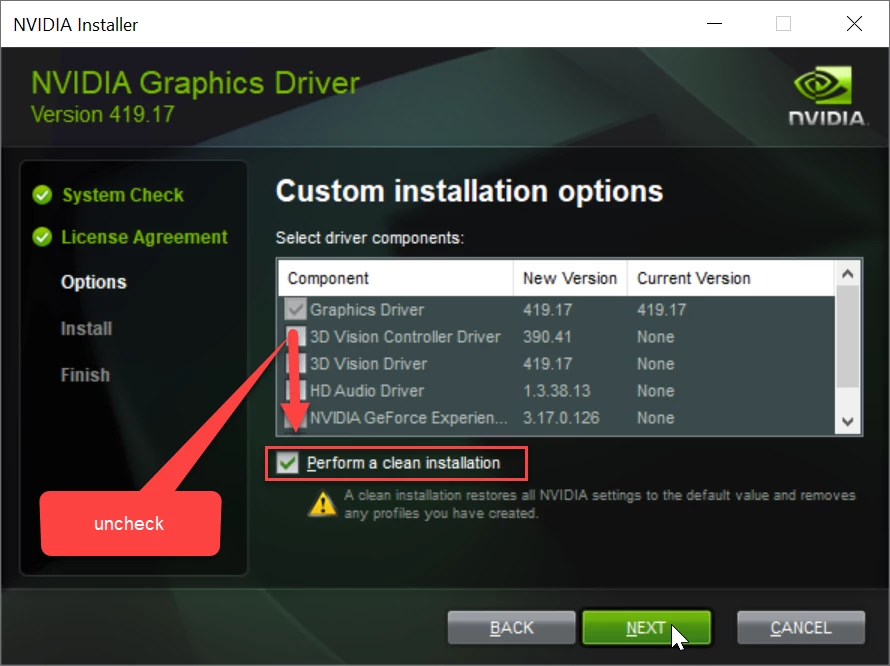
    Do a clean install:

    4 replies

    LuMags
    Inspiring
    March 3, 2020

    Hello world,

    I have the same issue on the GeForce 1060 GTX card. Attempting this "fresh install method" now....

    LuMags
    Inspiring
    March 3, 2020

    Swing and a miss! Bah!!

    Legend
    March 3, 2020

    The problem is that you have the "standard" (or legacy) drivers installed, and NVIDIA is now only making the DCH drivers easily available. What's worse, the DCH driver cannot be installed at all over an existing legacy (or Standard) driver. In this case, you will need to completely uninstall all traces of your existing Standard driver (this will require the use of a third-party driver cleaner tool such as the free DDU) since even the "clean" install option merely resets all custom preferences (but does not completely remove all traces and DLLs of the old driver) in all recent NVIDIA driver versions.

    Inspiring
    March 28, 2019

    Thank you both, for fast and helpful responses!

    Inspiring
    March 28, 2019

    Quick update:

    That worked a treat. Thank you both so much for taking the time. Really appreciate it.

    Ann Bens
    Community Expert
    Ann BensCommunity ExpertCorrect answer
    Community Expert
    March 28, 2019