
Encore changing aspect ratio on Blu ray
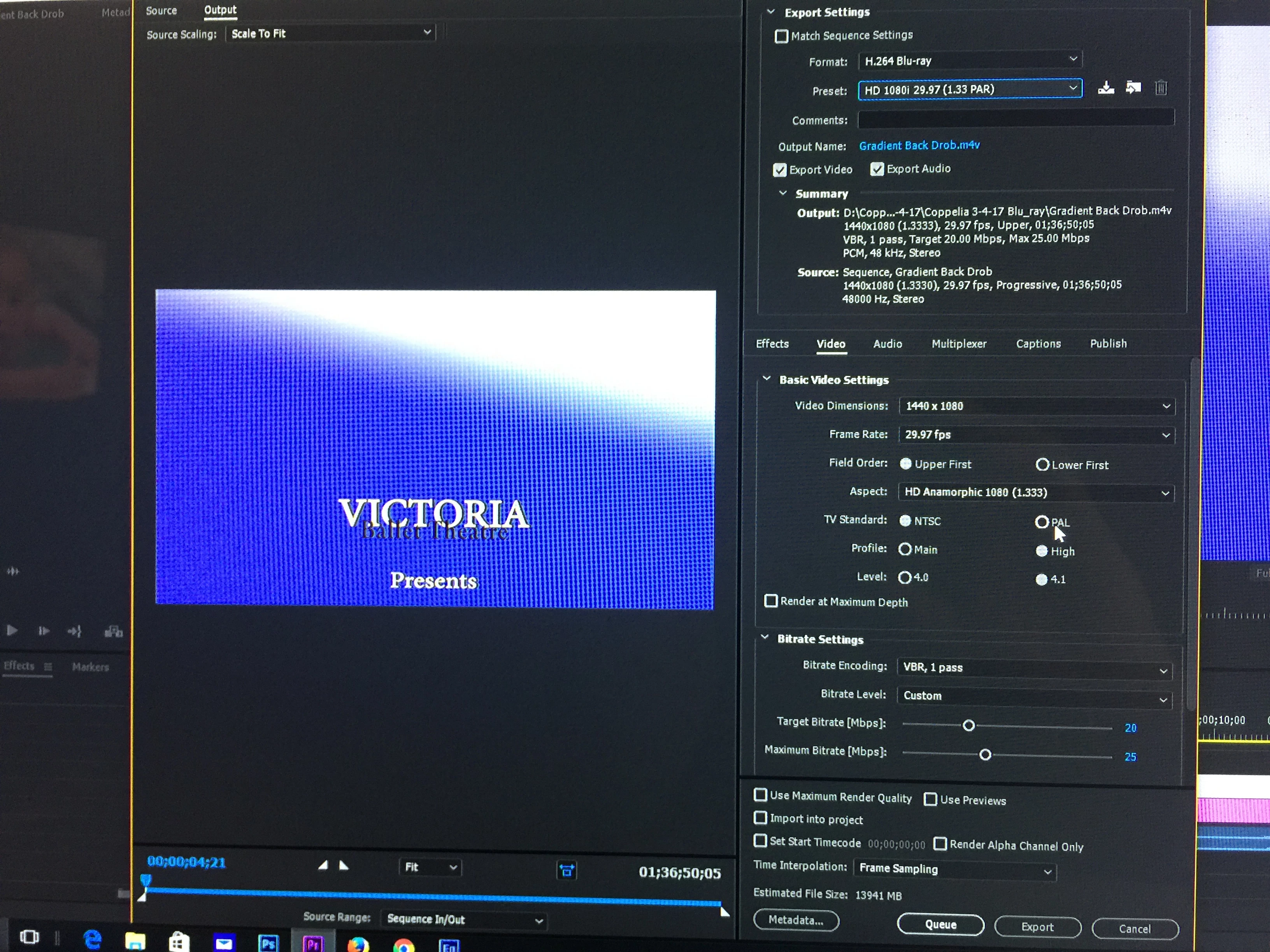
I have been using encore for a while creating blu rays and DVD's. My windows 10 updated the other day I not sure that has anything to do with my problem. Seems there is a problem when importing assets into Encore with the system locking up. I also have had that problem. It does not happen every time but very frequently. I'm using same setting as my other Blu rays and I have never had this problem before. In Pr Pro I create my video then I create a DVD and Blu ray using same file except different codec to create. The DVD works fine after processing it through adobe media Encoder, but the blue ray after I bring it into Encore the video appears to be in aspect ratio 4:3 not 16:9 or wide screen. Attached are screen shots. If someone could look at them and tell me if I'm doing something wrong it would be a great help. I have only another week to get these videos out and I'm crunched for time. The top picture shows it in Pr Pro and export settings. Notice wide screen. The bottom Screen is Encore notice complete different aspect ratio. Help Please.
 TopTop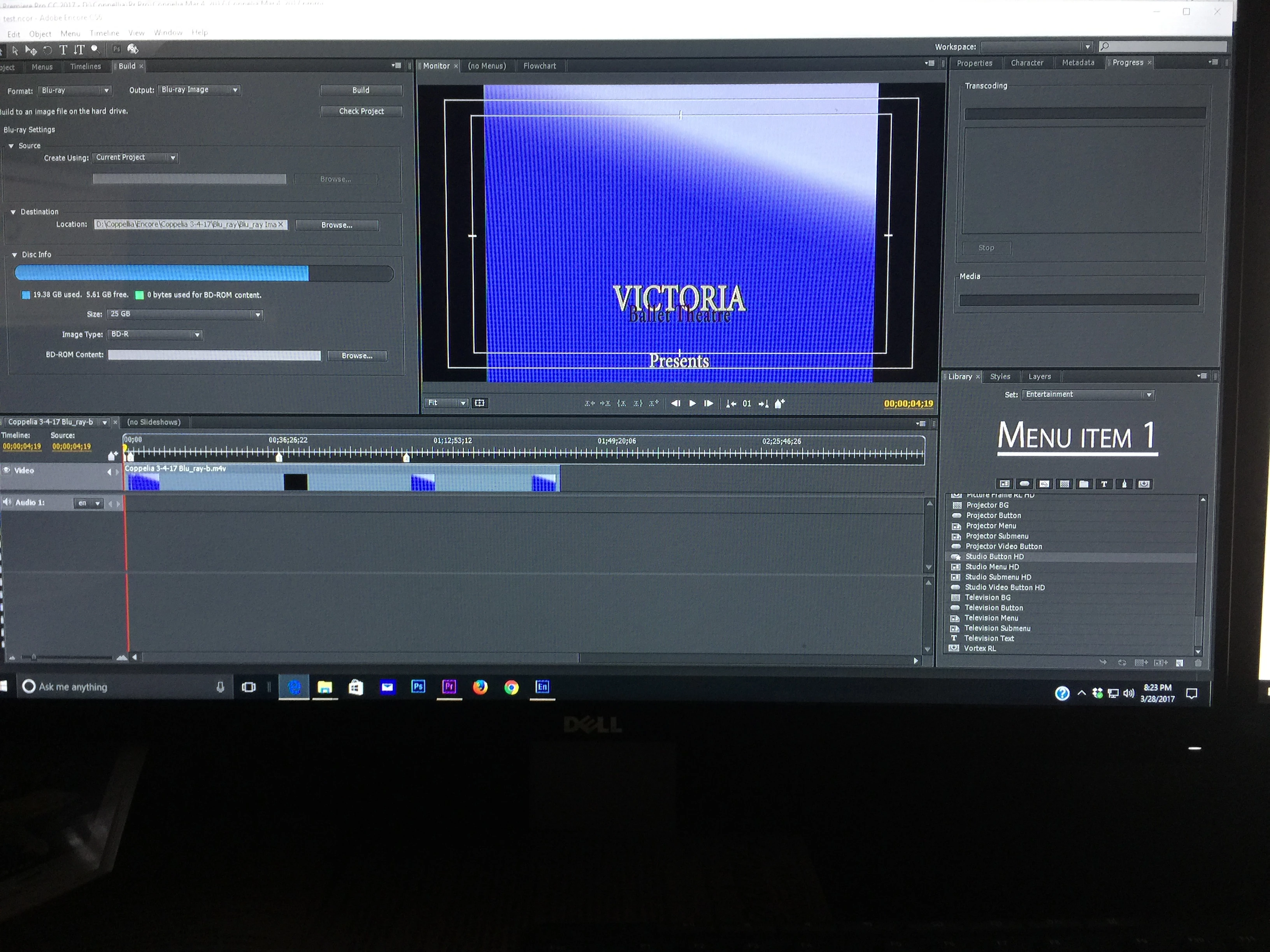
 AdChoices