
Answered
Export as Motion Graphics template
Using the new essential graphics panel, I created a custom bottom third graphic with animations and such. I want to be able to use it in other projects. I followed these steps:
- Create graphic.
- Insert the graphic onto my timeline.
- Right Click my mouse
- Export as Motion Graphics Template
- Title it and Save to my local drive.
- Then I opened a new project.
- Click the Install Motion Graphics Template button.
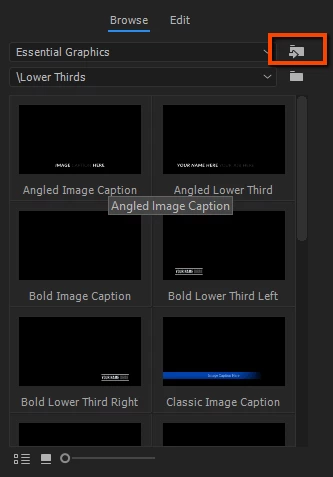
- Find the file in my folder.
- Open.
- The graphic imports fine (I think.) The graphics appear in the essential graphics window. You can see the image below, the orange is the lower third I created.
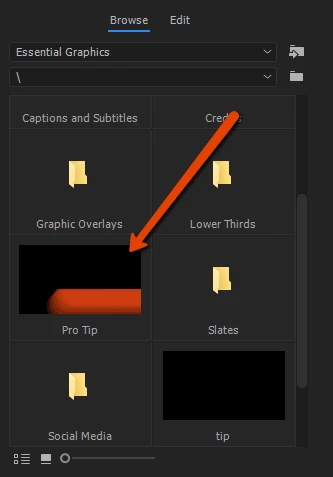
- I drag the graphic to my timeline.
- Here's where I am getting the issue. When it is put on my timeline, it appears empty. There are no graphics, no layers, nothing.
Has anyone else encountered this issue? Is there a better way to use Graphics over multiple projects? (Or a way that actually works?
Thanks
 AdChoices