Inspiring
March 14, 2018
Answered

Export Batch List gone in Premiere 2018/v12

  • March 14, 2018
  • 2 replies
  • 3989 views

My production house wants spreadsheet logs of all footage. After importing in Premiere, I log a description of the clip in the "Description" field, and then Export > Batch List, which gives me the info I need (Clip Name, Description, Timecode In, Timecode Out).

Export > Batch List is gone in Premiere 2018.

This post suggests exporting an .ale instead - however, when I open an .ale in Excel, there are no columns. All of the metadata for each clip is just a long row. I would have to manually go through and organize all of this data.

What can I do?? Just keep using 2017?
This topic has been closed for replies.
Correct answer smithek

I found a solution. I'm using Excel 2008 on a Mac.

1. In Premiere, export Avid Log Exchange (.ale)

2. Rename the .ale as a .txt

3. In Excel, Data > Get External Data > Import Text File...

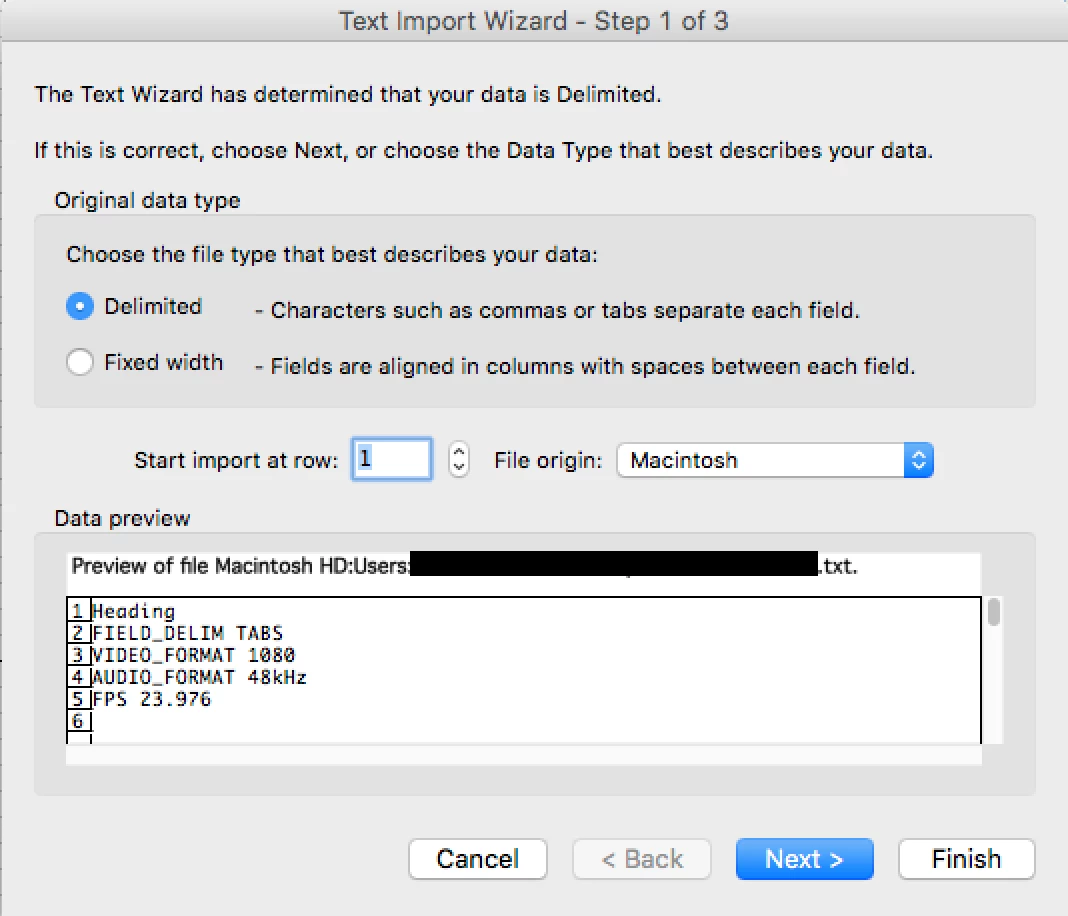
4. Choose Delimited, next

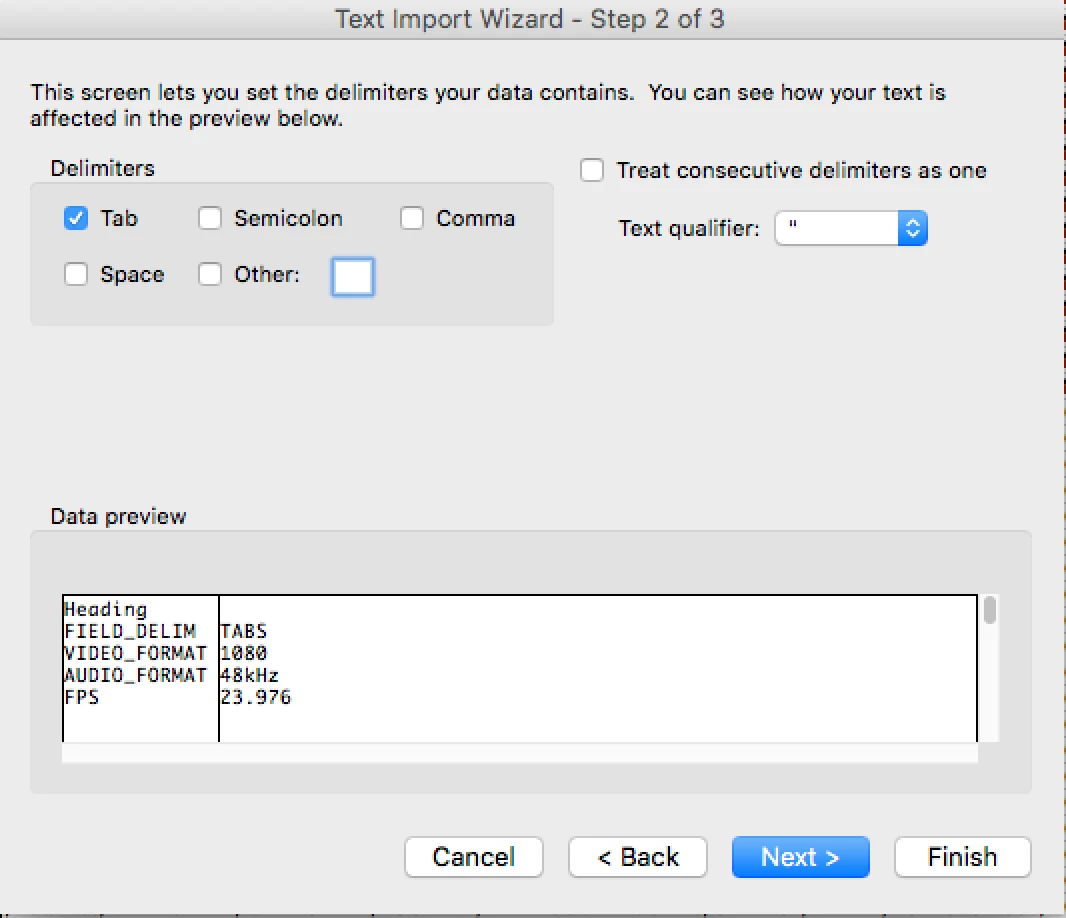
5. Choose Tab delimiter, next, finish

6. View in Normal (not Page Layout)

7. Metadata will be in columns, including Clip Name, Description, TC In, TC Out, Duration

2 replies

smithekAuthorCorrect answer
Inspiring
March 14, 2018

I found a solution. I'm using Excel 2008 on a Mac.

1. In Premiere, export Avid Log Exchange (.ale)

2. Rename the .ale as a .txt

3. In Excel, Data > Get External Data > Import Text File...

4. Choose Delimited, next

5. Choose Tab delimiter, next, finish

6. View in Normal (not Page Layout)

7. Metadata will be in columns, including Clip Name, Description, TC In, TC Out, Duration

Legend
March 14, 2018

You can ask Adobe to return the feature.

Feature Request/Bug Report Form

That solution could take months, years, or never actually happen, though.

Some other options are to continue using 2017.  But that carries it's own down side.  You never get bug fixes or new features.

You could look into switching NLEs, finding one that offers the features you need.  But that carries a new learning curve, and while the new NLE might offer this feature, you're likely to lose other features that PP has.

Finally, you could alter the work flow in the office to just not need that spreadsheet any more.  This would be my recommendation, as it's the only one without a real down side for the editor.