
Answered
Footage Import Error: Color distortion
Adobe Premiere 2020 v14.0
MacOs Catalina 10.15.2
First Pic - Here's what happens when dropping some files into the timeline. Video looks good in preview, color gets distorted only when rendered into the timeline BUT appears fine on the exported file.
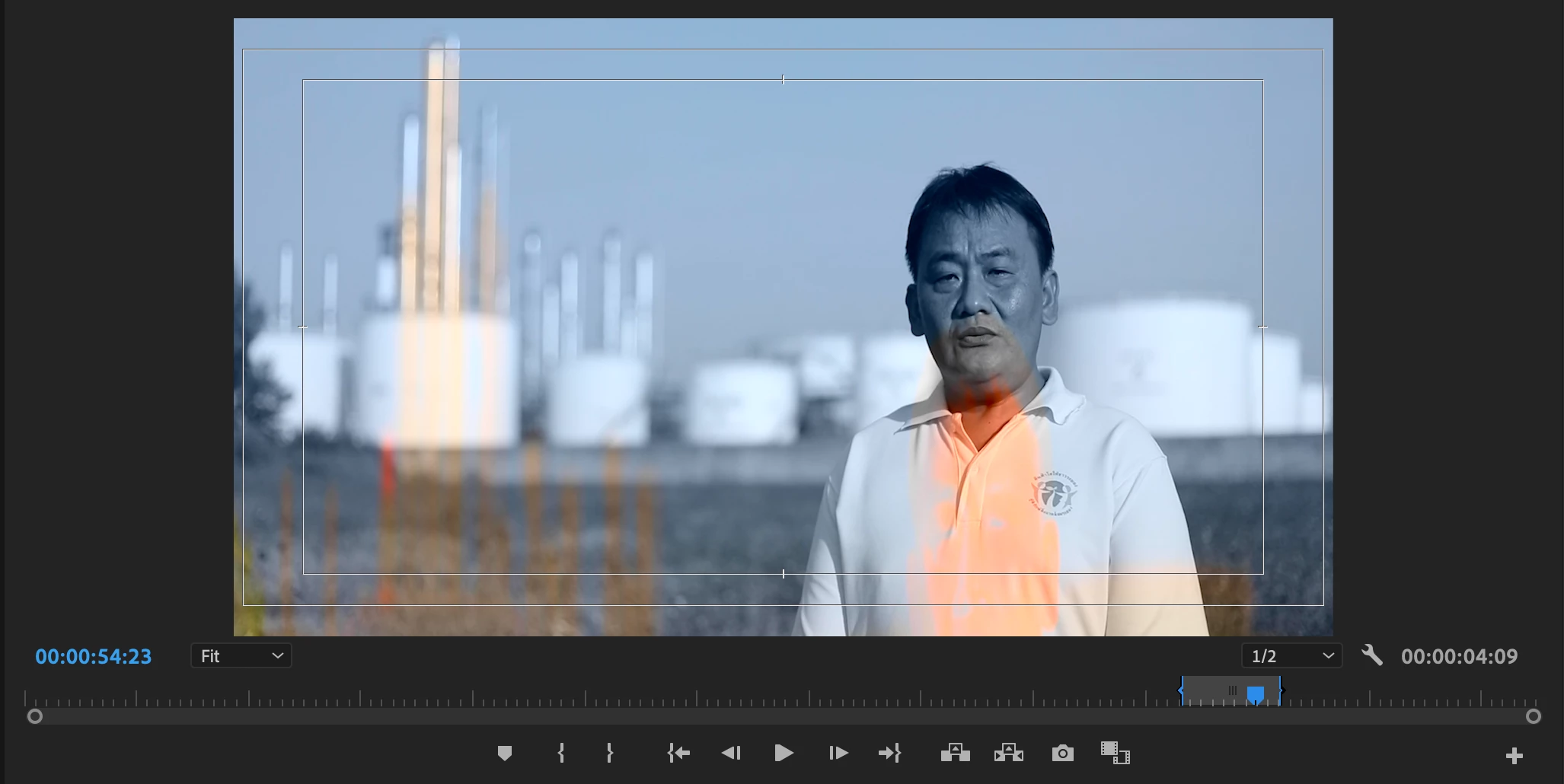
Creating a new sequence did the trick and this clip is fine now.
HOWEVER...
2nd Pic - When importing a video file into the project bin this time. Same result when dropped into the timeline, same distortion in the export.
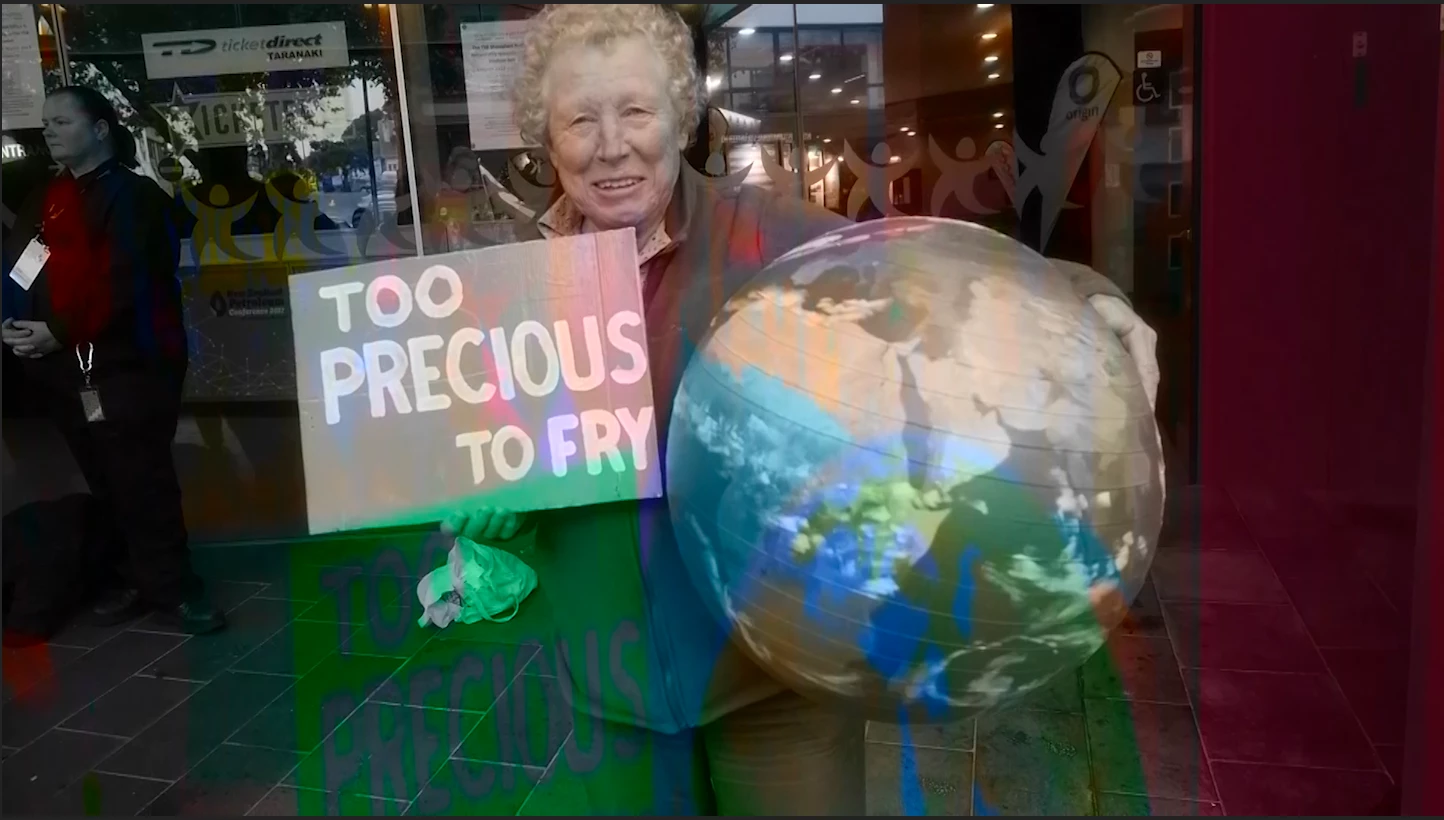
I've tried converting the files into mp4 and even uninstalled/reinstalled Premiere 2020 all together. Same issue.
HELP!
 AdChoices