
Epub fonts + Alignment + hyphenation issues (Urgent SOS)
Hi there,
I'm working on my first epub which I converted to .azw3 to be published as a Kindle e-book; the book is mostly text with a few tables and images. Things were going good until I tried to test the book on my kindle device. So here are the issues I'm facing:
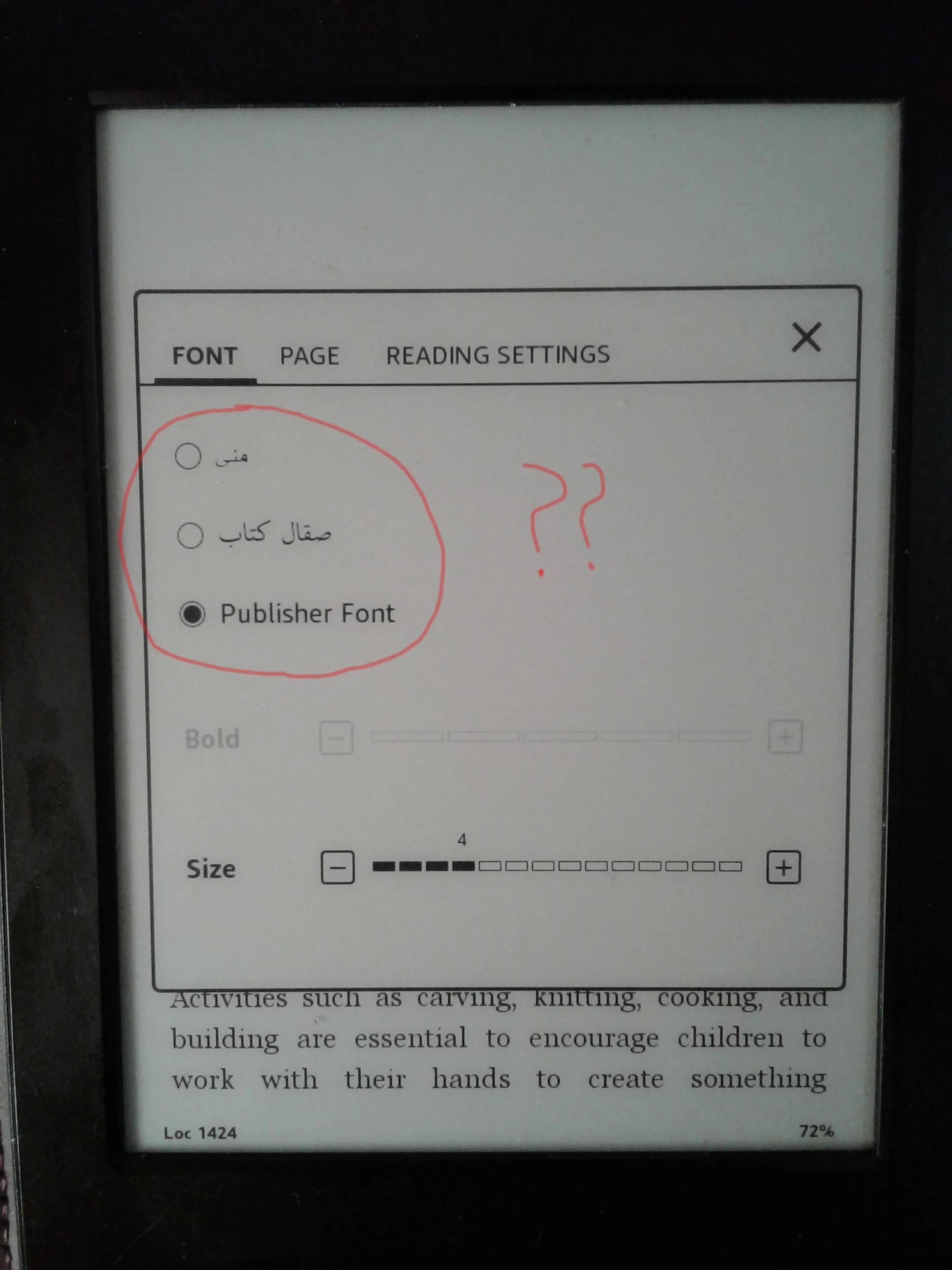
1.Fonts: I noticed when I try to change the font from Kindle fonts menu (Aa) it displays only 2 fonts options in Arabic (screenshot attached) and not the usual fonts menu that comes with kindle like (Bookerly, Futura, Helvetica..etc). I double-checked the language in my InDesign file and made sure it's all set in English: USA and the digits are Arabic (0123) but it still doesn't solve the problem. Other ebooks in my kindle device display the fonts menu just fine. I'm using OpenType fonts in my book (New Times+Arial) to avoid any errors with embedding fonts. I downloaded Kindle previewer software and the book displays the book perfectly so I'm not sure if I should trust it or not. I don't want to send my client a book that doesn't give readers the best reading experience with the ability to choose the font they prefer.
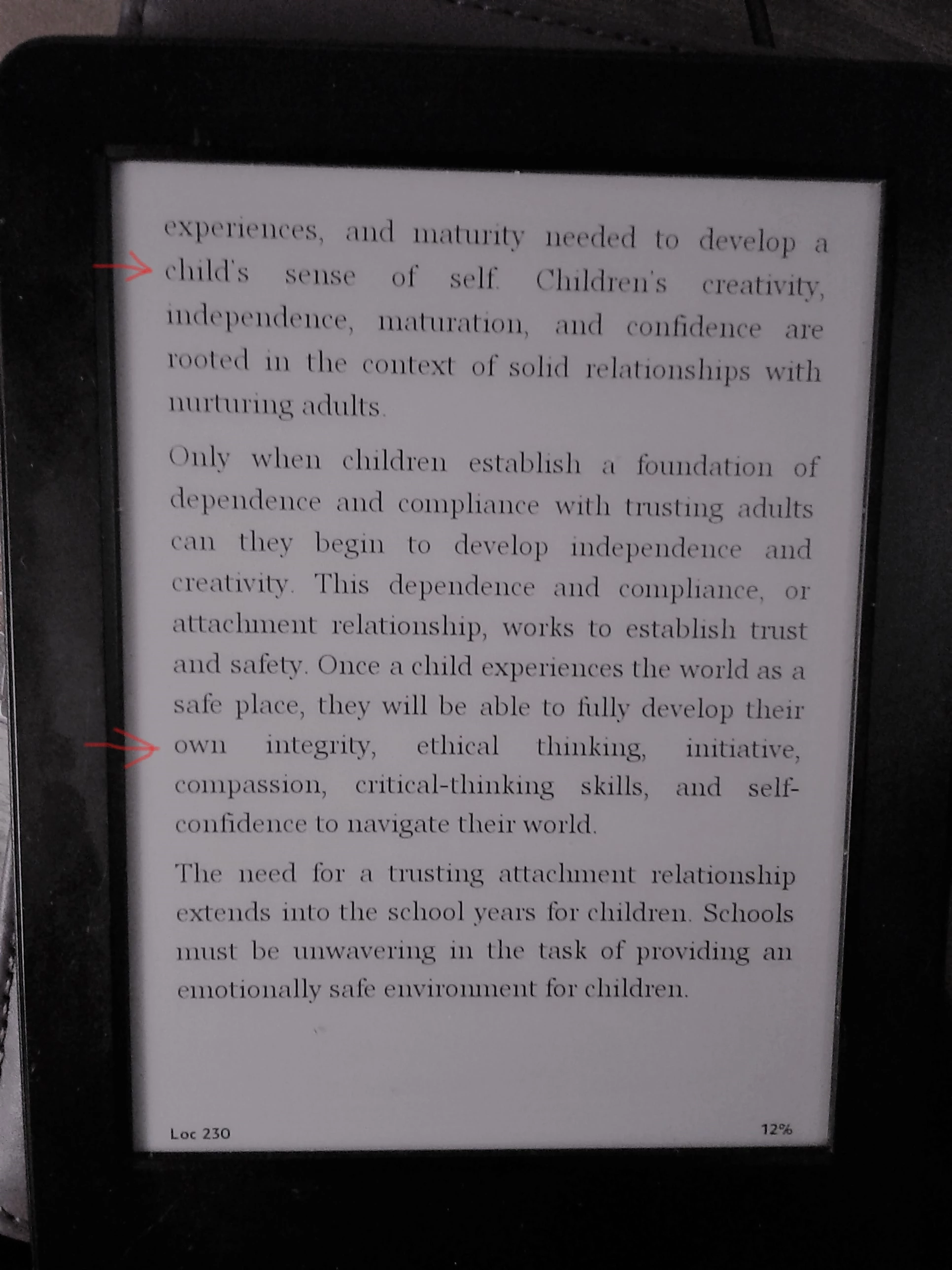
2. Alignment: I'm using Left Justify for the body text, it works fine for most of the book but at some other parts the big white gaps between words are horrible! (attached) what is the best way to achieve the nice (left justify) alignment we usually see in kindle ebooks? I tried left alignment and I didn't like it at all.
3. Hyphenation: What is the best hyphenation setting that you recommend for the Body text so it displays nicely in kindle? I noticed that some of the white gaps are created because a long word wouldn't hyphenate even though I turned hyphenation on in the paragraph style setting for my body text and set minimum 5 letters for the word to hyphenate.
Your help is much appreciated and thanks in advance!


 AdChoices