

Graphics export fuzzy and jagged
Hi guys, i'm a first time poster so please go easy on me!
I'm fairly new to premiere pro and am essentially teaching myself how to use the program as I go along (clueless).
I created a .GIF image with Photoshop then rendered it as a .MOV video (as I read somewhere they're easier to deal with on Premiere Pro.)
Anyway I'm wanting to overlay this animated map over some BAD iphone footage of an interview. Once I export the video, no matter how many different settings I try, the .MOV video is fuzzy and jagged, making it hard to read!
I've been googling, youtubing and experimenting all night to no avail so I've turned to the forums! Please help me!
Here are some more details:
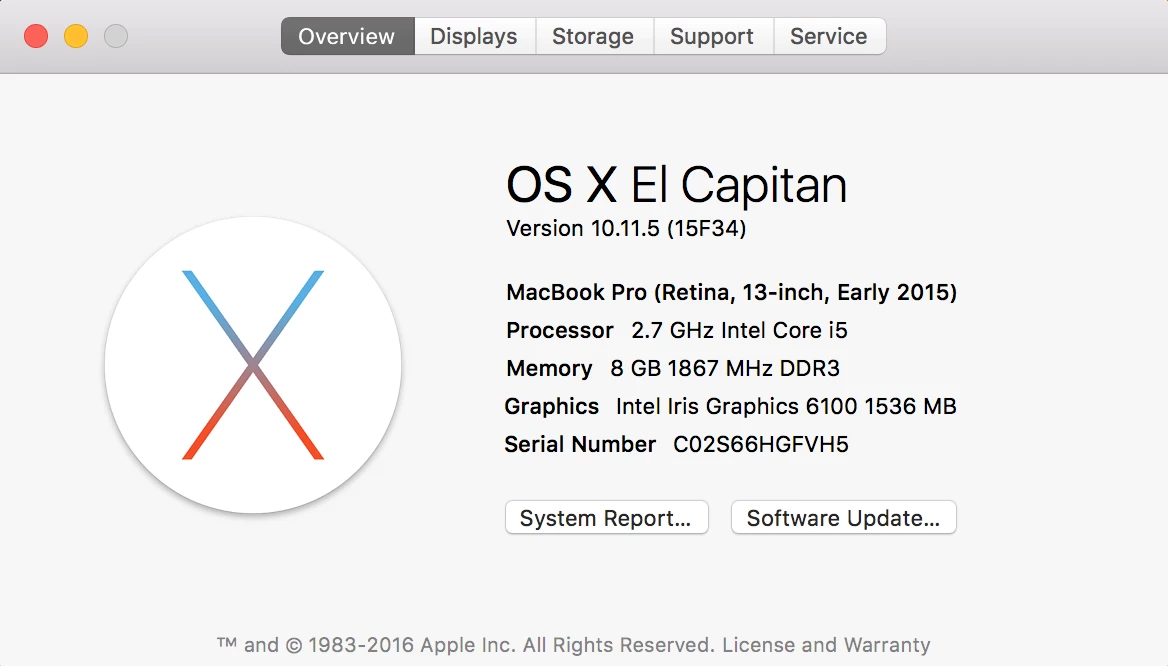
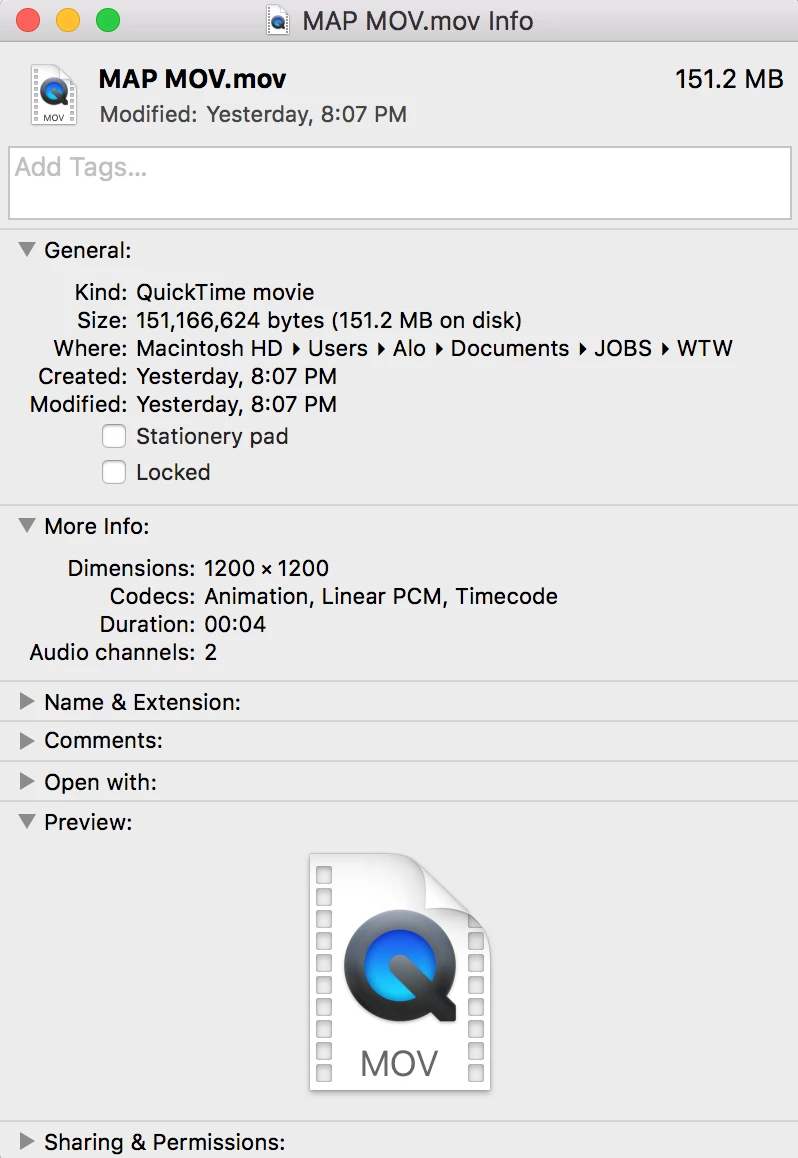
MAP MOV DETAILS
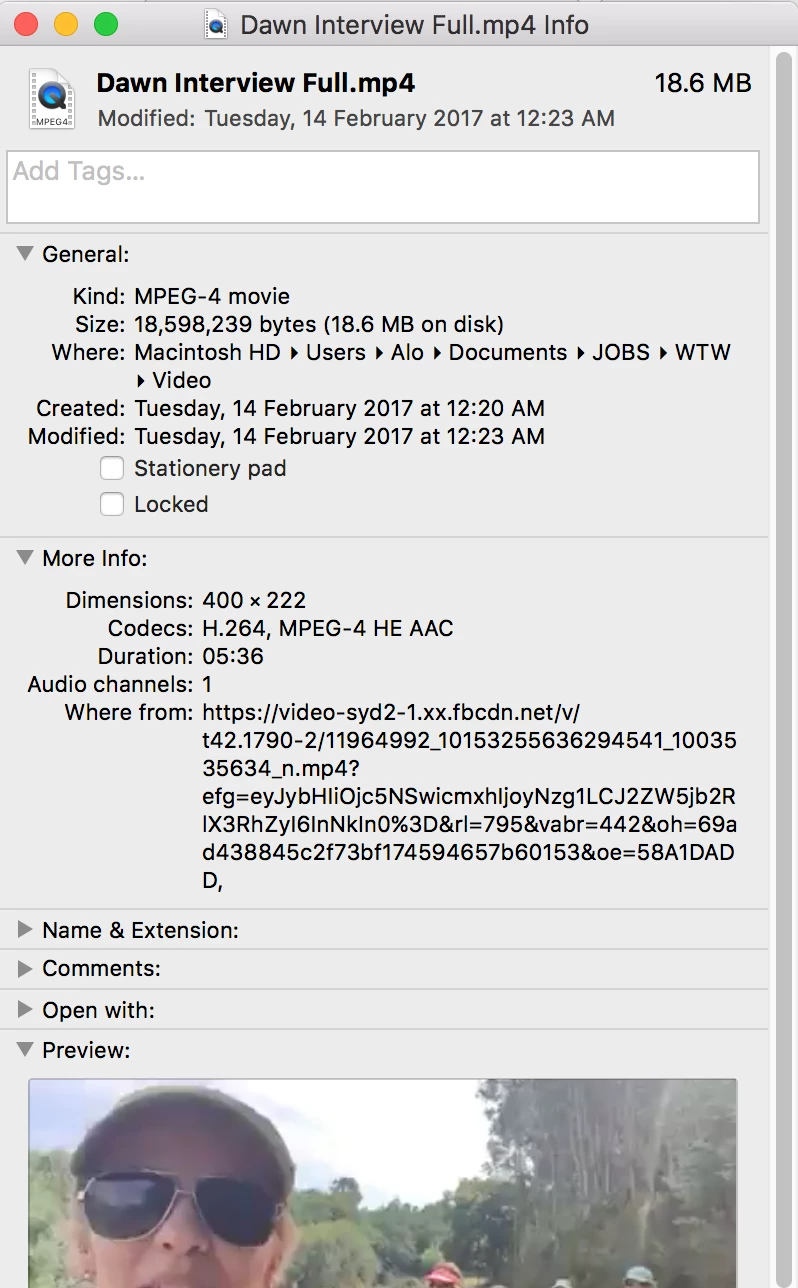
INTERVIEW FOOTAGE DETAILS:
Settings for example video export:
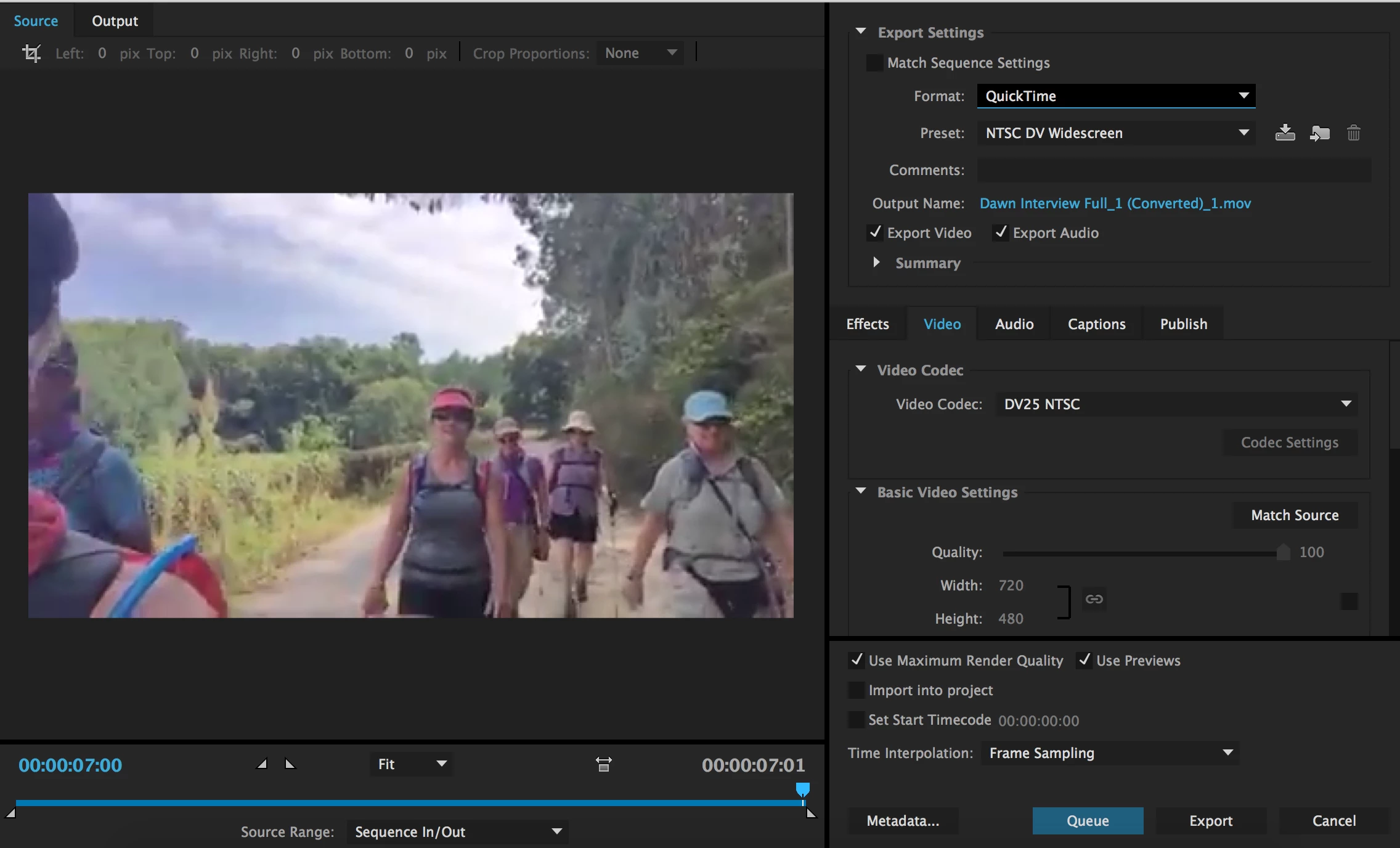
I feel like the problem may be that the interview footage is so crappy in comparison to the animated map that it has had to shrink up and lose heaps of detail? or something??? idk as I said before, clueless!
The issue is also not to do with the .MOV file as i tested the interview video with heaps of other .jpegs and .png's etc they all come out fuzzy!!!!
Thank you!
 AdChoices
