
Inspiring
March 8, 2019
Question

Help! Turn off Proxies!!!

  • March 8, 2019
  • 3 replies
  • 5641 views

I am working on a job that has multiple different projects/sequences. One out of like 15 different sequences had assets that were difficult to edit. I decided to give proxies a try for this one asset. But, now it appears premiere is trying to do proxies for everything and when I open the project encoder opens and it's trying to ingest everything which is driving me nuts! Right now I'm just wanting to turn proxies completely off and stop encoder from loading and end this madness and get back to just editing my project.

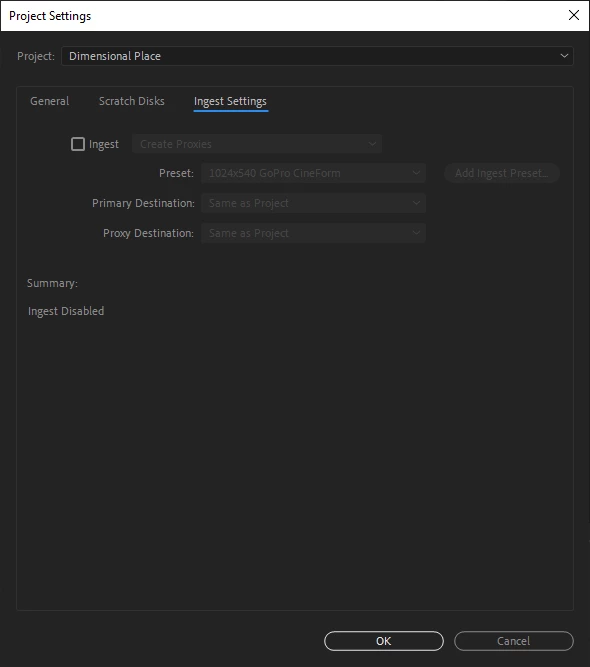
I already tried turning off proxies here:
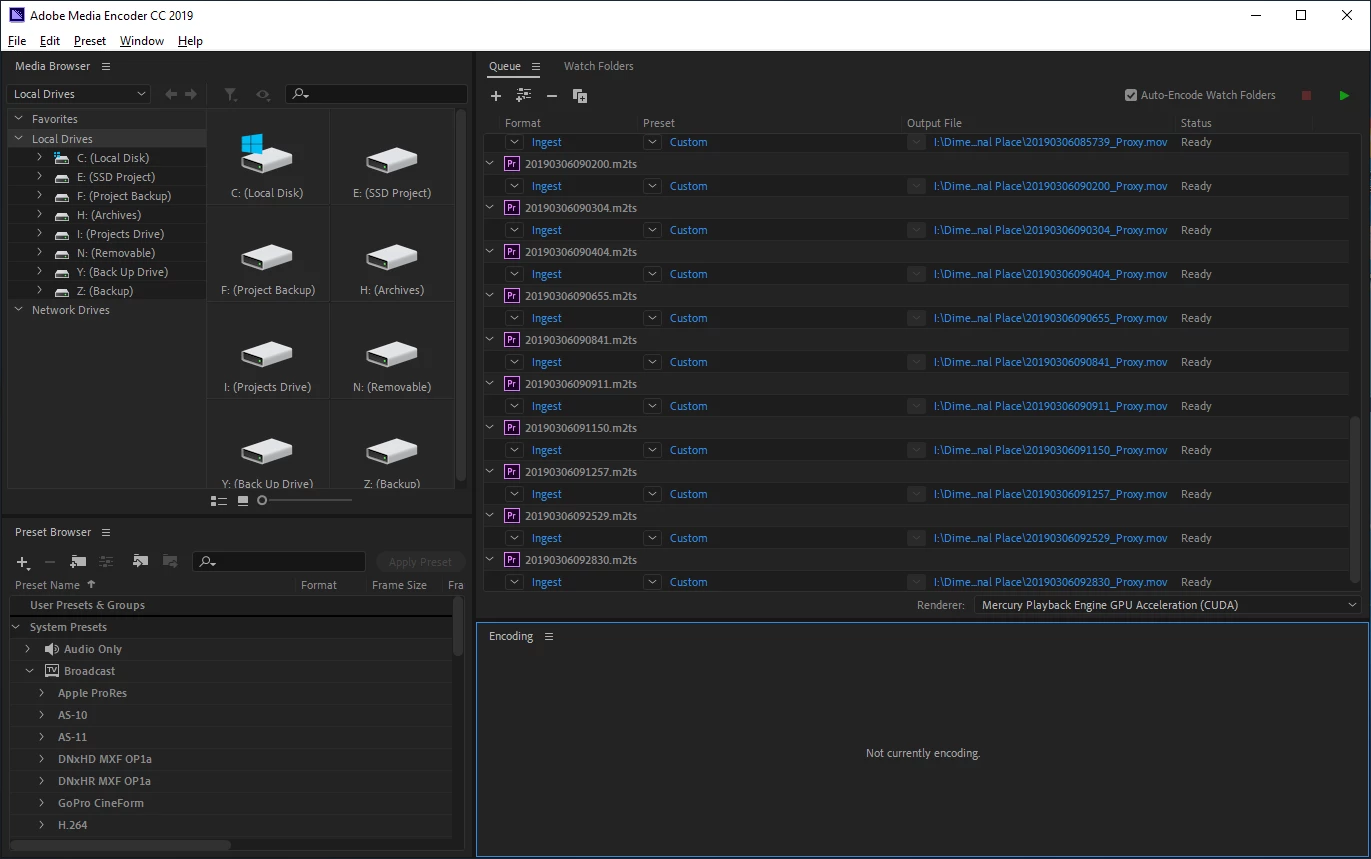
This is what encoder is doing and it's killing me:
    This topic has been closed for replies.

    3 replies

    NeofilmAuthor
    Inspiring
    March 24, 2019

    I'm still curious what watch folders are, not curious enough to stop what I'm doing and dig into it, but curious enough to see if someone has explained it here yet...

    R Neil Haugen
    Legend
    March 24, 2019

    A "watch folder" is a folder you create on a drive, then tell Media Encoder that it is a watch folder.

    It wants to know then what to do with anything that appears in that watch folder.

    So you set a series of actions. Say rename using X convention, transcode using Y preset, and put the output in Z folder.

    After that, any time Me is open, and "sees" media in that folder, it automagically renames it, transcodes with your prescribed preset, and parks the exported media in the specified folder.

    Some shops have a ingest machine set up so that some assistant editor takes camera cards and copies to specified watch folders for certain types of jobs. Walks away working elsewhere in the shop.

    And somebody sits down later and moves things to their next stop.

    Neil

    Everyone's mileage always varies ...
    Legend
    March 9, 2019

    AME will attempt to finish any proxy job you set up.  Let it, and be done.

    NeofilmAuthor
    Inspiring
    March 9, 2019

    I just kept closing it until it finally stopped. There was way too many assets for me to just "let it and be done". It finally stopped after my closing everything a few times... So, all is good/back to normal. I don't know what I did to ultimately get it to stop though. After I was done in premiere I went back to AME to clear out everything, here's what was in there, I killed it!

    Jeff Bugbee
    Community Expert
    Community Expert
    March 11, 2019

    Neo,

    In Premiere, go to File - Project Settings - Ingest Settings.

    Is the Ingest option checked there? If so, uncheck it.

    NeofilmAuthor
    Inspiring
    March 8, 2019

    PLEASE HELP! I can't get encoder to stop loading all my assets from this very important project. It's bogging down my system. Everytime I close encoder it just opens back up. This is insanity!!!!!!!!

    Jeff Bugbee
    Community Expert
    Community Expert
    March 8, 2019

    Do you have any Watch Folders set up? Uncheck "Auto-Encode Watch folders" in Media Encoder in the top right of the screen. Then click the red STOP button. Select everything in the queue and press delete.

    Nothing else should be automatically going into Media Encoder.

    NeofilmAuthor
    Inspiring
    March 9, 2019

    I don't know what watch folders are, I know how to stop and delete/remove items in queue since I've used AME a lot. I'm just new to this whole proxie dealio. I didn't know about watch folders though, thanks for that suggestion. I went ahead and unchecked that. What are "watch folders" if you don't mind me asking...

    Ultimately I just wanted to only do proxy on a couple of assets. I guess I had the whole project setup for creating proxies? Is there three things to this proxy dealio like proxy every asset or proxy only certain assets and/or proxy everything you import? Or is it just two things that you can proxy; everything or just certain assets?