
shellyviajera
Participant
February 6, 2018
Question

How to adjust video resolution

  • February 6, 2018
  • 1 reply
  • 9947 views

Hi,

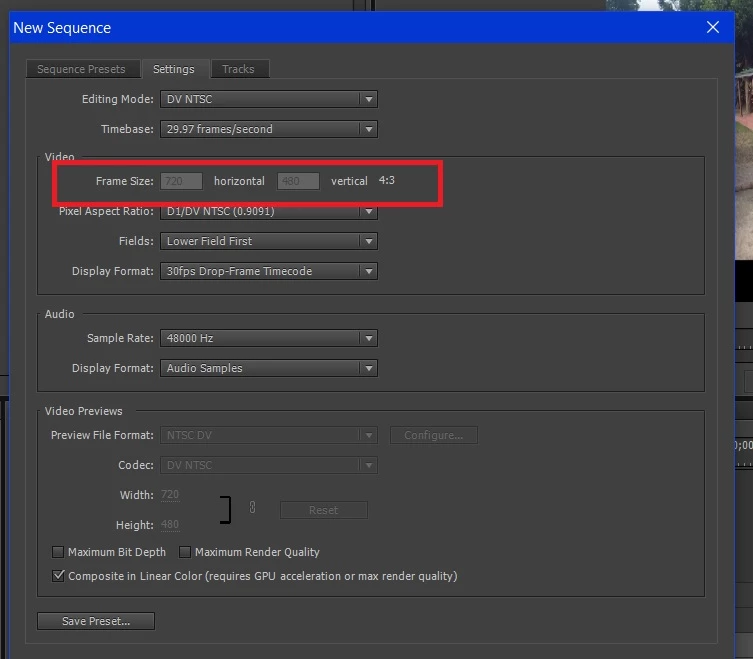
I'm a newbie with Adobe Premiere Pro CC v7.0. I'd like to change the resolution of my video to 1080 x 720 so that the output video also has that resolution. However, when I go to changing the frame size, it's greyed out and the default is 720 x 480. How do I change it?
This topic has been closed for replies.

1 reply

shooternz
Legend
February 6, 2018

You need to change EDITING MODE from DV to an HD Mode

shellyviajera
Participant
February 6, 2018

Hi shooternz,

Where do I find the "EDITING MODE" option?

I was trying to look for HD from the Export Settings, but I only have DNxHD.

Maybe someone can help me what is the common resolution / export setting type when uploading to Youtube. I want to upload a vlog.