
Inspiring
February 8, 2019
Question

(How to) Make subtitles look professional?

  • February 8, 2019
  • 4 replies
  • 3603 views

I use open subtitles but they doesn't look good. I open Captions (under Window) to try to adjust (like it+s done in Adobes instructional videos) but I cannot change the background color font or size. I can't even get the whole sentence to show (the word "Polen" is just "Po"). And how do I get two lines?
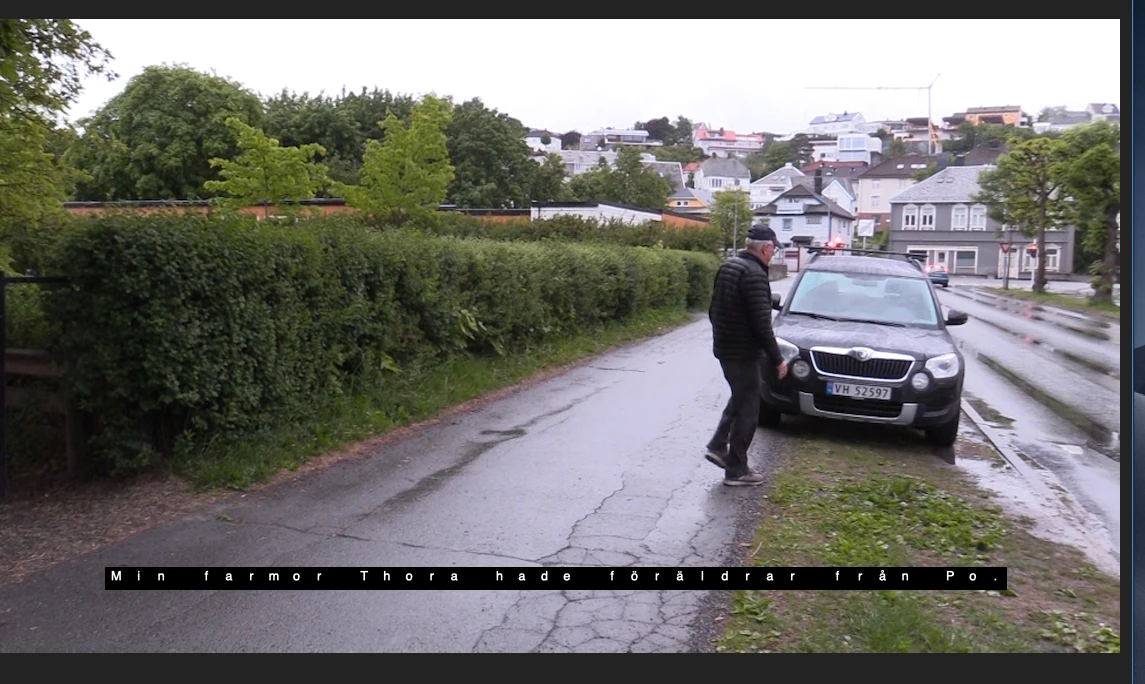
This I se when I try to adjust
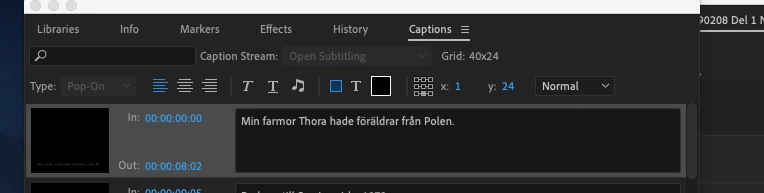
 

    This topic has been closed for replies.

    4 replies

    Averdahl
    Community Expert
    Community Expert
    February 11, 2019

    I do subtitles so seldom and not so many of them. But when i do i use After Effects and a pre-made background and use masks to make the background longer or shorter. I get full control over the text, iow kerning, etc.

    But yes, it is more manual and tedious work, but for my needs it work ok and i can mimic SVT´s text as well.

    Community Expert
    February 11, 2019

    we now have mogrts, what you need is just one self resizing subtitle using expressions in after effects, you can also add as many properties for graphics controls like color, shapes, strokes, etc (some of those will require slider controls), export that as a mogrt and drag as many copies of it into your premiere pro timeline, that if you really need to have more graphics and text controls. But for practicality and speed, i would prefer using captions for subtitles, especially when you have long videos and lot of text.

    Inspiring
    February 11, 2019

    Thanks for all input.

    I did chose Open Captions and used:

    font: Ariel Narrow, size 50, opacity 80 % and I'm quite pleased with the result.

    Contacted one friend working in Swedish tv as an editor and another friend working as a translator. They had no clou of fonts and so on...they never had to chose, "it's just there".

    Regarding my question about getting two lines of text... found out (by myself) it´s just to push the "enter" button and then you get a new line....

    Have to check AE.

    Community Expert
    February 11, 2019

    you can buy what is called 'self resizing lower thirds or subtitles' or something like this from Adobe Stock, mogrts, or check if there are some already in your essential graphics library, but those are different from open and closed captions, but contain a lot more graphical controls if you prefer that over the speed that captions offer.

    Stan Jones
    Community Expert
    Community Expert
    February 11, 2019

    For burn in, those can be great. But for many users, only if they offer an option (script in AE?) to import text for a few hundred captions (or more) ...

    Stan Jones
    Community Expert
    Community Expert
    February 8, 2019

    I'm agreeing with Ann in part and disagreeing in part.

    You DO NOT want "Open Subtitling." It sounds logical but it is not what you want if you are burning in captions/subtitles.

    Open Captions is what you want if you are burning in or looking for a srt export. And you can convert the Open Subtitles to Open Captions. Right click on the caption stream you have, and Modify -> Captions, and change it to Open Captions. You CANNOT change back from Open Captions once you make that change.

    Closed Captions (and Open Subtitles) are intended for being turned on and off in programs, and the programs often set the appearance of that text. So there are significant limits regarding font, color, background, etc.

    Now the problem is that Open Captions do not maintain the best quality (compared for example to PR titles/graphics text). See this thread for workarounds:

    Re: Captions Text Poor Quality

    Inspiring
    February 10, 2019

    The concept of "open" vs ""closed" is a bit confusing (to me at last).

    ("If you want burned-in titles, set the Captions to Close Captions", "Open Captions is what you want if you are burning in", Closed Captions (and Open Subtitles) are intended for being turned on and off...")

    Well I tried with picking "Open Captions" (all of a sudden I couldn´t chose "Close Caption"...) and there were more choices/possibilties to change font and so on. I used Helvetica Neue and 90 % opacity

    but what I really want is something like this (from Swedish television), and as you can see distances between the letters are quite short. Is there like any third party plug in that would fix this? I don't mind paying.


    Ann Bens
    Community Expert
    Community Expert
    February 10, 2019

    The concept of "open" vs ""closed" is a bit confusing (to me at last).

    ("If you want burned-in titles, set the Captions to Close Captions", "Open Captions is what you want if you are burning in", Closed Captions (and Open Subtitles) are intended for being turned on and off...")

    I am most sorry its the other way around.

    Burned in are open caoptions

    closed captions is in a side car file.

    Ann Bens
    Community Expert
    Community Expert
    February 8, 2019

    Are you sure you want Open Subtitling?

    If you want burned-in titles, set the Captions to Close Captions. (these are captions with the most possibilities to change parameters).

    If you want a separate file use Open Captions.

    There is a max amount of characters you can use in one line.

    You need to start over.