
joshs130237
Inspiring
May 19, 2018
Answered

How to: Render each clip separately ?

  • May 19, 2018
  • 1 reply
  • 2681 views

Hello !

I would like to render multiple clips automaticaly and separately keeping the original name.

Example with picture below:
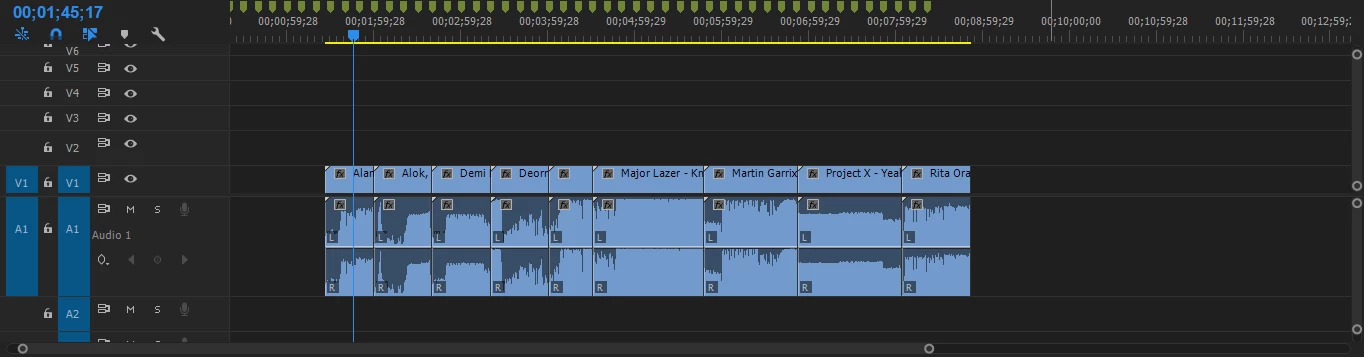
I would like to select the whole project and render each video segment separately keeping the original name.

Thank you in advance !

    This topic has been closed for replies.
    Correct answer joshs130237

    Well, i discovered a way to do it, you just select the whole project and make a subsequence, after that you go to File> Project Manager > select the sequence and export it as individual clips. My only issue now is that the dimensions of the export is pretty big and i would like to lower the export dimension.

    1 reply

    Ann Bens
    Community Expert
    Community Expert
    May 19, 2018

    Alas you will have to do this manually for each clip.

    There is no such feature but let it known here:

    Adobe video & audio apps

    joshs130237
    joshs130237AuthorCorrect answer
    Inspiring
    May 19, 2018

    Well, i discovered a way to do it, you just select the whole project and make a subsequence, after that you go to File> Project Manager > select the sequence and export it as individual clips. My only issue now is that the dimensions of the export is pretty big and i would like to lower the export dimension.

    Ann Bens
    Community Expert
    Community Expert
    May 19, 2018

    OK, you mean file size?