Cee.Zee
Participating Frequently
December 14, 2020
Answered

i can't move mask with arrow key

  • December 14, 2020
  • 14 replies
  • 7026 views

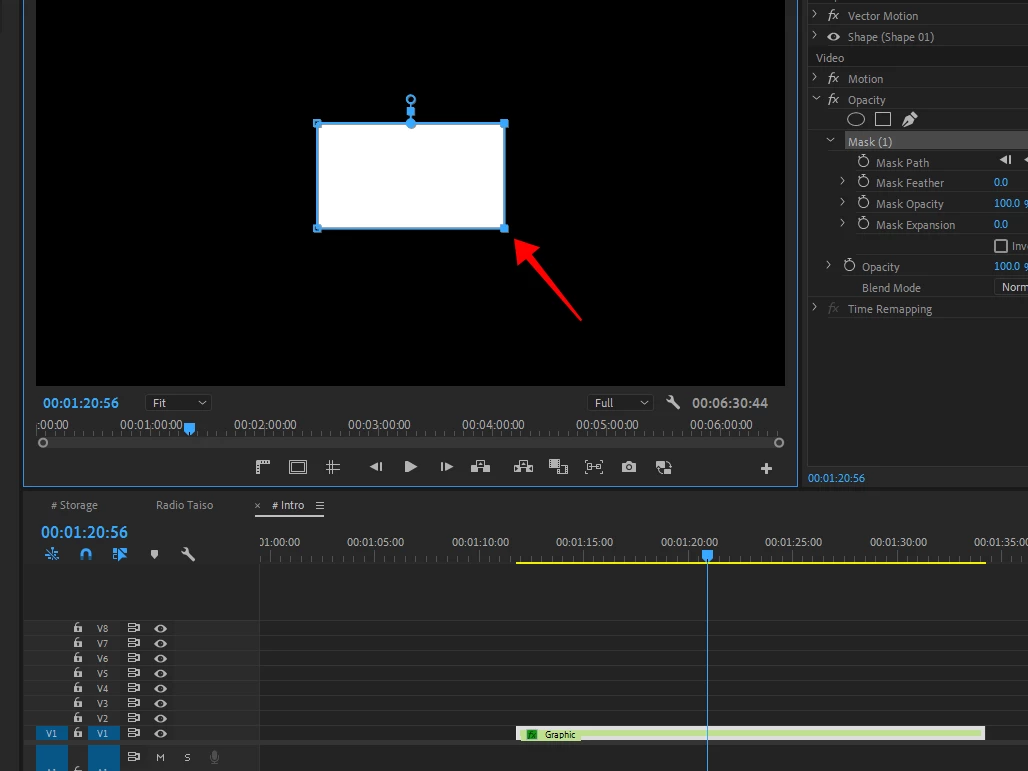
I can't move seletion mask with arrow key it a bug or i turn something off?

everytime i hit arrow key it move playhead in timeline
even i already select mask it still move playhead instead


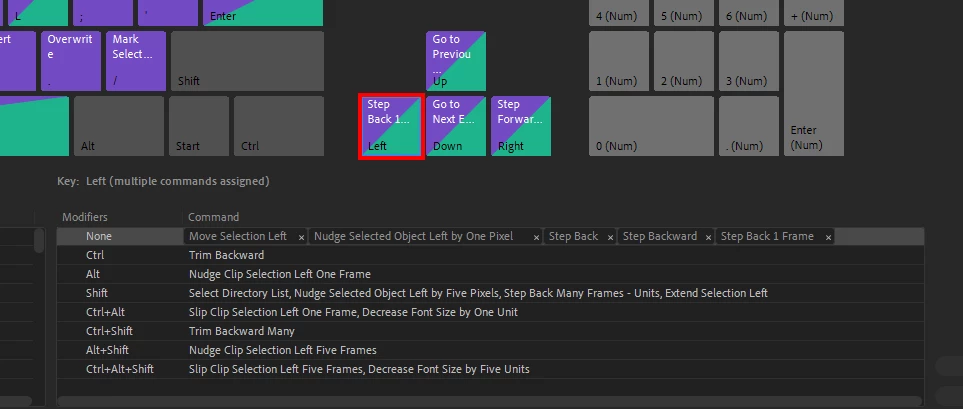
and i already check keyboard shortcut
 

This topic has been closed for replies.
Correct answer Gabriel30532191cl8u

Very anoying...started happening to me right now, April 2024....by the morning it was working fine, but now every time I create a mask at opacity of any object, it can be psd, png, or nested sequence, i cannot move the mask. It just creates new mask points. By the morning was everything fine, I stopped for lunch, came back, and then this suddently started to happen. I even did not close premiere between lunchtime. Very anoying and it seems to not have a solution.

14 replies

Participant
April 18, 2024

Update: Seems it is related with the size of the mask in the object....if the resolution is too small, mask cannot be moved

Gabriel30532191cl8uCorrect answer
Participant
April 18, 2024

Very anoying...started happening to me right now, April 2024....by the morning it was working fine, but now every time I create a mask at opacity of any object, it can be psd, png, or nested sequence, i cannot move the mask. It just creates new mask points. By the morning was everything fine, I stopped for lunch, came back, and then this suddently started to happen. I even did not close premiere between lunchtime. Very anoying and it seems to not have a solution.

DaveRizzWork
Inspiring
April 13, 2021

omg, Omg, OMG it's WORKING! It's BACK!


Is anyone else seeing the fix in the latest update to Premiere? It updated for me today, and it sure looks like point modification via Arrow Keys is BAAAAACK! Even the Shift+Arrow Keys is working too!


Thank you Adobe and @Kevin-Monahan !

Kevin-Monahan
Community Manager
Community Manager
April 14, 2021

You're welcome. I'll let the team know too.


Thanks,
Kevin

Kevin Monahan - Sr. Community and Engagement Strategist – Adobe Pro Video and Audio
allyhv
Participant
March 12, 2021

Anyone has any news on this? I've been having the same problem. Version 15 didn't fix it. 

Kevin-Monahan
Community Manager
Community Manager
March 12, 2021

This may take awhile, Ally. The "to do" list for these folks is long! Sorry. I will do my best to bump up the status of the bug I filed. Thanks for reminding me. 


Regards,
Kevin

Kevin Monahan - Sr. Community and Engagement Strategist – Adobe Pro Video and Audio
allyhv
Participant
March 12, 2021

Thank you for the quick reply!

GingerSnap70
Participant
February 26, 2021

Has there been any progress on this issue? It is driving my bonkers (language adjusted to PG rating...).

DaveRizzWork
Inspiring
February 26, 2021

Not that I've seen. No relevant updates that have fixed anything related to this that I've seen.

Adobe employee @Kevin-Monahan saw this thread and submitted an internal bug report on 2/11/21... so hopefully something will come through on the next update?  FingersX

Kevin-Monahan
Community Manager
Community Manager
February 26, 2021

Dave,

I have an update. Turns out my bug was a duplicate and had already been reported by editors in Japan. Others are hitting the same bug, so the good news is that the bug predates mine. That means the issue is farther along and is definitely being fixed as we speak.


Thanks again for reporting this issue. 

Kevin

Kevin Monahan - Sr. Community and Engagement Strategist – Adobe Pro Video and Audio
Participating Frequently
February 10, 2021

I posted about this on the Adobe Premiere subreddit.

https://www.reddit.com/r/premiere/comments/kbav8l/using_arrow_keys_to_move_a_mask_no_longer_works/

No response. 


I got so fed up I tried calling customer support where I was on hold for 3 hours. They told me they would call back soon with a solution. They never did. That was weeks ago now. Absolutely infuriating.

DaveRizzWork
Inspiring
February 10, 2021

Yeah, that sucks... it's great that we get to pay for that stellar customer service for the rest of our careers, right?

Cee.Zee
Cee.ZeeAuthor
Participating Frequently
February 10, 2021

Another update but still not fix 😞

DaveRizzWork
Inspiring
February 5, 2021

Yes. I've been having this same problem and it is a complete PAIN IN THE ARSE! WhenTF is Adobe going to fix this problem???? I've tried changing the keyboard short-cuts, turning on and off Multi-Cam, and any number of other "solutions" people post in Adobe and on Reddit, and the web.


C'mon ADOBE! Get this fixed already. There have been like 2 Premiere updates since I noticed this bug!

DaveRizzWork
Inspiring
February 5, 2021
TheRealTopherG
Participating Frequently
January 25, 2021

Bump for help... havent found a fix.

Participant
January 20, 2021

Rolling back to a previous version doesn't mean this is "solved." If it's a bug, Adobe needs to fix it. If it's a removed feature, they should inform.