
Inspiring
August 22, 2017
Answered

I do not see Color Space: REDWideGamutRGB

  • August 22, 2017
  • 1 reply
  • 3232 views

Hello adobe forum!

I have the latest premiere cc
2017.1.2 (22) build.
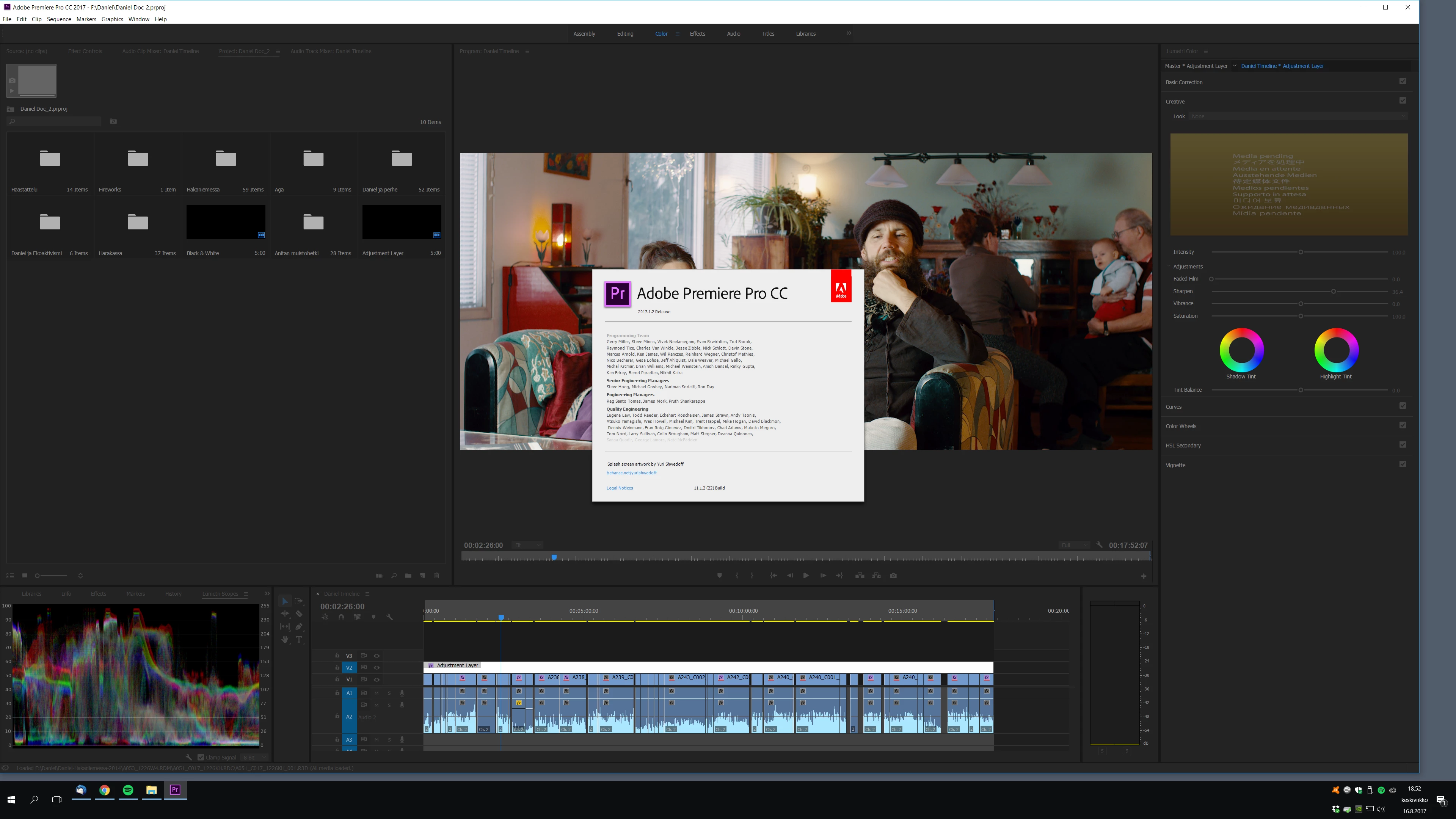
I know that IPP2 color correction with Red material uses now the latest Color Space set to REDWideGamutRGB and Gamma Curve set to Log3G10. I do not see these options at all..
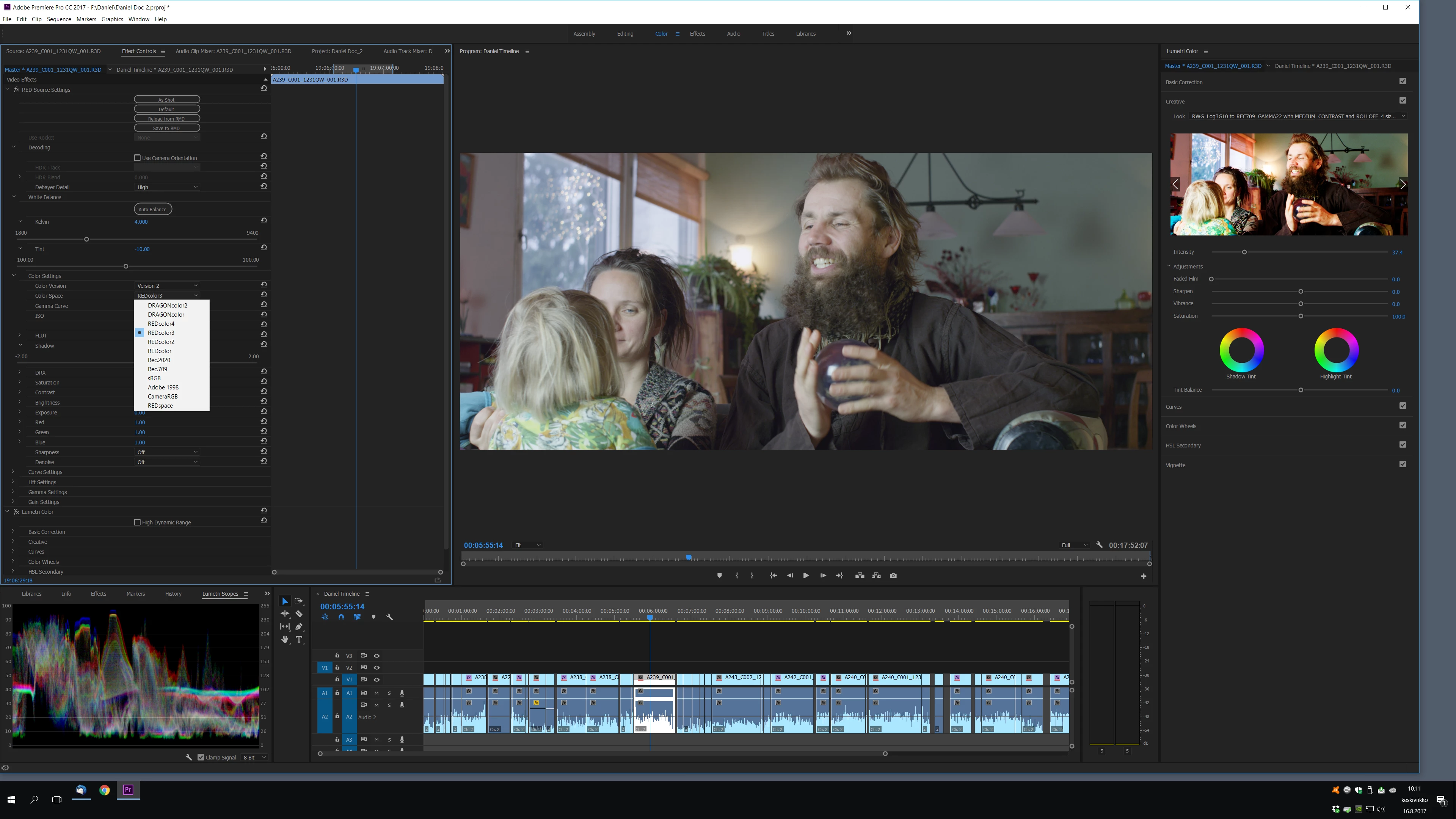
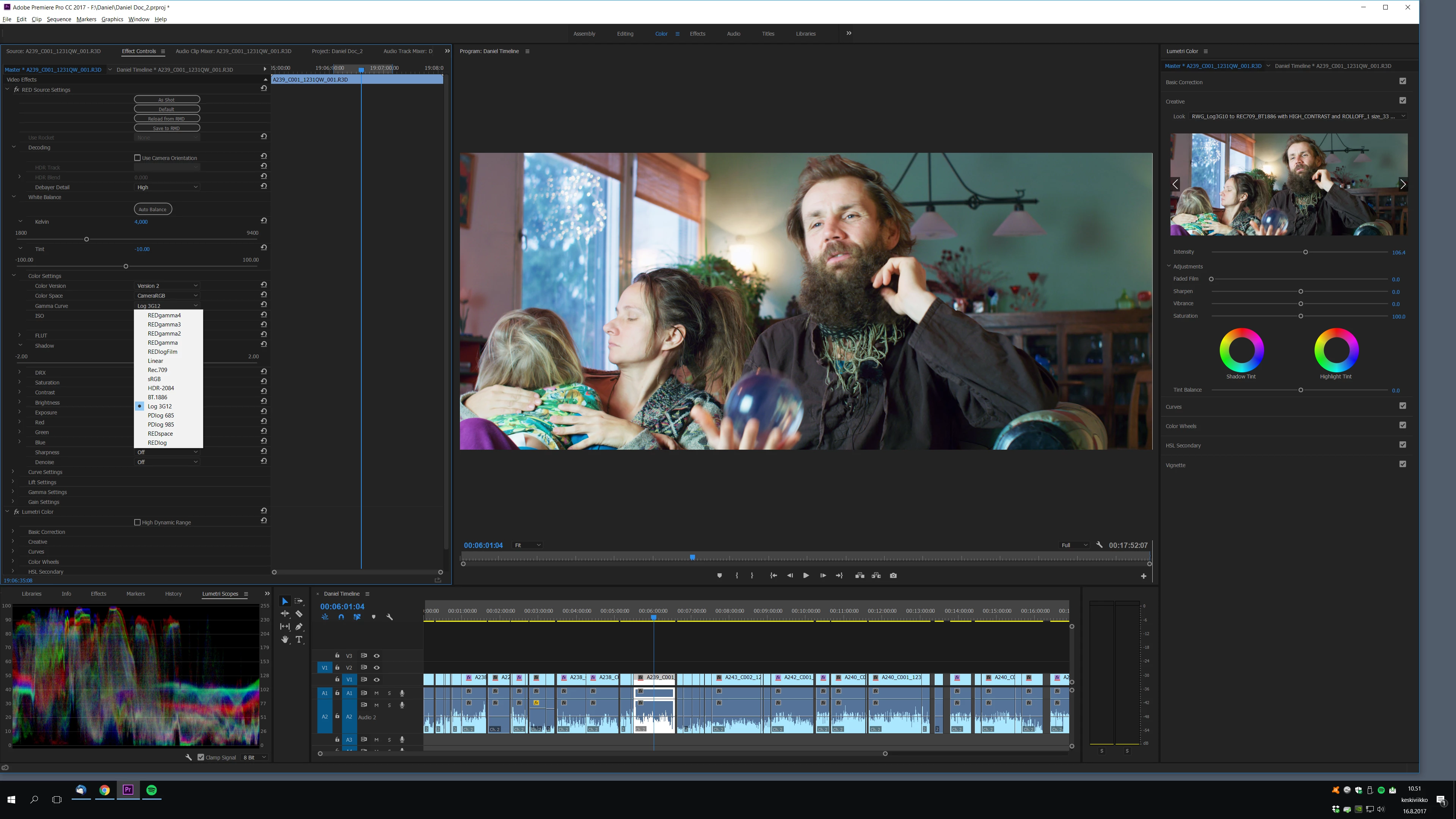
Still Nick from Red Product Support managed to use these color spaces and camma curves on this very same red clip on premiere, see:
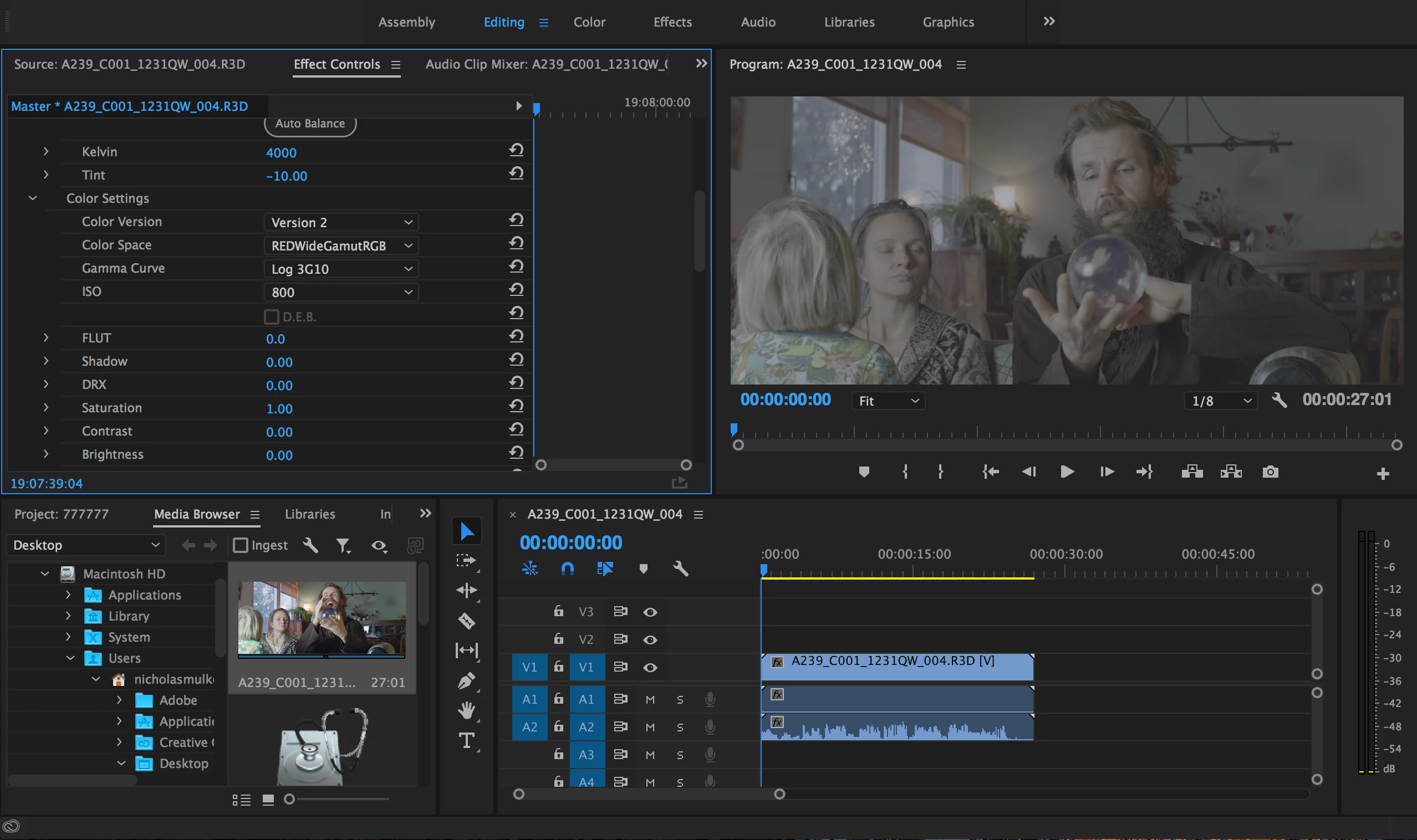
This is the way I need it! Why am I missing it on my win premiere? Please help me all you gurus!

This topic has been closed for replies.
Correct answer Pekka Varis

I am just a normal Creative Cloud subscriber. I know I should have a want to contact adobe about anything related to premiere cc.

But see here:

catchline.fi/toveri/Screenshot%202017-08-26%2011.44.45.png

If I select adobe as product, step 1 then I loose even the chat contact method if I select any of the relevant issues.

I cannot chat about this under any issue that Troubleshooting.

Abobe, please can you answer me? Do you read this forum ever?


I installed davinci resolve 14 and now I see the

Color Space: REDWideGamutRGB

Gamma Curve: Log3G10

in my wAdobe Premiere.  Now it all works as it is suopposed to be and I can use  IPP2 OUTPUT PRESET LUTS.

1 reply

Legend
August 22, 2017

My first guess is that Nick has a plug-in of some sort that you don't.

Inspiring
August 23, 2017

No, he answered me that no plugins are in use.

Legend
August 23, 2017

A different version of RedCineX, then?