Participant
March 12, 2018
Question

I'm trying to export a video to have a transparency layer

  • March 12, 2018
  • 3 replies
  • 555 views

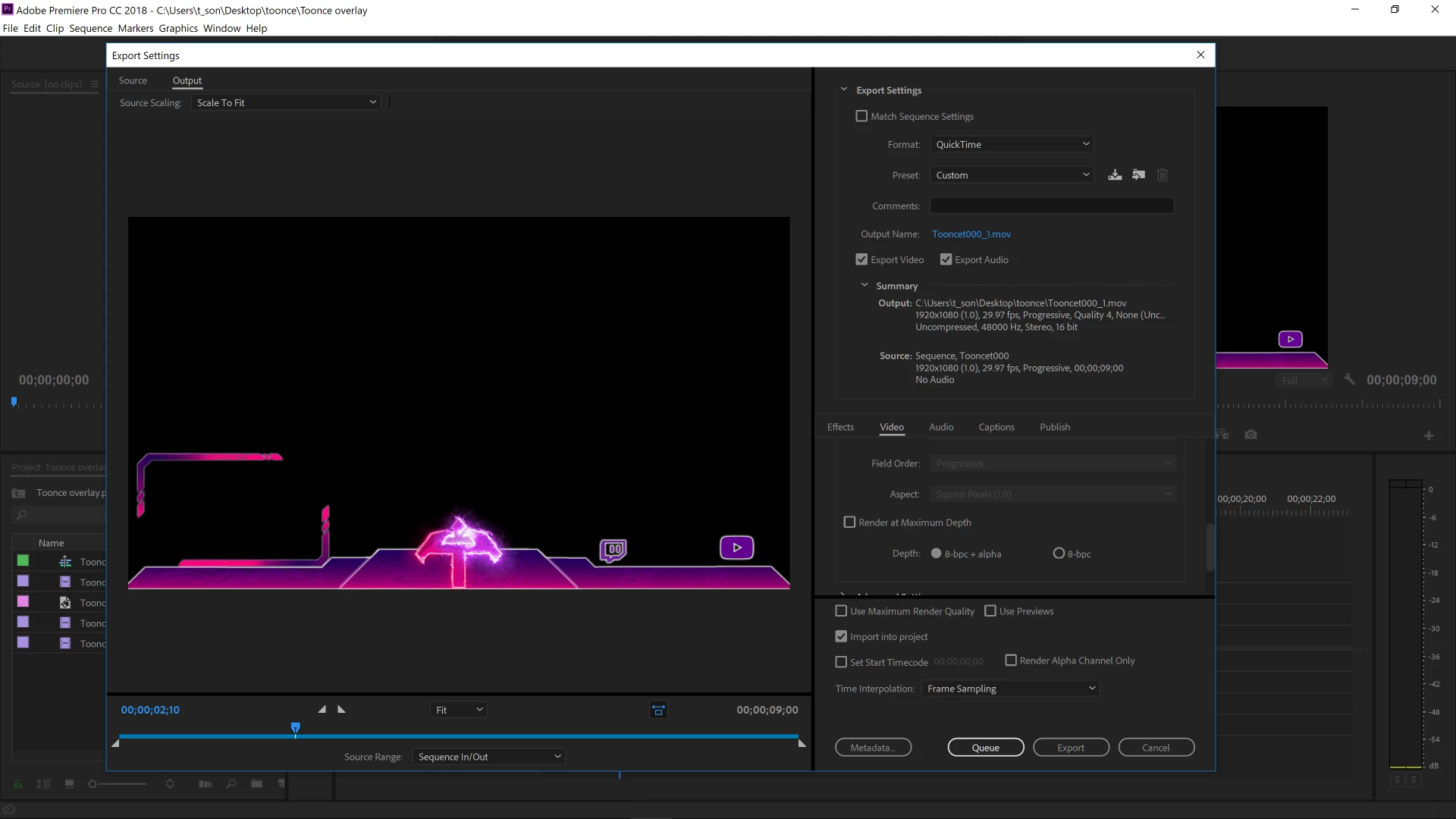
I'm trying to export a video to have a transparency layer. These are the settings I have right now. Everytime I export it it keeps with a the black background which i want transparent. The one I did get correctly working only worked in an mpeg format. My client wanted it quicktime or something a bit smaller so that it would work with his obs display. He's trying to get it to run as a loop over a twitch stream.  Theres an animation over the T in the middle and everything thats is black in the picture is supposed to be transparent I'm not sure what I'm doing wrong.  Is there a driver I should have updated? Also it says quicktime is goin away soon so what should i do for that too>?
This topic has been closed for replies.

3 replies

tsonchiAuthor
Participant
March 12, 2018

Ok so i was able to export it s a Quicktime it all appears to have a transparency layer but windows no longer supports quicktime or something so i cant play it back to make sure it's working

Ann Bens
Community Expert
Community Expert
March 13, 2018

You can just install the QT codec.

Ann Bens
Community Expert
Community Expert
March 13, 2018

Import back into Premiere and turn on Transparancy grid.

Richard van den Boogaard
Community Expert
Community Expert
March 12, 2018
tsonchiAuthor
Participant
March 12, 2018

I Don't seem to have the prores 444 option. and the other ones suggested dont have the option for 32 bit . How do I get that ?

Ann Bens
Community Expert
Community Expert
March 12, 2018

The option 32 bits has been changed to 8bpc+alpha which is the same.

Quicktime with animtion should do just fine.

Ann Bens
Community Expert
Community Expert
March 12, 2018

Transparency normally shows as black

but you can turn on the Transparency Grid under the wrench in the Program monitor.