
Participating Frequently
June 17, 2021
Question

Incomprehensible devilry with Adobe Premierе Pro

  • June 17, 2021
  • 3 replies
  • 1139 views

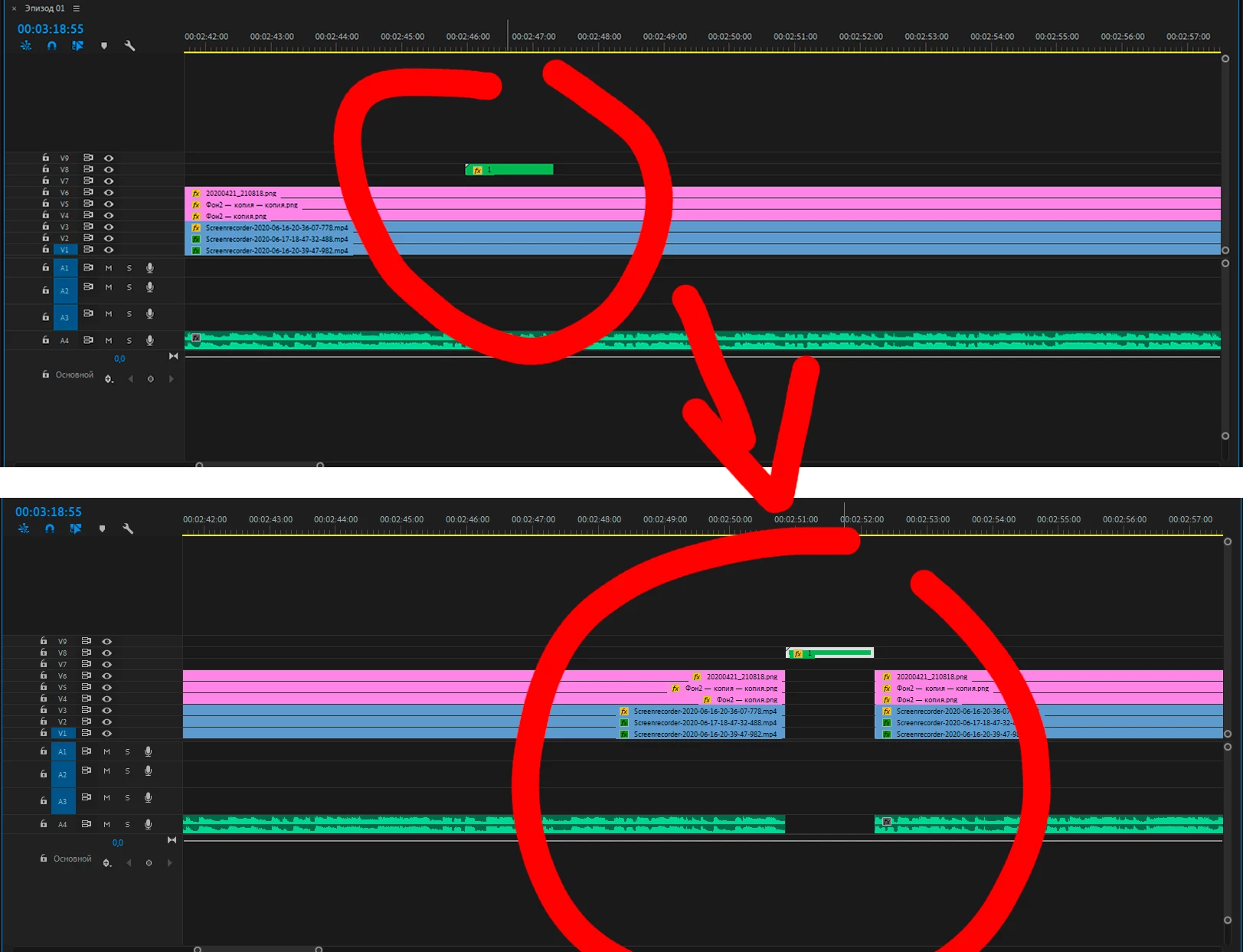
When I try to move a specific clip, all other clips move with it, where the specific clip moved, other clips are cut and moved after the same clip, even if they are different tracks. At the same time, I do not press any keys, and even reinstalling the program does not help me. I have a 2019 version and could show the screen and detail the issue on Discord. And if that I'm from Ukraine


[personal info deleted by mod]


This topic has been closed for replies.

3 replies

Warren Heaton
Community Expert
Community Expert
June 18, 2021

What is the version/build number?


Was it installed via Creative Cloud Desktop?

I didn't realize at first that there's no edit in the lower tracks.  Somehow you are doing what's callsd an Insert Edit.  

Have you tried locking the lower Video Tracks and then dragging the upper clip?  That's not ideal, but it should prevent the Insert from happening.  


Participating Frequently
June 18, 2021

"Have you tried locking the lower Video Tracks and then dragging the upper clip? That's not ideal, but it should prevent the Insert from happening" - I tried it, but it's not terribly convenient

Warren Heaton
Community Expert
Community Expert
June 18, 2021

What is the version/build number?


Was it installed via Creative Cloud Desktop?

Warren Heaton
Community Expert
Community Expert
June 17, 2021

Sounds like you have the Track Select Forward Tool selected.


Try changing to the Selection Tool.

Ann Bens
Community Expert
Community Expert
June 17, 2021

Looks more like ctrl was held down.

Participating Frequently
June 18, 2021

No

Ann Bens
Community Expert
Community Expert
June 17, 2021