
Participant
March 13, 2020
Answered

Keyboard Shortcut Fullscreen in PR

  • March 13, 2020
  • 2 replies
  • 2612 views

Originally, the keyboard shortcut for the full screen display on PR under Windows was


"Ctrl + Ü",


which always worked perfectly.

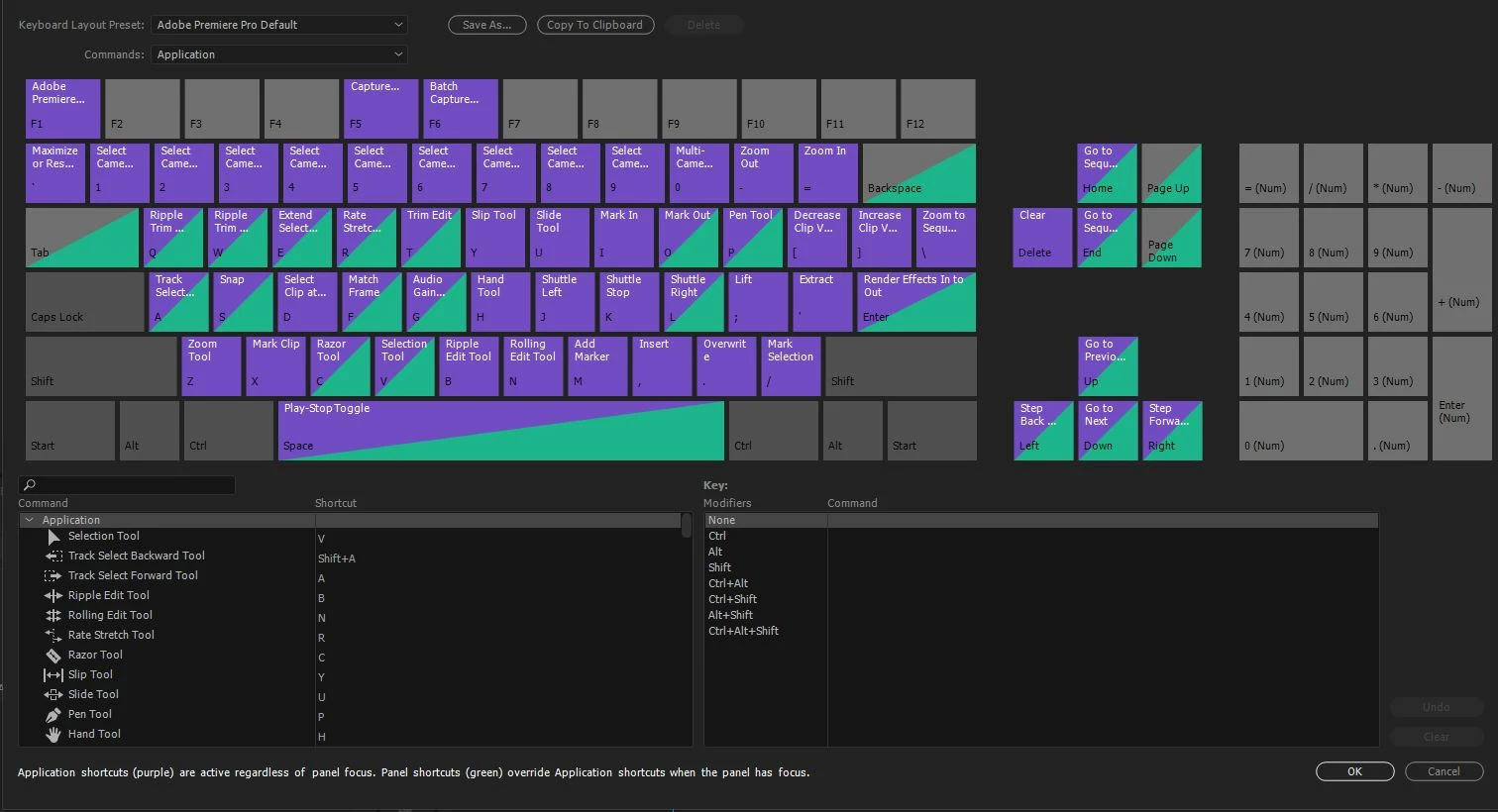
Now this is no longer possible and in the current list of key combinations on the PR help pages the key combination for full screen on/off, the key combination


"Ctrl + ` "


is listed, but it does not work. Is it a programming error, or does anyone know about a trick? Thank you for hints in advance!
This topic has been closed for replies.
Correct answer Kevin-Monahan

Hi Ecce,

Very sorry for that error. I think this may have something to do with you not using a U.S. English keyboard. I would kill to have an "uber U" key, though. 😉

My suggestion is to remap this keyboard shortcut back to where you had it: Ctrl + "uber U". Can you try that? Need help there? Here is a link to documentation regarding setting up a custom keyboard shortcut.


I really hope that gets you back on track. If this bothers you, let the devs know by filing a bug here. If this answer, or any other answer on these threads, solved your issue, please mark it as correct. Of course, if you need further assistance let us know. 


Thanks,
Kevin

2 replies

Kevin-Monahan
Community Manager
Kevin-MonahanCommunity ManagerCorrect answer
Community Manager
March 13, 2020

Hi Ecce,

Very sorry for that error. I think this may have something to do with you not using a U.S. English keyboard. I would kill to have an "uber U" key, though. 😉

My suggestion is to remap this keyboard shortcut back to where you had it: Ctrl + "uber U". Can you try that? Need help there? Here is a link to documentation regarding setting up a custom keyboard shortcut.


I really hope that gets you back on track. If this bothers you, let the devs know by filing a bug here. If this answer, or any other answer on these threads, solved your issue, please mark it as correct. Of course, if you need further assistance let us know. 


Thanks,
Kevin

Kevin Monahan - Sr. Community and Engagement Strategist – Adobe Pro Video and Audio
EcceAuthor
Participant
March 13, 2020
Thank you.
"Ctrl + Ü" was now occupied with a different function in the standard configuration.
That's why I added the keyboard shortcut from the keyboard-combination-configuration for CS6 (which you could select) for the full screen command on/off for the CC configuration and had to save it under a new name. Now it works again. Thank you.
Ergün - Erguen 🙂
Kevin-Monahan
Community Manager
Community Manager
March 13, 2020

Thanks for your response!

Kevin

Kevin Monahan - Sr. Community and Engagement Strategist – Adobe Pro Video and Audio
Peru Bob
Community Expert
Community Expert
March 13, 2020

Make sure to have your mouse cursor over the panel that you want full screen (just over, not clicking).