Inspiring
June 26, 2020
Answered

Lumetri color issue

  • June 26, 2020
  • 8 replies
  • 1634 views

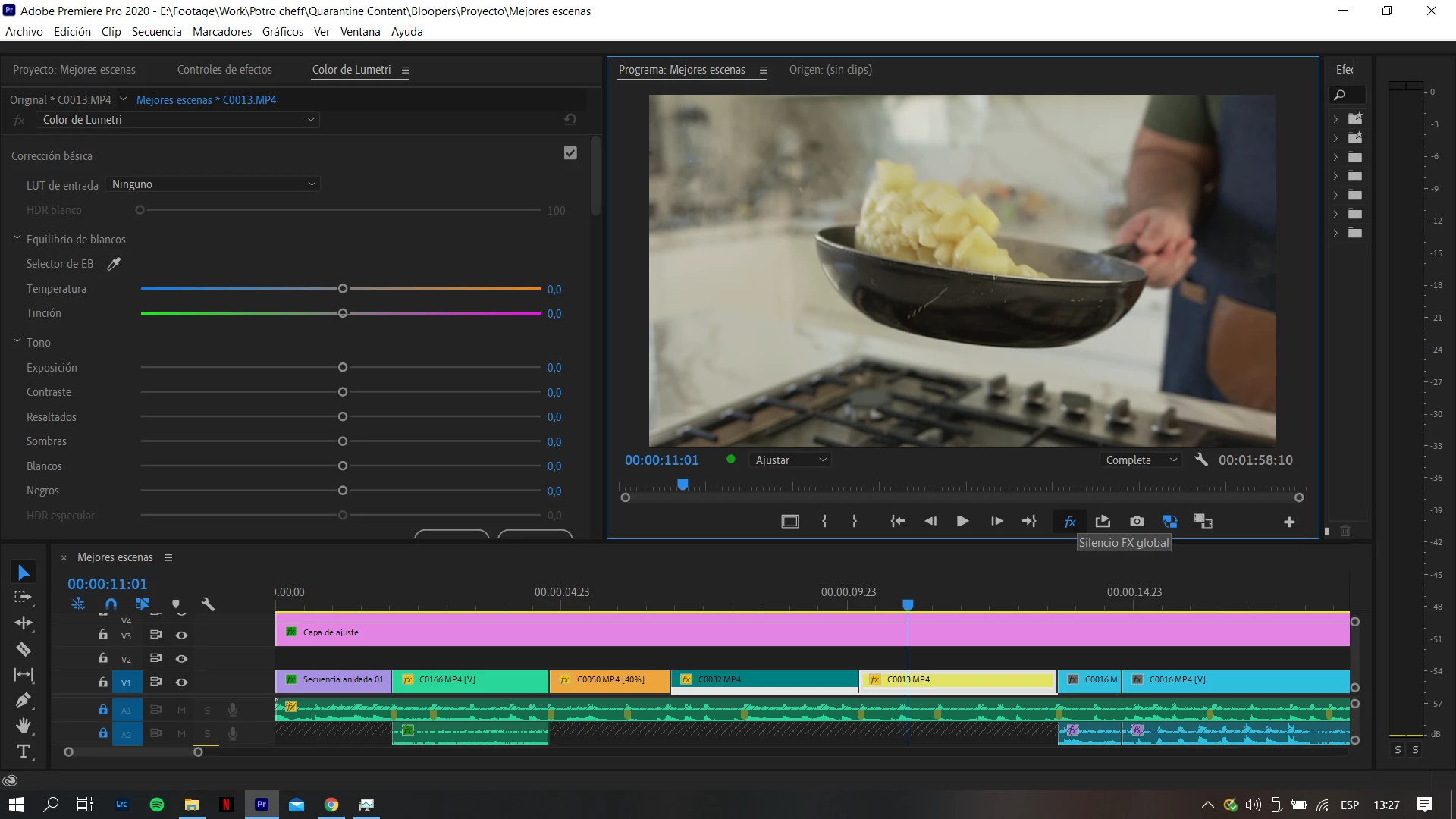
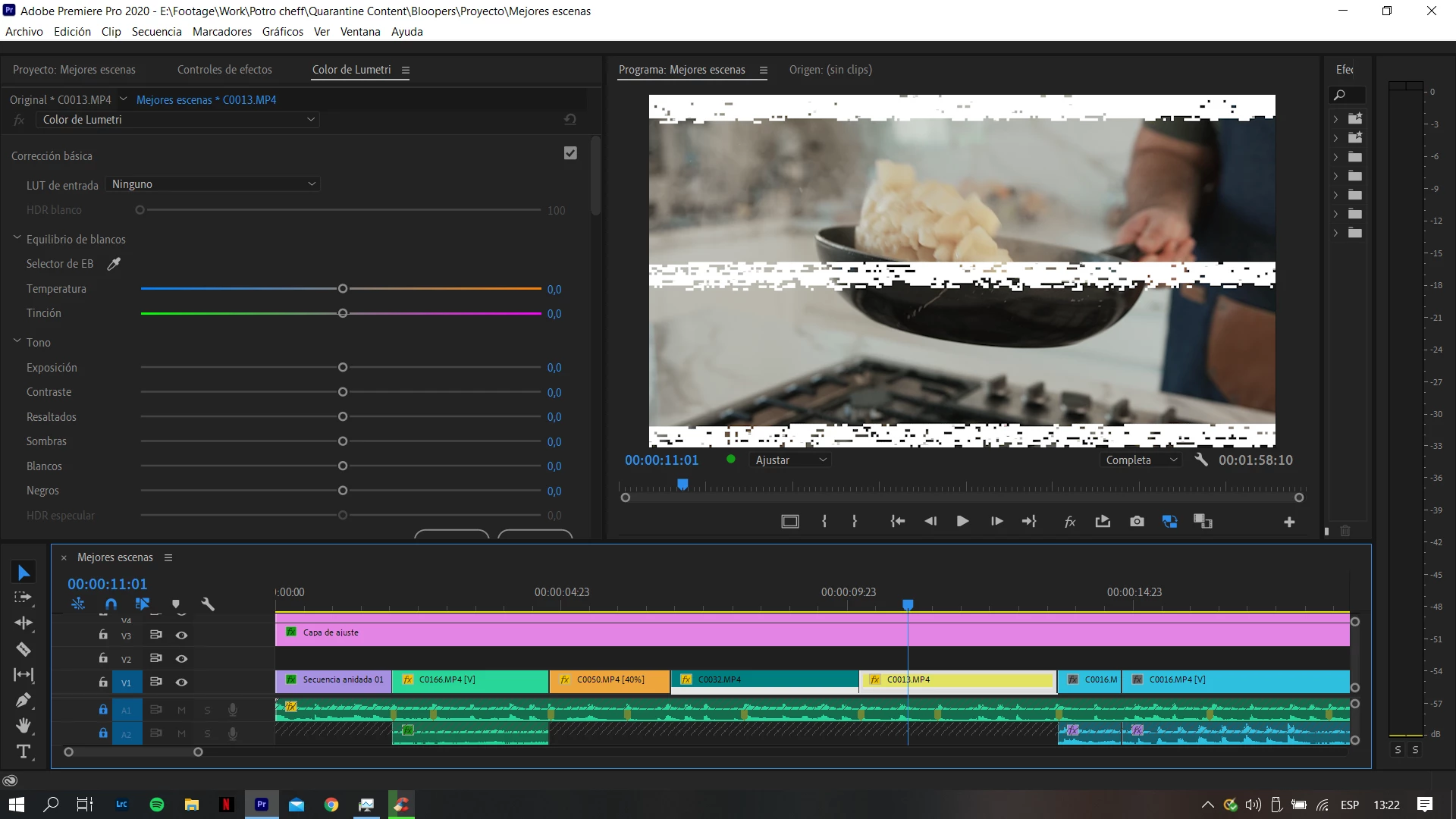
I was editing a video a usual and i have this unexpected glith when i colorgrade my footage. If i turn off effects the glitch disappears, the issue is with colorgrading. I have never had this issue before and this is my first time editing with the new version on PP i installed a couple days ago, so i guess it may have something to do with the new version.
This topic has been closed for replies.
Correct answer RjL190365

If you are running a recent Nvidia GPU, the problem lies in the newly released 451.48 drivers. Both the Game Ready and the Studio Drivers suffer from the same problem. Until that gets resolved, we recommend reverting to the 446.14 Game Ready Driver or the 442.92 Studio Driver.

8 replies

deanr78548626
Inspiring
June 30, 2020

How can you roll back the drivers? Not sure how to do that. 

Inspiring
June 26, 2020

I tried reinstalling those drivers and now Premier works properly.

Thank you!

Agustin

RjL190365Correct answer
Legend
June 26, 2020

If you are running a recent Nvidia GPU, the problem lies in the newly released 451.48 drivers. Both the Game Ready and the Studio Drivers suffer from the same problem. Until that gets resolved, we recommend reverting to the 446.14 Game Ready Driver or the 442.92 Studio Driver.

Ann Bens
Community Expert
Community Expert
June 26, 2020

Known issue, roll back a driver.

For me with a 1070ti its 445.87. Solid in Pr and Ae which also had a driver issue.

Kevin-Monahan
Community Manager
Community Manager
June 26, 2020

agustinp50639925,

Sorry about this. Awfully weird. Looks GPU releated, therefore, we need full details about your system and media please.  Can you make that happen?


Thanks,
Kevin

Kevin Monahan - Sr. Community and Engagement Strategist – Adobe Pro Video and Audio
Inspiring
June 26, 2020

I updated the gpu drivers last night, it might be that. These are my pc specs:

-GTX 1050

-i7 7700HQ

-16GB RAM


Do you need anything else?


Thanks,

Agustin.

Participant
June 26, 2020

I have exactly the same issue, and I'm halfway through a video edit project that I've half exported and need to complete the final two videos by the end of this weekend.

Kevin-Monahan
Community Manager
Community Manager
June 26, 2020

Mikey,

Hey there. We need full details about your system and media please. Otherwise, we're probably going to misfire on the diagnosis.


Thanks,
Kevin

Kevin Monahan - Sr. Community and Engagement Strategist – Adobe Pro Video and Audio
Participant
June 26, 2020

Hi Kevin

I think it is GPU related with the nVidia graphics. I found another post on the support site that recommended redownloading the driver and this time doing a custom install and ticking the "perform clean install" box. I have done this, but interestingly it didn't solve the issue on my computer. But what has solved the issue is changing the project setting from using the Mercury Playback Engine GPU Acceleration (CUDA) to the Mercury Playback Engine GPU Acceleration (OpenCL). So at least, until there is a fix from the nVidia side, I can still render out my current projects. Hope this helps.

Participant
June 26, 2020

I have the same issue and I'm running on a Geforce 1080.

Kevin-Monahan
Community Manager
Community Manager
June 26, 2020

Any more details, Max? It would be great to get more to go on.


Thanks, man.

Kevin

Kevin Monahan - Sr. Community and Engagement Strategist – Adobe Pro Video and Audio
Participant
June 26, 2020

Yes I have the answer,


I updated my Nvidia GTX 1080 last night and I had this problem since. Today I tried to downgrade to the previous update and now all the problems are gone. So it is definitely a GPU driver issue.


Good luck.


Max

Inspiring
June 26, 2020

It might be a GPU drvier issue.

Kevin-Monahan
Community Manager
Community Manager
June 26, 2020

Defintely looks like it, Andy. Thanks, man.


Kevin

Kevin Monahan - Sr. Community and Engagement Strategist – Adobe Pro Video and Audio