
Inspiring
January 2, 2021
Answered

Mask Area Extends Beyond the Lines

  • January 2, 2021
  • 2 replies
  • 1167 views

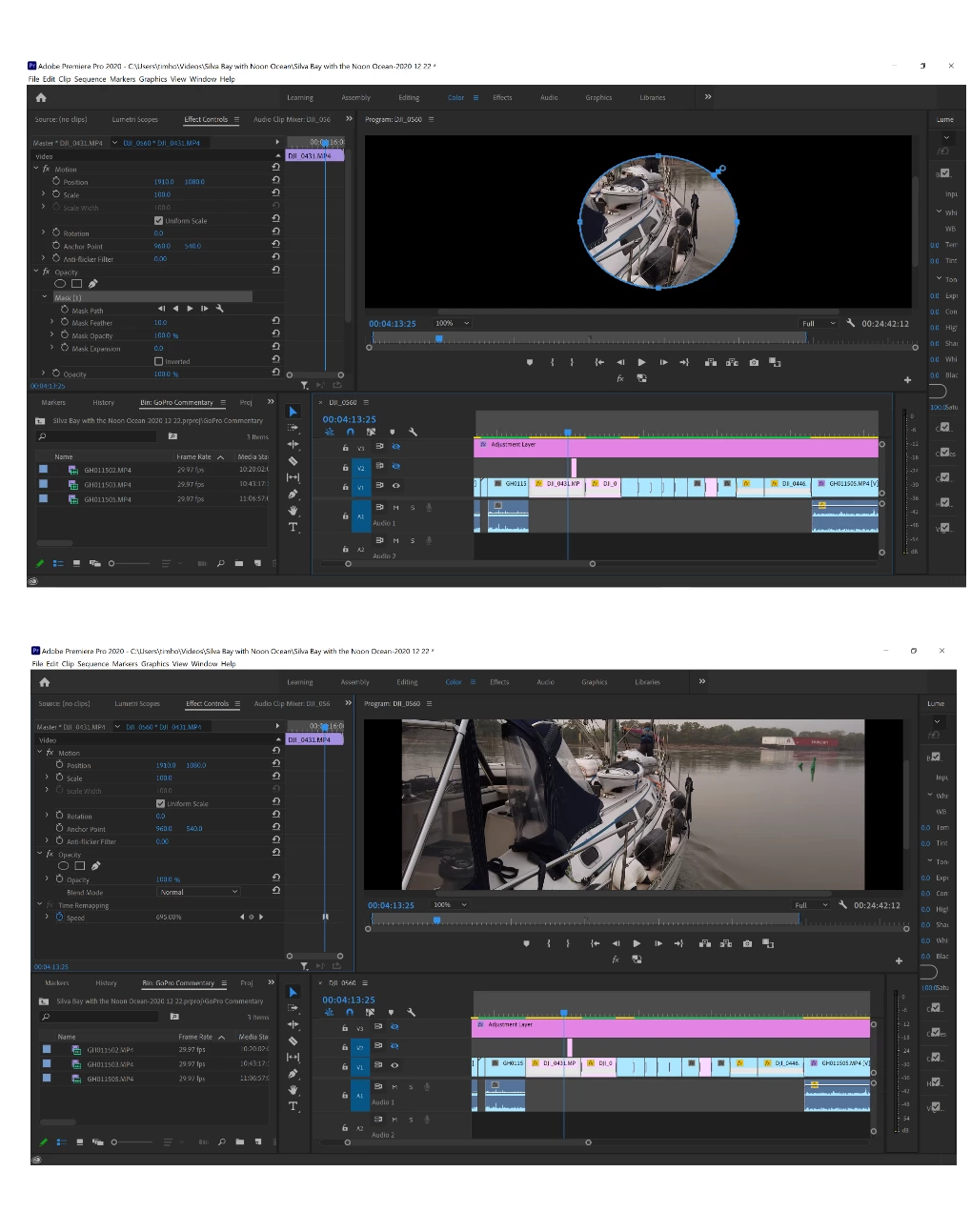
Hi,   When using an circular opacity mask,  the area of the image that is visible extends beyond the drawn circle boarders.  I adjusted feathering but it's not that.  The visible area is oval whereas the mask is circular.  The visible area also extends to one side like a shadow.   


Any suggestions as to what may be causing this would be much appreciated.


thank you 


Tim
This topic has been closed for replies.
Correct answer Michael Grenadier

this is how the mask should look if it's working properly


by any chance is your source pixel aspect ratio non square and your sequence pixel source aspect ratio square or vice versa.  square pixel aspect ratio = 1. 


please tell us this clips properties and do these properties differ from the clips that are behaving properly?

2 replies

Community Expert
January 2, 2021

Help us with a screenshot of the Program and Effects Control panels especially, so we can try to help you better.

Byron.
Inspiring
January 2, 2021

Here's a screenshot as requested.


Legend
January 2, 2021

Can you zoom in on the timeline to just show the shot in question?  and make it clear which shot is selected.   Try and show us what we need to see to understand what you're trying to do...  I can't see what shot is selected.  And might be useful to turn the mask off and show us what things look like in another screen shot.   It's not easy trying to diagnose what's going on from a distance...

Legend
January 2, 2021

your description sounds accurate, but a screen grab of the timeline, the program monitor for a frame with the mask selected in the opacity controls (so it's visible in the program monitor)  and the opacity effects controls might be helpful. Also, have you tried to render the area in the timeline and if so, does the problem persist?   And although I have no idea why it might be pertinent, always handy to tell us your system specs: OS version, Premiere version, amount of RAM, Hardware specs including graphics card and your source properties and sequence settings.