Known Participant
January 6, 2017
Answered

Mask turns clip black, how does this happen

  • January 6, 2017
  • 1 reply
  • 16749 views

I am finding using the layering feature very hard to use.  Can anyone explain why this happens.

Image one - show the clip in the timeline and monitor, no mask or layer
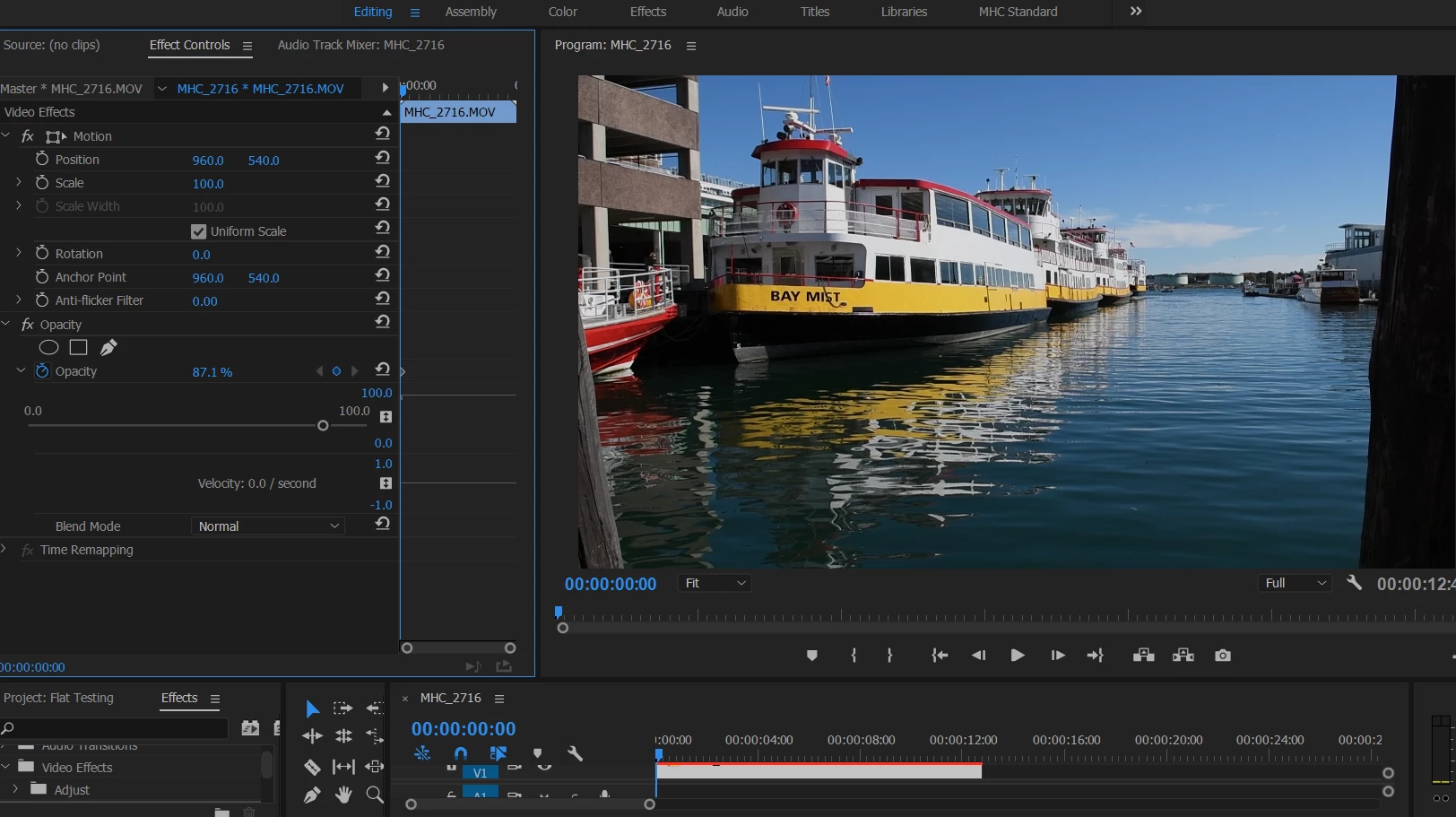
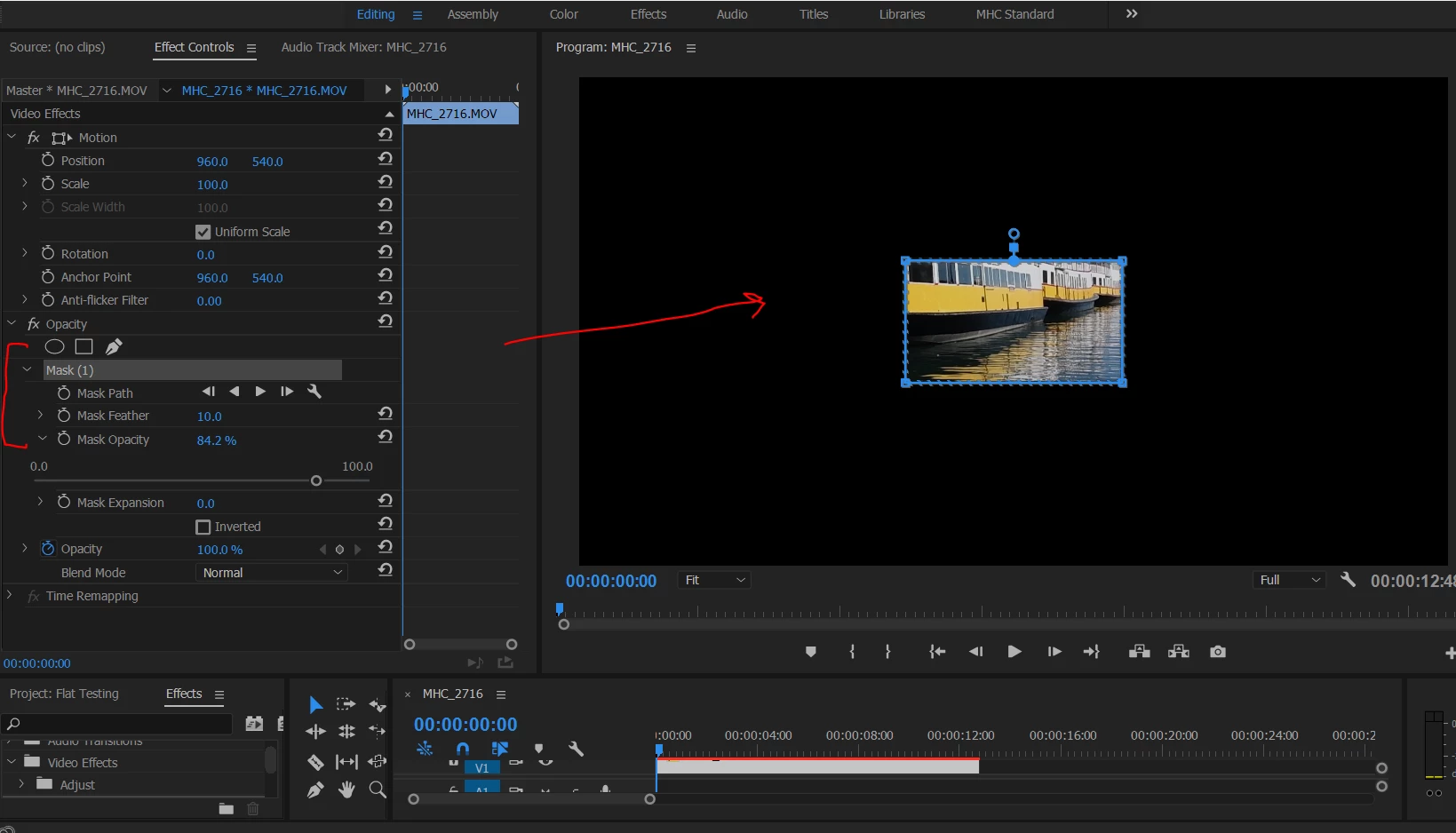
Image two - I apply a very simple opacity mask, and the entire clip turns to black.  I can't believe this is designed to work this way.  Any ideas what would be causing this?
    This topic has been closed for replies.
    Correct answer Ann Bens

    This is normal behavior.

    You are masking opacity. Everything outside the mask is transparent.

    Opacity is part of the fixed effects.

    But as the background is a black void (no clip underneath) it shows as black.

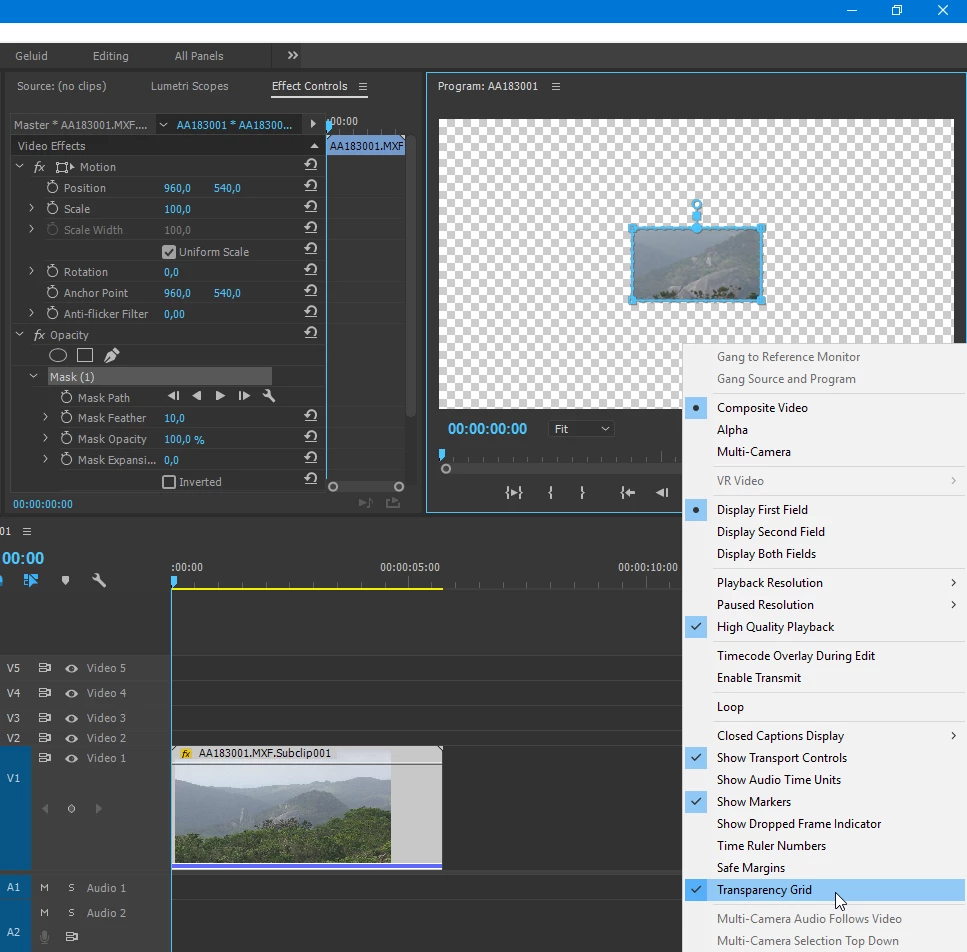
    If you set the background to Transparent Grid you would have a checkerboard

    What are you trying to achieve.

    1 reply

    Ann Bens
    Community Expert
    Ann BensCommunity ExpertCorrect answer
    Community Expert
    January 6, 2017

    This is normal behavior.

    You are masking opacity. Everything outside the mask is transparent.

    Opacity is part of the fixed effects.

    But as the background is a black void (no clip underneath) it shows as black.

    If you set the background to Transparent Grid you would have a checkerboard

    What are you trying to achieve.

    Ann Bens
    Community Expert
    Community Expert
    January 6, 2017

    If you were to mask an effect there is no black background.

    NozmoAuthor
    Known Participant
    January 6, 2017

    Thanks, this is very helpful.  I just didn't have it straight in my head how it worked (black and transparency).  I have a much better idea now.