
Participating Frequently
March 17, 2019
Question

Mismatch timecode Premiere pro cc 2019

  • March 17, 2019
  • 5 replies
  • 1881 views

I started a feature film on Premiere pro cc 2019 v 13.0.1

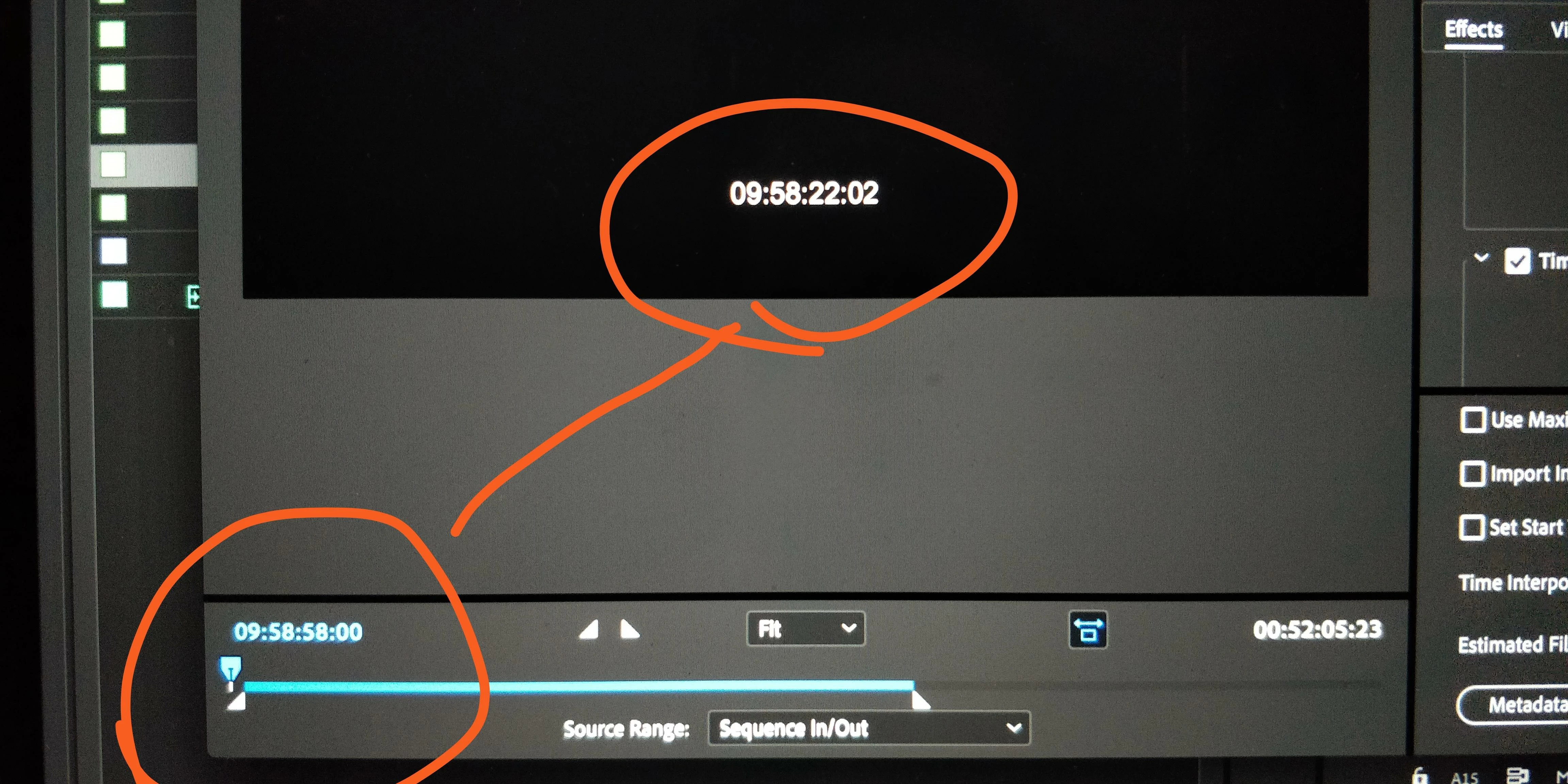
Trying to export files for screening with timecode the timecode is way off. Even if I generate the timecode it does not stay in sync. This feels really, really bad and makes me insecure about trusting this software.

I can not revert to older version since the project is arranged in the project of 2019 already. If I export xml and open the project in older version I loose all links and merged clips and working becomes difficult.

In desperate need of help!

Best

Jussi Rautaniemi
This topic has been closed for replies.

5 replies

Participant
November 18, 2020

Issue still occuring in latest version

Participant
May 29, 2019

I want to report the same issue.
When upgrading a 24fps project from 2018 to 2019, it broke the TC generation. (Effect on transperant layer above timeline.)
When correcting offset manually, the TC drifts out of sync more and more during the videos length.

I was so happy for native prores export, now I need to hold off on the transition.

Participating Frequently
April 29, 2019

I have the same problem. 24fps timecode drifts and doesn't line up with the actual timecode of the film. It also seems to be 3 seconds and 15 frames off when first generated, even if I set the start time for the start time of the sequence.

I am having to render out timecode from after effects to overlay on top in order to get my film to post on time. This is ridiculous. Has this been fixed?

Participant
April 3, 2019

Timecode overlay for 24p in Adobe seems fundamentally broken, both the timecode overlay effect in Premiere, and turning on Timecode Overlay effect in Encoder. It appears to generate 23.967, regardless of whether the source is 23.976 or true 24.

Participant
April 3, 2019

Just to clarify, this appears to be a "2019" issue, the same footage and settings in 2018 results in correct timecode in the overlay.

Kevin-Monahan
Community Manager
Community Manager
March 27, 2019

Hi Jussi,

Is this Timecode generated from the Timecode effect or from the filter in the Export Settings dialog box?

Thanks,
Kevin

Kevin Monahan - Sr. Community & Engagement Strategist – Pro Video and Audio
Participating Frequently
March 27, 2019

Its from the export settings.

Best

Jussi