Participant
June 23, 2021
Question

Missing 'Open Caption' Premiere Pro 2021

  • June 23, 2021
  • 3 replies
  • 2884 views

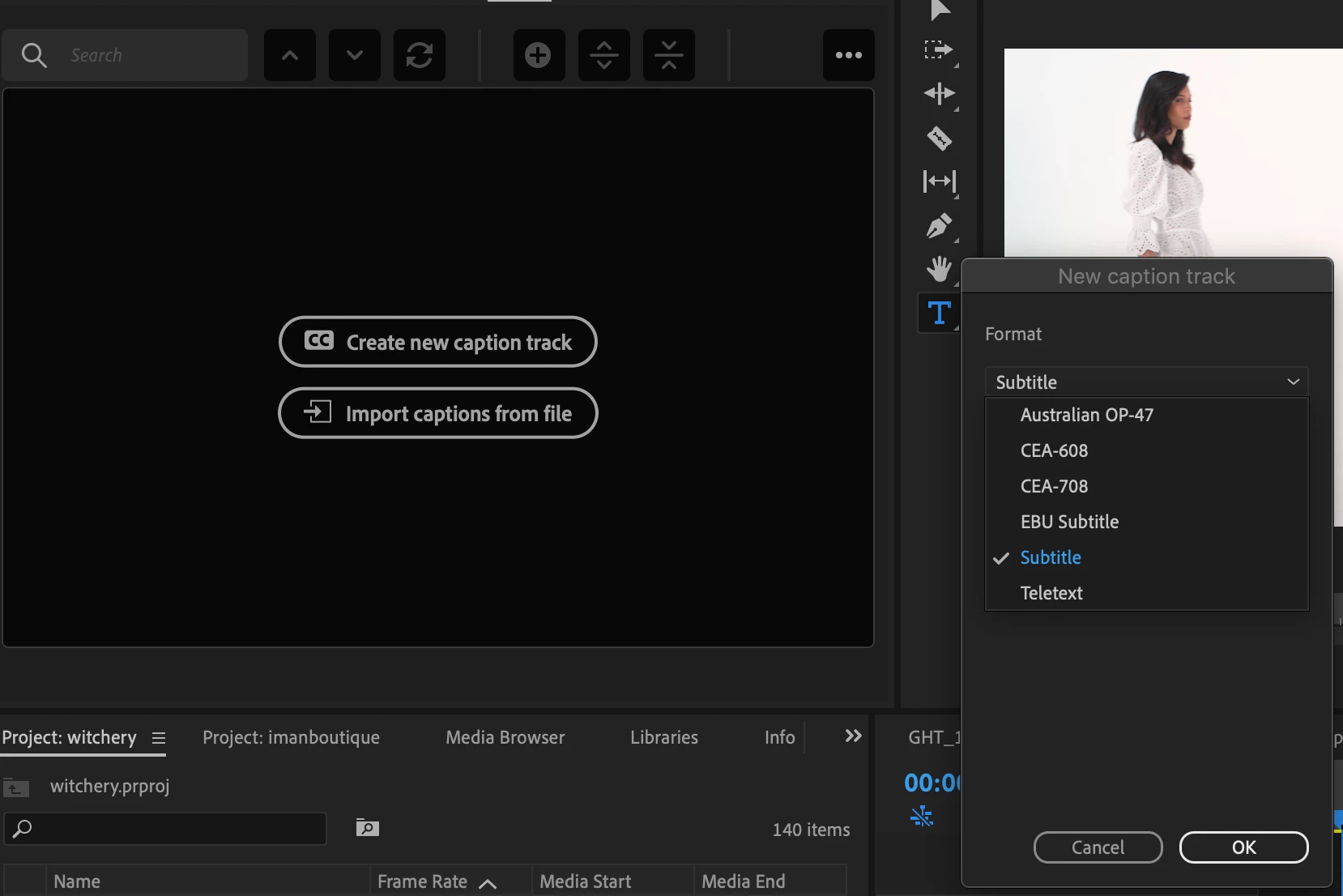
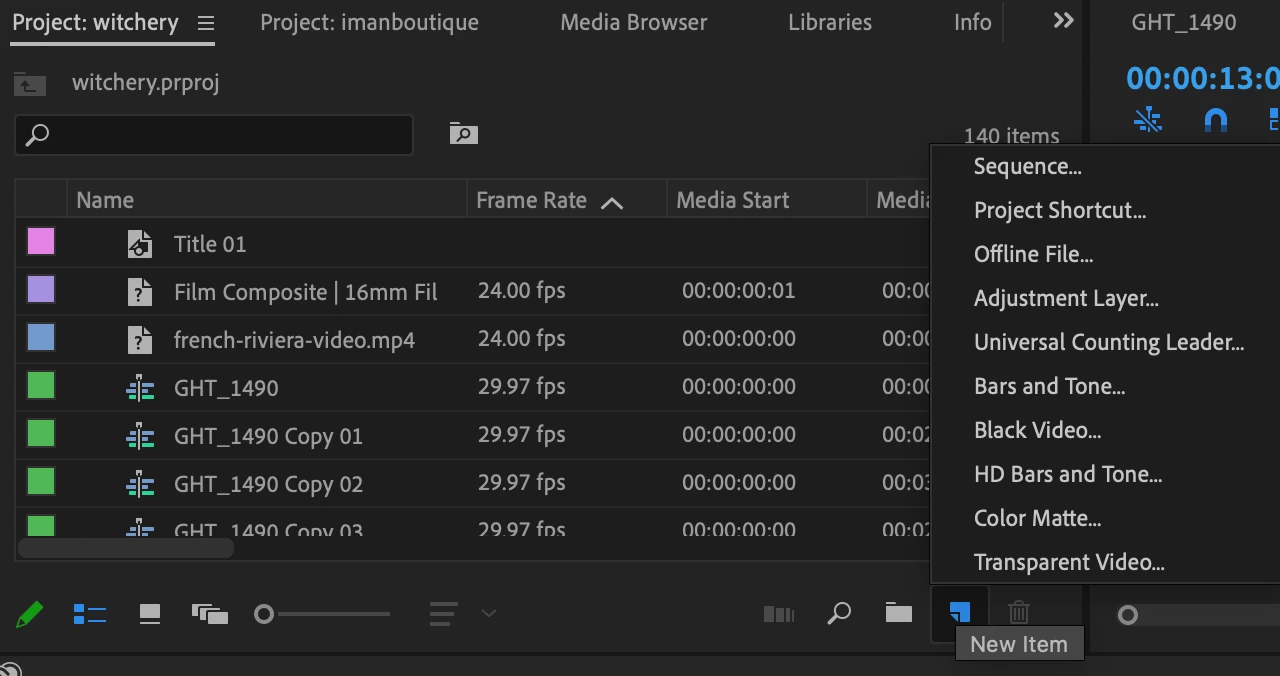
I'm trying to create open captions for a video I'm working on. When I go to add captions I'm only given a few options, none of which are the 'open caption' style I need. Additionally the option to add caption from the bottom 'new item' button is missing. 
 

This topic has been closed for replies.

3 replies

MarekMularczyk
Community Expert
Community Expert
June 23, 2021

To answer your other question here, option to create captions from "New Item" button in the Project panel was removed from Premiere 2021 and not available there anymore.

We now use the new Text workspace.

Have a look at this video I created:

https://www.youtube.com/watch?v=Bh4AW5Ylplc


Adobe Community ExpertAdobe Certified Professional
MarekMularczyk
Community Expert
Community Expert
June 23, 2021

Sorry, meant Captions workspace (and Text panel).


Adobe Community ExpertAdobe Certified Professional
MarekMularczyk
Community Expert
Community Expert
June 23, 2021

In your screenshot, Subtitle is Open Captions.


Adobe Community ExpertAdobe Certified Professional
Kevin-Monahan
Community Manager
Community Manager
June 23, 2021

Hey Teengnome,

Sorry about that. You're close, though. Click the "Create new caption track" button to create a new Captions Track. Then, the UI should change noticeably. You can then click the "+" sign to create your first caption (see my screenshot). You might want to switch to the Graphics workspace to do all this, so that you can style the subtitle (Open Caption).


Hope that helps.


Thanks,
Kevin

Kevin Monahan - Sr. Community and Engagement Strategist – Adobe Pro Video and Audio