
Mixing 1080p and 4K on Same Timeline
If I have a 1080 (16:9) timeline and then drop a 4K clip on it, the 4K clip appears as nearly twice the size as the 1080 clips. I have to go to Effects Control - Motion (or double click on the clip in the Program monitor) to get the bounding box....which allows me to reduce the image to fit the 16:9 format properly. Conversely, if the timeline was originally set for 4K clips and a 1080 clip is dropped into the timeline, it appears to be about half size in the Program Monitor.
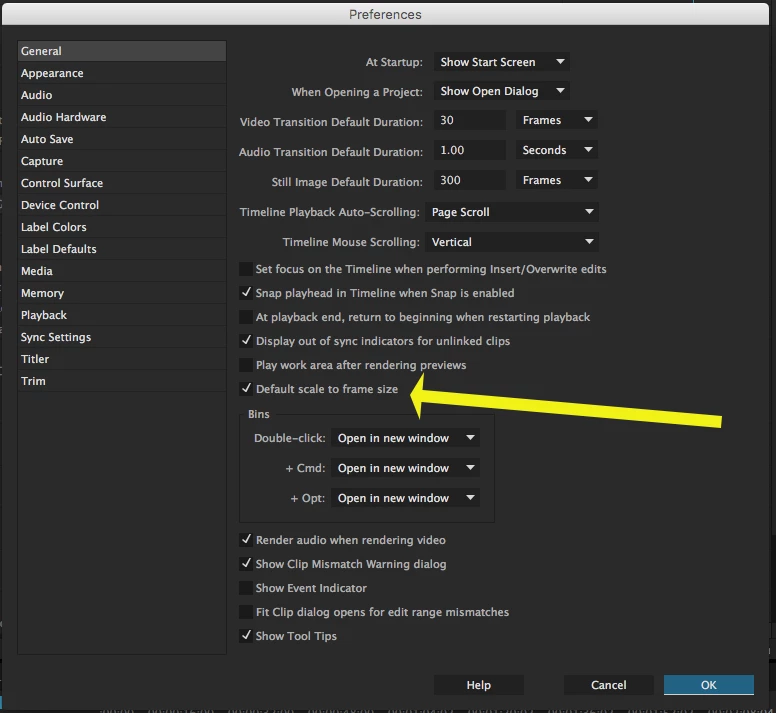
If my original clip on the timeline is always 1080 - 16:9, is there a parameter in Premiere Pro which will detect and properly size (to fit the 1080- 16:9) the 4K clips or will I need to reduce the size of each 4K clip manually. I know that 4K is 4096 x 2160 and 1080 is 1920 X 1080 but can Premiere Pro recognize that and reduce the footprint of the 4K clip to fit in a previously defined 1080 timeline/sequence.
(Of course when ALL the clips on the time line are 4K or ALL of the clips are 1080, the sizing problem does not exist. The problem only occurs when I mix the two.
Premiere Pro CC 2015.2 Release, Windows 7 Professional
 AdChoices