
Inspiring
February 26, 2018
Resuelto

Motion graphics glitch from Adobe Stock

  • February 26, 2018
  • 5 respuestas
  • 2152 visualizaciones

Hello,

I downloaded a free model of motion graphics (mogrt) from Adobe Stock.

The model is the number 174348951:https://stock.adobe.com/it/templates/white-and-gray-locator-pin-call-out-1/174348951?prev_url=detail
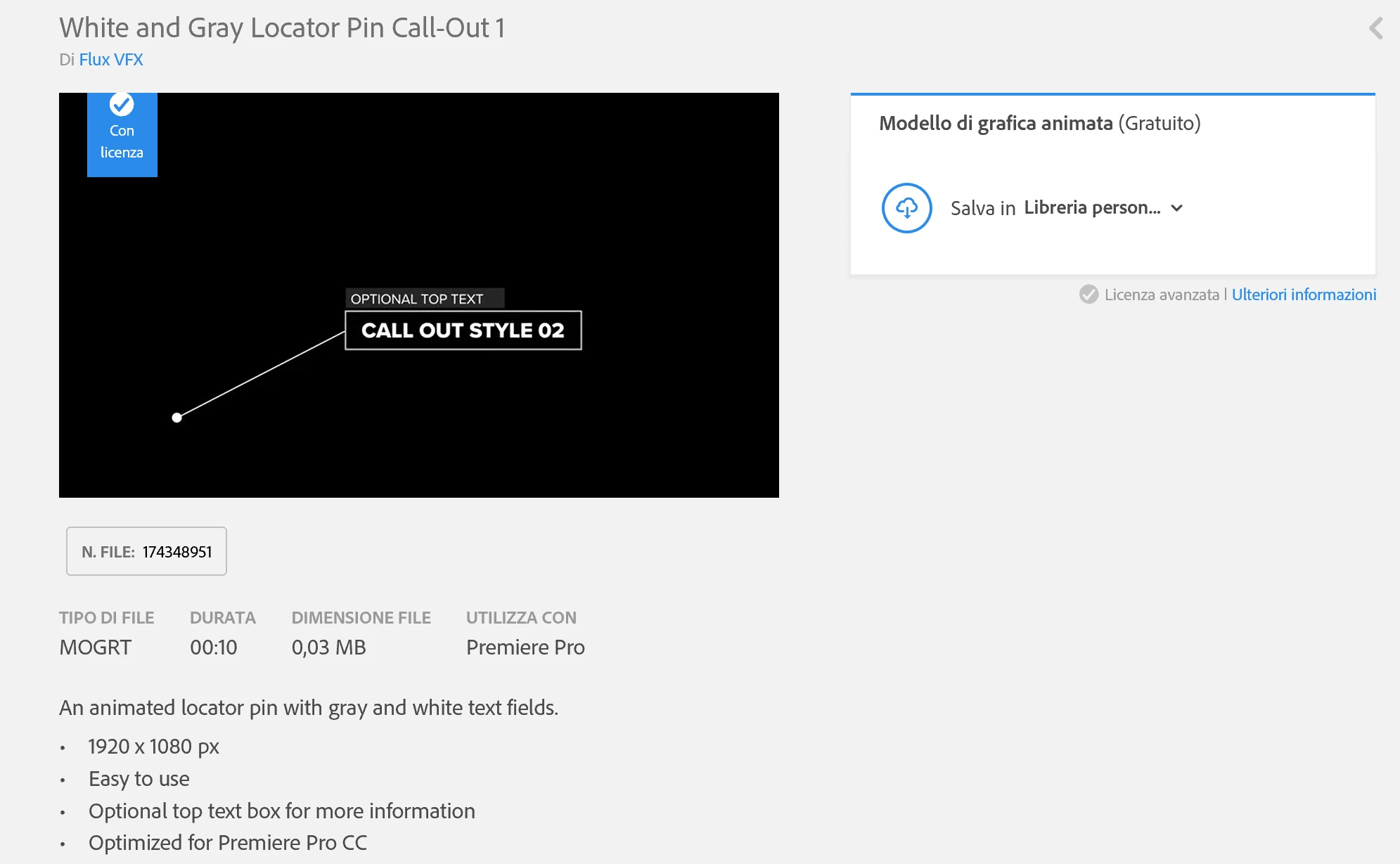
But when I use it inside Premiere it results completely deformed:
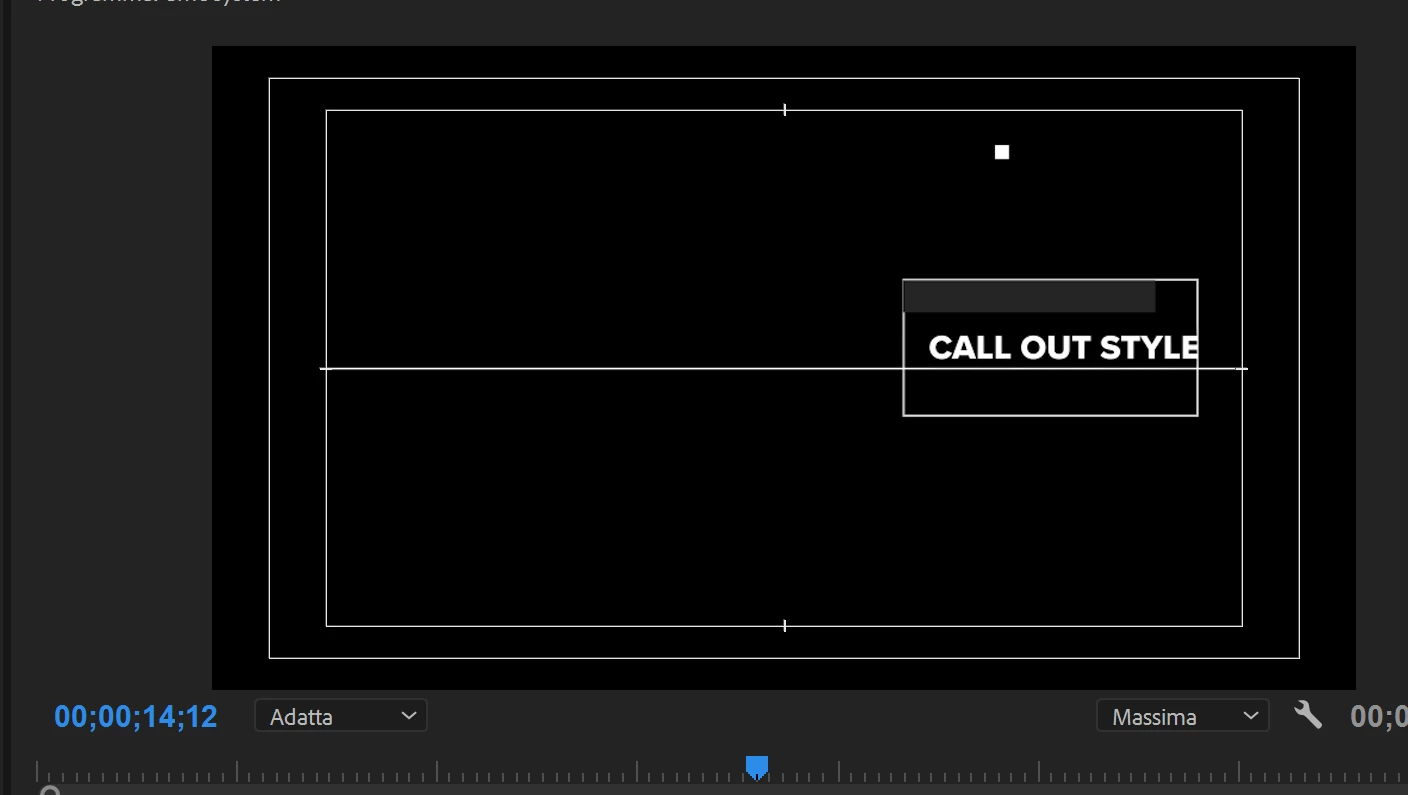
Anyone can tell me why?

On my pc I run Win10 Pro and Premiere Pro CC v. 12.0.1.

My display is a 4K (but I made a test setting the display in full HD with the same result).

Many thanks!

Luciano
    Este tema ha sido cerrado para respuestas.
    Mejor respuesta de luciano13769

    I'VE JUST FOUND THE SOLUTION!!!

    I opened the graphics with After Effect and I noticed that some scripts contained an error due to the translation of the terms in italian.

    So I uninstalled Premier, I changed the laguage preference in Adobe Creative Cloud to English then I installed Premiere Pro in English.

    Now it works properly with the motion graphics!!!

    Many thanks for all your support!

    Luciano

    5 respuestas

    luciano13769AutorRespuesta
    Inspiring
    March 2, 2018

    I'VE JUST FOUND THE SOLUTION!!!

    I opened the graphics with After Effect and I noticed that some scripts contained an error due to the translation of the terms in italian.

    So I uninstalled Premier, I changed the laguage preference in Adobe Creative Cloud to English then I installed Premiere Pro in English.

    Now it works properly with the motion graphics!!!

    Many thanks for all your support!

    Luciano

    R Neil Haugen
    Legend
    March 2, 2018

    Thanks for posting the solution to this. I think it's safe to say none of us thought about a translation problem in the controls within the mogrt itself! Wow ...

    Neil

    Everyone's mileage always varies ...
    Inspiring
    March 2, 2018

    There is no way, same problem on another pc (Win7 and Premiere Pro CC v. 12.0.1) at home:

    The sequence is a 1920x1080, 29,97 fps:

    More, there is no text in the upper box:

    At this point I have a doubt, is it possible that the motion graphics from Adobe Stock work with macOS only???

    Probably the graphics that I choosed are not compatible with Windows.

    Inspiring
    March 1, 2018

    Hi Stefan,

    yes, I synced the font when Premiere requested to do it.

    Infact I can find Proxima Nova in my profile:

    More, I dowloaded all proxima nova family from tipekit.com:

    But the result is always the same:

    The position and the scale are correct:

    Here under a test with the grafic resized on a 1280x720 sequence:

    Thank you.

    Inspiring
    March 1, 2018

    I've got the same problem using others motion graphics from Adobe Stock.

    Here under an example using White Locator Pin Call-Out 1 (N. FILE:  174348839):

    Probably the problem depends on my hardware configuration.

    I'll try the graphics on another machine and I'll report the result on this discussion.

    Inspiring
    February 27, 2018

    HI,

    Thank you for yours answers.

    Yes I'm using a 1920x1080 sequence, 29,97 fps.

    In any case, I tried Set to Frame Size but the situation remains the same:

    stefan_gru
    Inspiring
    February 27, 2018

    lucianoc85427308​: I wonder if the problem lies in the fact that you have not synced the font that is used in the template. I tried to reproduce your bug by downloading the same Adobe Stock .mogrt to My Library. When I first dragged it to a sequence, I got an alert about missing fonts, so I synced the missing Proxima Nova fonts with Typekit:

    Here's how it appears in a 1920 x 1080 sequence:

    Just for fun I dragged it to a much smaller, 640 x 360 sequence:

    It appears larger because it's sized for 1920 x 1080, so I right-clicked the graphic and chose Set to Frame Size, which scaled it to 33.3% automatically:

    When you select the graphic in your sequence and look at the Effect Controls panel, what settings do you see? It should show this by default (i.e., centered and at 100%):

    Confirm that you synced with the Proxima Nova fonts in Typekit. Some of them should already have synced when you first loaded the mogrt into Premiere Pro. When I view the font's page in Typekit, I see that some of them are already synced:

    R Neil Haugen
    Legend
    February 26, 2018

    Are you using it on a 1080 sequence?

    Neil

    Everyone's mileage always varies ...
    stefan_gru
    Inspiring
    February 26, 2018

    lucianoc85427308​ As Neil suggests, your motion graphic may not match your sequence settings. Right-click it in the timeline and choose Set to Frame Size. Does that work for you?