
Motion looks pixelated - Blu-ray
Greetings!
I've been trying to create Blu rays that include several different films (timelines). All the films are already encoded for Blu ray (.m4v and .ac3). Almost all of the footage is at 23.976 fps, a few if the films are 29.97.
Example specs:
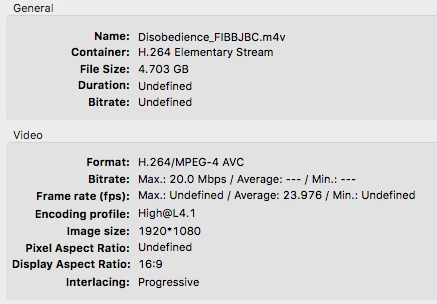
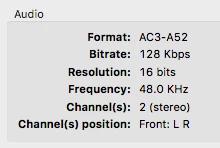
I import each asset and create timelines and generate a simple play all disc with no menus. When I burn to Blu ray using this footage and play back on a projector with Blu ray player, it looks almost perfect. But whenever there is motion (surfing, walking, biking, some panning shots), the frames around the movement look pixelated, almost blurry, maybe more like blotchy. Having trouble finding the vocabulary. I also have this problem where one frame in particular lurches - it is some text that fades out and the lurch happens in the middle of the fade.
Would this have anything to do with the projector? It is an Epson PowerLite Home Cinema 2040. When I play the disc on my Mac, this doesn't seem to happen.
Or bitrates?? I'm super new to the bitrate game so I actually have no idea how this factors in, but it seems to be a buzz word with these sorts of issues.
These Blu rays are being created with the intent of distributing them, so I will not have control over how folks play back the discs. I would like to figure out how to ensure it plays back perfectly and as universally as possible (is that possible?).
Thanks for any help!
 AdChoices