sa7ar-yehia
Participant
August 25, 2021
Question

mov file has some empty channels audio tracks in premiere pro

  • August 25, 2021
  • 2 replies
  • 532 views

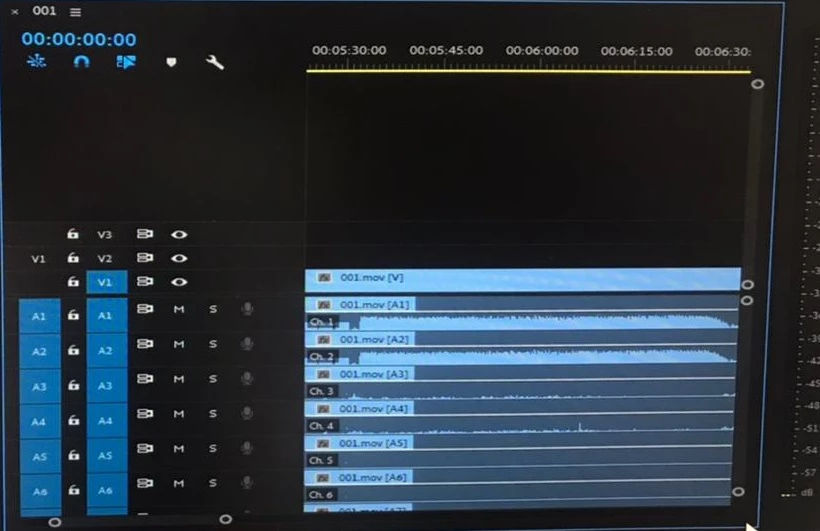
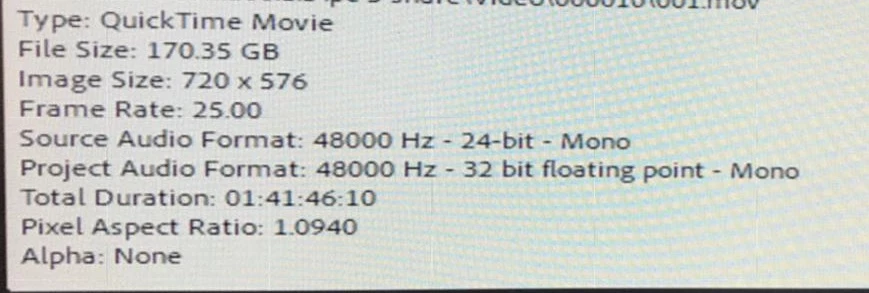
I have a mov file when imported into Premiere shows 16 channels audio tracks only 4 of them have waveforms while the rest is empty. Any explanation for that?

And how can I hide these empty channels automatically without unlinking and deleting them manually.


Here are some screenshots:
 

This topic has been closed for replies.

2 replies

Inspiring
August 26, 2021

The reason this is happening is determined by the 'source' (Camera, digitising or exporting).

If it's from (say) a camera, then it's the way (and number of audio tracks) the camera recorded.

If the footage was digitised (or exported) then the number of audio channels was determined by that process.

sa7ar-yehia
Participant
September 19, 2021

Thanks for the explanation. 

Vishu_Aggarwal
Participating Frequently
August 25, 2021

Locate the clip in the project panel and then right-click on the clip modfiy > audio channels and change number of audio clips to 4.


Vishu AggarwalAdobe Certified Instructor, Professional and Expert
sa7ar-yehia
Participant
September 19, 2021

Thanks for your reply. I've tried these steps and it worked but for some reason it also remove the video clip. So now I have 4 audio channels instead of 16 but with no video. How can I keep the video?