
MP4 file exported is much larger than the original MP4 file imported
Hi!
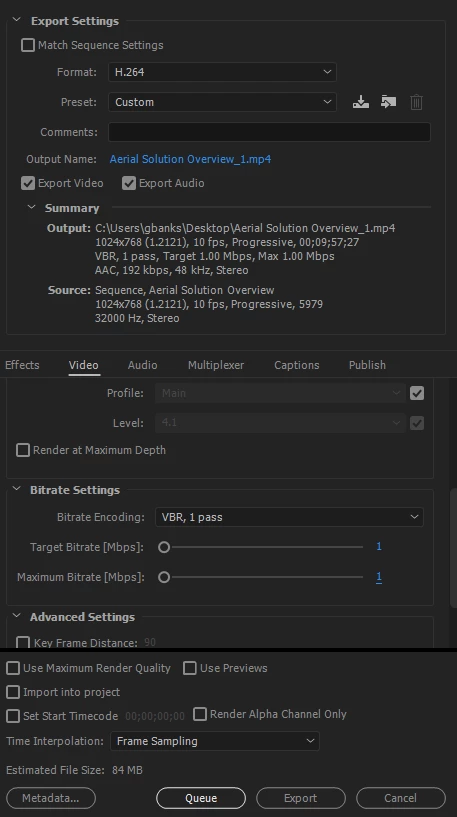
I'm a new user to Premiere Pro, and my boss has tasked me with doing some minor edit to some .mp4 video files. These files are recordings of online training programs conducted via WebEx. The original videos range from 25MB to 75MB. After making edits (such as cropping the video, and deleting a few minutes of film time) the file size is much larger. In some cases the file size has doubled. I have played around with the export settings (found below) and researched the best setting to used to be played online via our Learning Management System.
Ideally, I would like to keep the video size as close to the original as possible. Is there a way to make the edits and use export the videos at a file size that is close to the original video (without sacrificing quality).
Any help you could provide would be greatly appreciated!
Export Settings
 AdChoices