
ferdi@tmc
Participant
April 20, 2017
Question

MXF decode error in Premiere Pro CC 2017.1

  • April 20, 2017
  • 6 replies
  • 5910 views

Hi all

We've inherited a client with a lot of video projects edited in Avid. The problem we have is that a good bit of footage comes from a Sony HDV camera. These files look normal in both Avid and Finder, but when we import into Premiere Pro CC 2017.1 we get an MXF decode error:
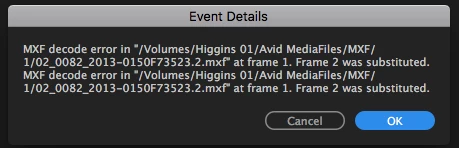
and the image looks like this in Premiere:
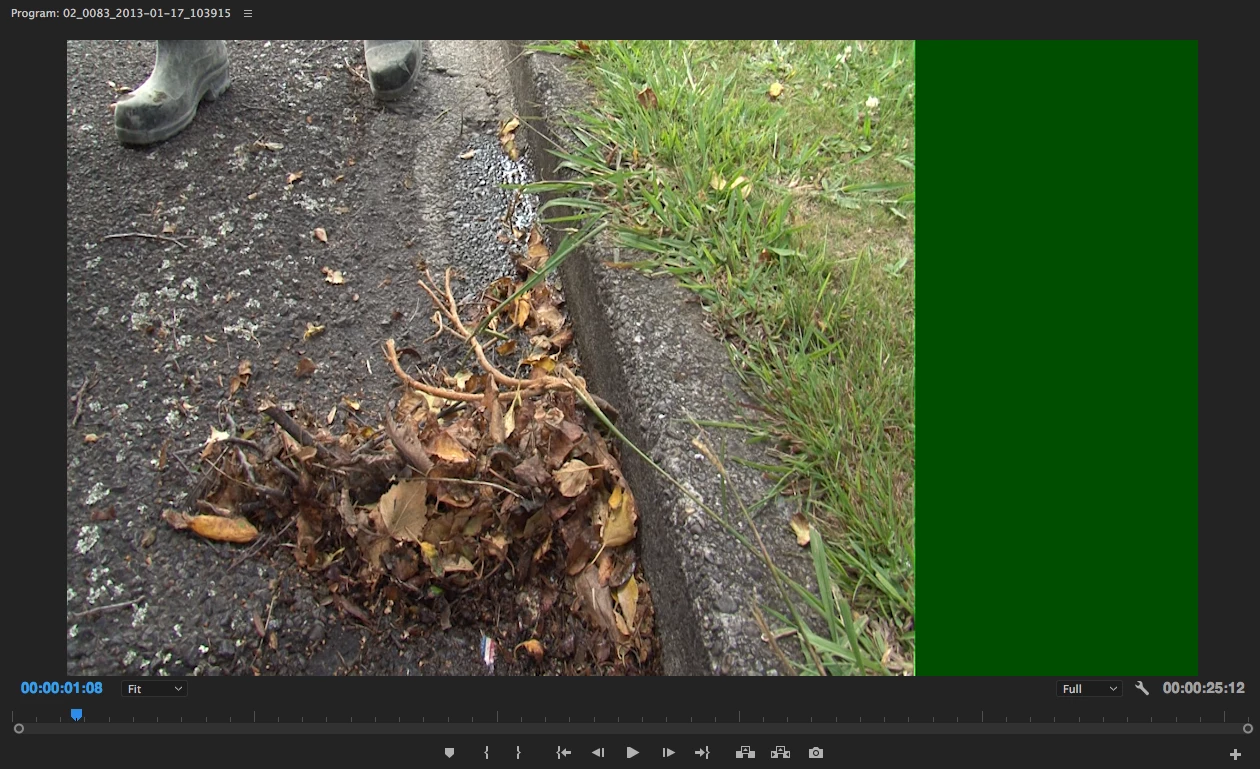
System details:

     macOS Sierra

     Version 10.12.4

     Premiere Pro CC 2017.1

A trial version of Avid is installed on the system and I'm using AAF to bring sequences over to Premiere.

Can any one help please?

Thanks!

This topic has been closed for replies.

6 replies

Known Participant
November 6, 2017

Hello

So after a bunch of testing, the issue had nothing to do with premiere 2017.1

I'm always using a md5 error checking when I'm copying my rushes into my RAID, but it seems that my SD card reader (transcend usb3 TS-RDF9K) might be at fault here (either that or my usb3 controller on my asus P9X79WS-E)

I used another SD card reader (from laptop) to copy to USB3 HDD, then ingest in my raid. The hash codes were not the same as the previous ones, hence proving a faulty copy.

Now the dnxhd mxf files from video assist work fine. Luckily for me, I still had the dman SD cards...

I just wish the premiere software would actually check for that kind of error when importing, and not let us edit bad files (since they cannot be exported).

I will test if those bad files pose problem with cc2015.

Thank you and good luck.

Known Participant
November 2, 2017

Well. I tried with 2018 and I have the same issues.

WCartistDad
Participant
November 6, 2017

So I found a workaround. Sucks but works. I downloaded Premiere CC 2015. I use that to export the MXF files to something else then replace the files in my Premiere Pro CC 2018 project.

Known Participant
November 2, 2017

Hello

I have exactly the same issue as WCartistDad. I'm using dnxhd codex in mxf from video assist (BMD).

Thanks

edit : Seems I cannot export. When cueing, the data does not seem to be sent in AME. When exporting directly from premiere, the exporter sends a error message and export is impossible.

This is a real problem now.

I'm still running 2017.1. It seems it is not so much of a good idea to upgrade to 2018 with mxf container.

edit :

My particular problem is solved. Please see below.

WCartistDad
Participant
October 16, 2017

I'm having the same issue. Is there a fix to this yet?

Participating Frequently
October 2, 2017

Having the same problem on Windows 10 version

Legend
October 3, 2017

Start with Step 2 below.  Report back.

Unofficial Premiere Pro Troubleshooting Guide

Vidya Sagar
Adobe Employee
Adobe Employee
April 25, 2017

Hi ferdi tmc,

I am sorry for the MXF decode error.

1. Are you importing the files into Premiere Pro using File > Import or Media Browser?

2. Have you tried importing the files into a new project file?

Thanks,

Vidya

ferdi@tmc
ferdi@tmcAuthor
Participant
April 28, 2017

Hi Vidya

Thanks for the reply.

I've tried the File>Import function, the Media Browser as well as drag-and-drop from Finder into a new project with the same result.

Is there a special codec I need to install?

Thanks!