
Participating Frequently
February 12, 2017
Question

My timeline sizing won't reset

  • February 12, 2017
  • 4 replies
  • 5424 views

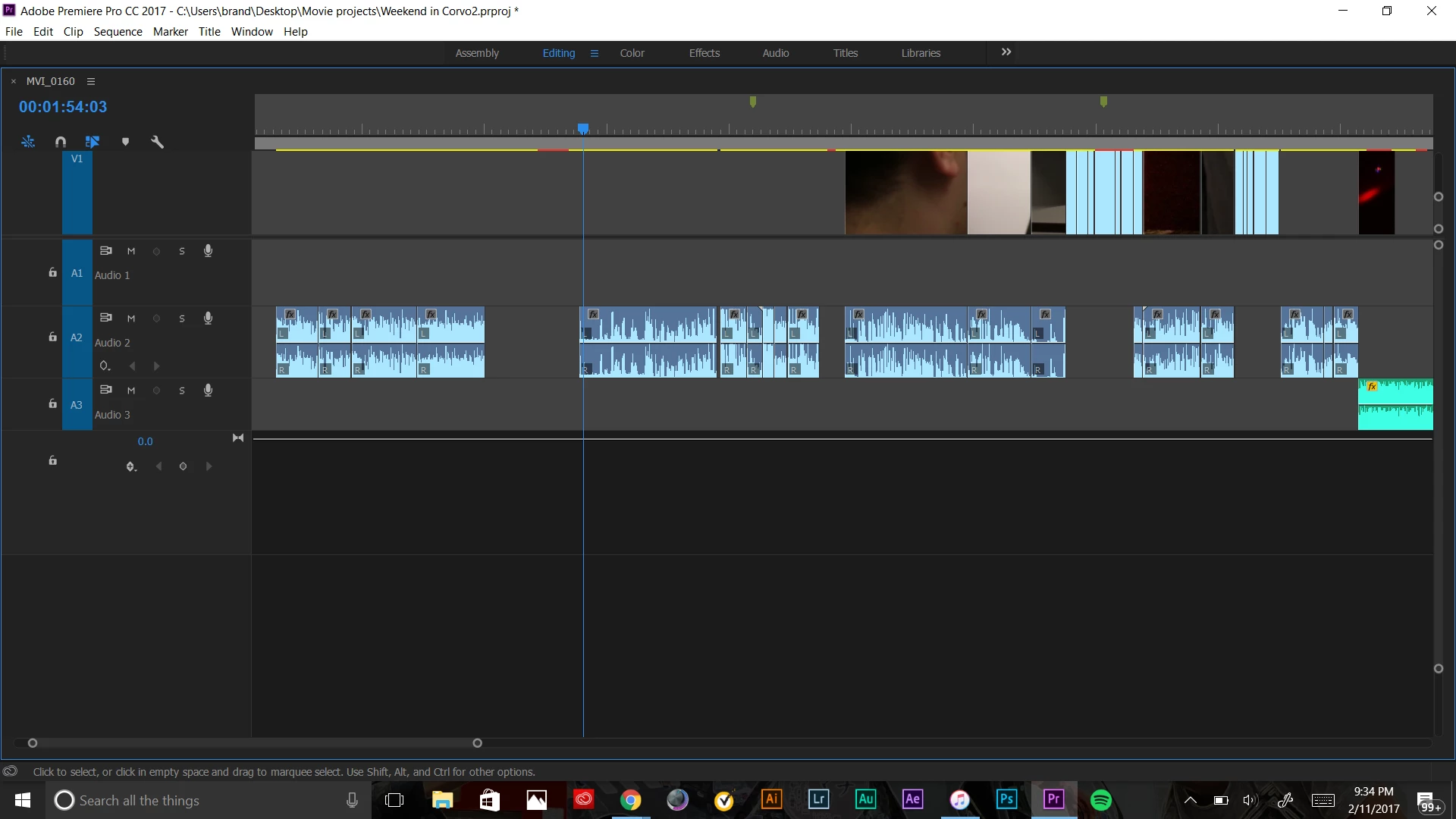
So I accidentally resized my video clips and I can't even scroll thought to pull down the clips above it. Sorta hard to explain, but basically, there's video clips above the layer V1 but I can't see them or pull them into view. What do I do to fix this.
This topic has been closed for replies.

4 replies

Vidya Sagar
Adobe Employee
Adobe Employee
March 27, 2017

Hi brandons,

Have you tried the recommended steps? Have you resolved the issue? Please let us know the status of the issue.

Thanks,

Vidya

Ann Bens
Community Expert
Community Expert
February 12, 2017

Also on the right side of the timeline there are scoll bars (one for video and one for audio) to resize the tracks.

But the ` (grave) should do the trick to get you back on track...

Legend
February 12, 2017

You have maximized your timeline panel, and you cannot drag to resize it in this state.

Press ` (the key paired with the ~ symbol), to restore the panel to its default state, and you should be good to go.

Jogen
Inspiring
February 12, 2017

Hi Brandon,

there are two things to do directly in the timeline:

-"catch" the line, that splits video and audio - and pull it down, so more video tracks will be visible.

- go to that square right of the blue "V1" and scroll down, that will decrease size of V1.

In the windows tab you can reset track heights, and you also can build a shortcut for individual sizes / maximize all / minimize all.

Best,

Jo